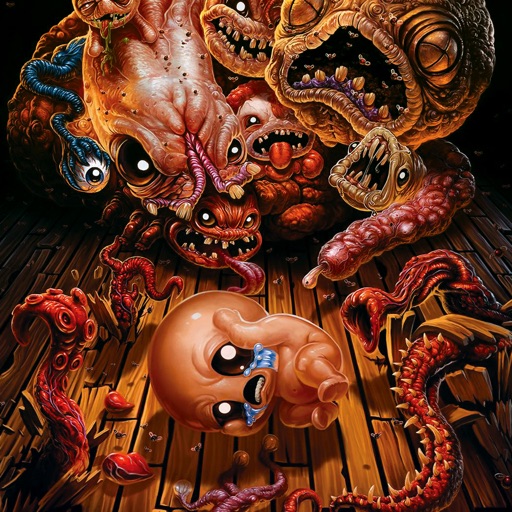
Download iOS IPA Hack
4
1
Views
0
This Week
5.0
Rating
6 days ago
Last Updated
The Binding of Isaac: Rebirth iOS Hack
Compatibility:
iOS 16.0-26+
iPhone
iPad
No Jailbreak Required
Hack Features
- God Mode
- One Hit Kill
- Infinite Coin/ Bomb/ Key
- Unlock All DLCs (Tap on it and Play)
App Information
- Hack Version: 1.4
- Developer: iOSAppHacks
- Bundle ID: com.Nicalis.Isaac-iOS
- IPA Size: 2068.36 MB
- iOS Required: 16.0+
- Updated:
Official App Store Description US App Store
"When Isaac’s mother starts hearing the voice of God demanding a sacrifice be made to prove her faith, Isaac escapes into the basement, where he faces droves of deranged enemies, lost brothers and sisters, his fears and eventually his mother.
Gameplay
The Binding of Isaac: Rebirth is the randomly generated action RPG shooter that started the new roguelike era. Following Isaac on his journey, players will find bizarre treasures that change Isaac’s form, giving him superhuman abilities and enabling him to battle droves of mysterious creatures, discover secrets and fight his way to safety.
Key Features:
Over 500 hours of gameplay
4 BILLION Seeded runs!
20 Challenge runs
450+ items
Integrated controller support for popular control pads
Analog directional movement and speed
Tons of feature film-quality animated endings
Over 100 specialized seeds
2-player local co-op
Over 100 co-op characters
Dynamic lighting, visual effects and art direction
Multiple Save slots
Poop physics!
A bunch of achievements
The ultimate roguelike
Uber secrets including:
10 Playable Characters
100+ enemies
Over 50 bosses
Mystic Runes
Upgradeable shops
Rooms FULL OF POOP!"
Gameplay
The Binding of Isaac: Rebirth is the randomly generated action RPG shooter that started the new roguelike era. Following Isaac on his journey, players will find bizarre treasures that change Isaac’s form, giving him superhuman abilities and enabling him to battle droves of mysterious creatures, discover secrets and fight his way to safety.
Key Features:
Over 500 hours of gameplay
4 BILLION Seeded runs!
20 Challenge runs
450+ items
Integrated controller support for popular control pads
Analog directional movement and speed
Tons of feature film-quality animated endings
Over 100 specialized seeds
2-player local co-op
Over 100 co-op characters
Dynamic lighting, visual effects and art direction
Multiple Save slots
Poop physics!
A bunch of achievements
The ultimate roguelike
Uber secrets including:
10 Playable Characters
100+ enemies
Over 50 bosses
Mystic Runes
Upgradeable shops
Rooms FULL OF POOP!"
- Rating: 4.5/5 (4,228 ratings)
- Price: $14.99
- App Store Category: Games
-
Languages:
EN
- Developer: Nicalis, Inc.
- App Store Link:
Installation Guide
Follow these steps to install The Binding of Isaac: Rebirth on your iOS device using Sideloadly - the best iOS IPA sideloader for iPhone and iPad.
Prerequisites:
- A computer (Windows PC or Mac)
- Latest version of iTunes & iCloud installed
- An Apple ID (free or paid developer account)
- USB cable to connect your iOS device
- Internet connection
Step-by-Step Installation Guide:
-
Download Sideloadly:
Visit Sideloadly.io and download the application for your computer (Windows or Mac). -
Install Sideloadly:
Run the Sideloadly installer and follow the installation wizard. -
Download the IPA File:
Use the green download button above to get the The Binding of Isaac: Rebirth IPA file (2068.36 MB). -
Connect Your Device:
Use a USB cable to connect your iPhone or iPad to your computer. Trust the computer if prompted on your iOS device. -
Sideload the App:
- Open Sideloadly
- Drag and drop the downloaded IPA file into Sideloadly
- Select your connected iOS device
- Enter your Apple ID email and password when prompted
- Click "Start" to begin sideloading
-
Trust the Developer Profile:
- On your iOS device, go to Settings > General > VPN & Device Management
- Find your Apple ID profile under "Developer App"
- Tap on it and select "Trust"
-
Enable Developer Mode (If Required):
- If you see a prompt about Developer Mode, or the app doesn't open:
- Go to Settings > Privacy & Security
- Scroll down and tap "Developer Mode"
- Toggle Developer Mode on and follow the prompts to restart your device
- After restart, confirm enabling Developer Mode when prompted
Important Notes:
- Free Apple IDs require re-sideloading every 7 days
- Paid Apple Developer accounts ($99/year) allow installations lasting 365 days
- Make sure your iOS version is 16.0+ for compatibility
- Keep Sideloadly updated for the best sideloading experience
Troubleshooting:
- If installation fails, try rebooting your device and computer
- Ensure you have the latest iTunes & iCloud version installed
- Check your internet connection
- Make sure your Apple ID is valid and 2FA is handled if enabled
- If Developer Mode is not visible, make sure you're on iOS 16 or later and reboot device


