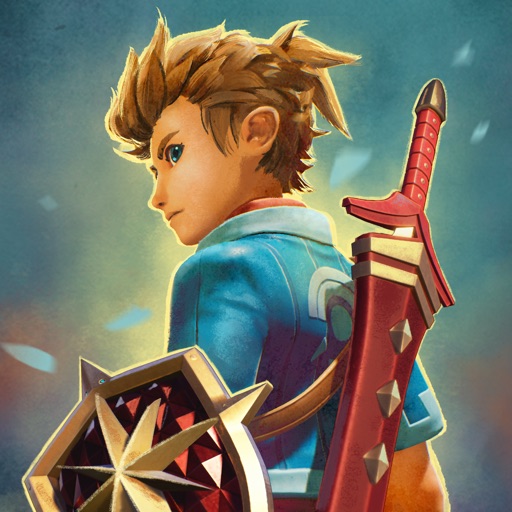
Download iOS IPA Hack
0
1
Views
0
This Week
4.0
Rating
3 months ago
Last Updated
Oceanhorn 2 iOS Hack
Compatibility:
iOS 13.0-26+
iPhone
iPad
No Jailbreak Required
Description
<p>This app has <a target="_blank" rel="noopener noreferrer nofollow" href="https://iosgods.com/topic/153130-introducing-igamegod-jailed-speed-manager-touch-recorder-cheat-engine-for-non-jailbroken-devices/?do=findComment&comment=4937789">iGameGod Jailed</a> enabled so you can use the <a target="_blank" href="https://iosgods.com/topic/134184-introducing-igamegod-cheat-engine-speed-manager-auto-touch-more/#comment-4265745">iOS Cheat Engine</a>, <a target="_blank" href="https://iosgods.com/topic/134186-igamegod-speed-manager-adjust-the-speed-of-your-games/?tab=comments#comment-4265749">Speed Hack Manager</a> or <a target="_blank" href="https://iosgods.com/topic/134185-igamegod-auto-touch-record-and-replay-your-taps/?tab=comments#comment-4265748">Auto Touch Recorder</a> to your liking! If you would like to add iGameGod Jailed to your app, you can do so by following the instructions in <a target="_blank" rel="noopener noreferrer nofollow" href="https://iosgods.com/topic/153130-introducing-igamegod-jailed-speed-manager-touch-recorder-cheat-engine-for-non-jailbroken-devices/?do=findComment&comment=4937789">the official topic</a>!<br><br>For tutorials, videos & examples on how to use iGameGod, please visit: <a target="_blank" href="https://iosgods.com/tags/iGameGod/">https://iosgods.com/tags/iGameGod/</a></p>
App Information
- Hack Version: 4.1
- Developer: iOSAppHacks
- Bundle ID: com.cornfox.oceanhorn2
- IPA Size: 2471.94 MB
- iOS Required: 13.0+
- Updated:
Official App Store Description US App Store
Oceanhorn 2: Knights of the Lost Realm Golden Edition is here! Ready to embark on an RPG journey you'll never forget? This is the best version of the game to date, featuring brand new content, quests, items, and enhancements!
A GRAND ADVENTURE
Oceanhorn 2: Knights of the Lost Realm, set a thousand years before the events of the first chapter, takes you on a magical journey across the vast world of Gaia, brimming with mythology and lore. A young Knight faces an impossible challenge, as Warlock Mesmeroth has returned with a formidable Dark Army. Will our hero be able to unite the Owrus, Gillfolk, and men in a fight for the fate of the world?
THIS TIME YOU'RE NOT ALONE
You will not be taking this journey alone. Trin, the granddaughter of Arcadia's leader Archimedes, and Gen, a mysterious robot wielding an old samurai weapon, will join forces with you, and fight at your side against Mesmeroth's Dark Army. Contextual commands will allow you to direct these allies into battle, or have them help you with the solution of the game's most clever puzzles!
FIGHT, SOLVE, EXPLORE
Bigger, better, and packed with new features – Oceanhorn 2 is not only one of the best-looking adventure games out there, but it also builds a unique experience on the shoulder of classic video games. Collect powerful items, wield the Caster Gun, solve the mysterious puzzles of the ancients, and discover all that Arcadia and its neighboring kingdoms have to offer! Accept the challenge and become a true hero.
FEATURES
• An epic RPG main quest spanning 20+ hours of gameplay
• Massive boss fights test your reflexes and combat skills
• Dozens of side quests grant incredible rewards
• Clever puzzles to solve and mysterious dungeons to explore
• Beautiful, handcrafted graphics paint a world of legends and intrigue
• Majestic 60fps on all high-end devices
Support: please mail support@cornfox.com
A GRAND ADVENTURE
Oceanhorn 2: Knights of the Lost Realm, set a thousand years before the events of the first chapter, takes you on a magical journey across the vast world of Gaia, brimming with mythology and lore. A young Knight faces an impossible challenge, as Warlock Mesmeroth has returned with a formidable Dark Army. Will our hero be able to unite the Owrus, Gillfolk, and men in a fight for the fate of the world?
THIS TIME YOU'RE NOT ALONE
You will not be taking this journey alone. Trin, the granddaughter of Arcadia's leader Archimedes, and Gen, a mysterious robot wielding an old samurai weapon, will join forces with you, and fight at your side against Mesmeroth's Dark Army. Contextual commands will allow you to direct these allies into battle, or have them help you with the solution of the game's most clever puzzles!
FIGHT, SOLVE, EXPLORE
Bigger, better, and packed with new features – Oceanhorn 2 is not only one of the best-looking adventure games out there, but it also builds a unique experience on the shoulder of classic video games. Collect powerful items, wield the Caster Gun, solve the mysterious puzzles of the ancients, and discover all that Arcadia and its neighboring kingdoms have to offer! Accept the challenge and become a true hero.
FEATURES
• An epic RPG main quest spanning 20+ hours of gameplay
• Massive boss fights test your reflexes and combat skills
• Dozens of side quests grant incredible rewards
• Clever puzzles to solve and mysterious dungeons to explore
• Beautiful, handcrafted graphics paint a world of legends and intrigue
• Majestic 60fps on all high-end devices
Support: please mail support@cornfox.com
- Rating: 4.2/5 (3,667 ratings)
- Price: N/A
- App Store Category: Games
-
Languages:
AR NL EN FI FR DE IT JA KO PT RU ZH ES ZH TR
- Developer: Cornfox & Brothers Ltd.
- App Store Link:
Installation Guide
Follow these steps to install Oceanhorn 2 on your iOS device using Sideloadly - the best iOS IPA sideloader for iPhone and iPad.
Prerequisites:
- A computer (Windows PC or Mac)
- Latest version of iTunes & iCloud installed
- An Apple ID (free or paid developer account)
- USB cable to connect your iOS device
- Internet connection
Step-by-Step Installation Guide:
-
Download Sideloadly:
Visit Sideloadly.io and download the application for your computer (Windows or Mac). -
Install Sideloadly:
Run the Sideloadly installer and follow the installation wizard. -
Download the IPA File:
Use the green download button above to get the Oceanhorn 2 IPA file (2471.94 MB). -
Connect Your Device:
Use a USB cable to connect your iPhone or iPad to your computer. Trust the computer if prompted on your iOS device. -
Sideload the App:
- Open Sideloadly
- Drag and drop the downloaded IPA file into Sideloadly
- Select your connected iOS device
- Enter your Apple ID email and password when prompted
- Click "Start" to begin sideloading
-
Trust the Developer Profile:
- On your iOS device, go to Settings > General > VPN & Device Management
- Find your Apple ID profile under "Developer App"
- Tap on it and select "Trust"
-
Enable Developer Mode (If Required):
- If you see a prompt about Developer Mode, or the app doesn't open:
- Go to Settings > Privacy & Security
- Scroll down and tap "Developer Mode"
- Toggle Developer Mode on and follow the prompts to restart your device
- After restart, confirm enabling Developer Mode when prompted
Important Notes:
- Free Apple IDs require re-sideloading every 7 days
- Paid Apple Developer accounts ($99/year) allow installations lasting 365 days
- Make sure your iOS version is 13.0+ for compatibility
- Keep Sideloadly updated for the best sideloading experience
Troubleshooting:
- If installation fails, try rebooting your device and computer
- Ensure you have the latest iTunes & iCloud version installed
- Check your internet connection
- Make sure your Apple ID is valid and 2FA is handled if enabled
- If Developer Mode is not visible, make sure you're on iOS 16 or later and reboot device


