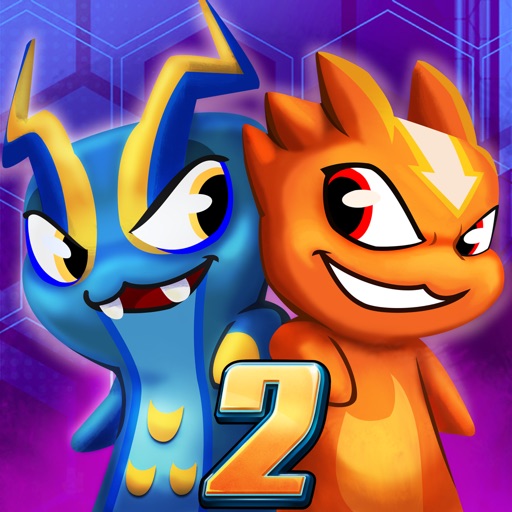
Download iOS IPA Hack
1
1
Views
0
This Week
5.0
Rating
2 years ago
Last Updated
Slugterra: Slug it Out 2 iOS Hack
Compatibility:
iOS 10.0-26+
iPhone
iPad
No Jailbreak Required
Hack Features
- Free Upgrade
App Information
- Hack Version: 5.1.7
- Developer: iOSAppHacks
- Bundle ID: com.dhxmedia.slugitout2
- IPA Size: 260.42 MB
- iOS Required: 10.0+
- Updated:
Official App Store Description US App Store
The official Slugterra mobile RPG is free to play. Collect the slugs from the show, battle Dr. Blakk and the Shadow Clan, and defend the 99 Caverns in a tactical match-3 puzzle RPG. Beginner friendly with a high skill ceiling.
Slug It Out 2 is the official Slugterra game. Build your slug team from over 100 creatures straight from the animated series, master elemental battle strategy, and fight through a full story campaign set in the Slugterra universe fans already know.
Collect the Slugs from the Show Over 100 official Slugterra slugs spanning Fire, Water, Earth, Air, Energy, and Psychic elements, each with distinct abilities, upgrade paths, and evolution stages. Level up your favorites, unlock legendary skills, and build teams around the slugs you know from the series. Go aggressive, defensive, elemental, or combo-based. Adapt your roster as the challenge grows.
Tactical Match-3 Slug Battles Every puzzle move charges your slug team and fuels signature attacks. Chain tiles for bonus energy, set up multi-hit combos, and time abilities to counter enemy mechanics. Easy to learn for new players, deep enough for veteran Slugterra trainers who want to master every element and synergy combination.
Defend Slugterra Across the 99 Caverns Explore the full underground world of Slugterra across dozens of story missions and increasingly dangerous zones. Face Dr. Blakk, the Shadow Clan, and other iconic villains from the animated series. Earn progression rewards and uncover hidden content across a full Slugterra story campaign with dozens of hours of adventure.
Competitive PvP and Ranked Leaderboards Take your optimized slug team into ranked PvP battles against real opponents. Climb the leaderboard, earn exclusive rewards, and prove your slug mastery against the best trainers globally.
Live Events, Daily Missions, and Seasonal Slugterra Content Rotating daily challenges, limited-time missions, and seasonal events deliver exclusive slugs, rare materials, and Slugterra cosmetic rewards consistently. New slugs and game modes added regularly. Updates keep the official Slugterra RPG experience fresh for new fans and veteran collectors working toward complete rosters.
Free to Play, Offline Available Download and play for free. Progress through the full Slugterra campaign with no internet connection required. Play anywhere, on your schedule.
Why Slugterra Fans Keep Coming Back
- The official Slugterra mobile RPG, free to play
- 100+ slugs from the animated series to collect and evolve
- Tactical match-3 combat with deep slug team strategy
- Battle Dr. Blakk and the Shadow Clan across the 99 Caverns
- Beginner friendly with a high competitive skill ceiling
- Live events, seasonal Slugterra content, and regular updates
- Offline play for solo progression anywhere
If you grew up watching Slugterra or you're discovering the underground world for the first time, Slug It Out 2 is the complete official experience. Collect every slug, master every element, and defend Slugterra.
Download free and start your Slugterra journey today.
Stay Connected:
Facebook: https://www.facebook.com/Slugterra/
Instagram: https://www.instagram.com/slugterra_slugitout2/
Discord: https://discord.gg/jTnu1ra5Yb
Slug It Out 2 is the official Slugterra game. Build your slug team from over 100 creatures straight from the animated series, master elemental battle strategy, and fight through a full story campaign set in the Slugterra universe fans already know.
Collect the Slugs from the Show Over 100 official Slugterra slugs spanning Fire, Water, Earth, Air, Energy, and Psychic elements, each with distinct abilities, upgrade paths, and evolution stages. Level up your favorites, unlock legendary skills, and build teams around the slugs you know from the series. Go aggressive, defensive, elemental, or combo-based. Adapt your roster as the challenge grows.
Tactical Match-3 Slug Battles Every puzzle move charges your slug team and fuels signature attacks. Chain tiles for bonus energy, set up multi-hit combos, and time abilities to counter enemy mechanics. Easy to learn for new players, deep enough for veteran Slugterra trainers who want to master every element and synergy combination.
Defend Slugterra Across the 99 Caverns Explore the full underground world of Slugterra across dozens of story missions and increasingly dangerous zones. Face Dr. Blakk, the Shadow Clan, and other iconic villains from the animated series. Earn progression rewards and uncover hidden content across a full Slugterra story campaign with dozens of hours of adventure.
Competitive PvP and Ranked Leaderboards Take your optimized slug team into ranked PvP battles against real opponents. Climb the leaderboard, earn exclusive rewards, and prove your slug mastery against the best trainers globally.
Live Events, Daily Missions, and Seasonal Slugterra Content Rotating daily challenges, limited-time missions, and seasonal events deliver exclusive slugs, rare materials, and Slugterra cosmetic rewards consistently. New slugs and game modes added regularly. Updates keep the official Slugterra RPG experience fresh for new fans and veteran collectors working toward complete rosters.
Free to Play, Offline Available Download and play for free. Progress through the full Slugterra campaign with no internet connection required. Play anywhere, on your schedule.
Why Slugterra Fans Keep Coming Back
- The official Slugterra mobile RPG, free to play
- 100+ slugs from the animated series to collect and evolve
- Tactical match-3 combat with deep slug team strategy
- Battle Dr. Blakk and the Shadow Clan across the 99 Caverns
- Beginner friendly with a high competitive skill ceiling
- Live events, seasonal Slugterra content, and regular updates
- Offline play for solo progression anywhere
If you grew up watching Slugterra or you're discovering the underground world for the first time, Slug It Out 2 is the complete official experience. Collect every slug, master every element, and defend Slugterra.
Download free and start your Slugterra journey today.
Stay Connected:
Facebook: https://www.facebook.com/Slugterra/
Instagram: https://www.instagram.com/slugterra_slugitout2/
Discord: https://discord.gg/jTnu1ra5Yb
- Rating: 4.8/5 (28,284 ratings)
- Price: Free
- App Store Category: Games
-
Languages:
EN FR PT ES
- Developer: Nightmarket Games Inc.
- App Store Link:
Installation Guide
Follow these steps to install Slugterra: Slug it Out 2 on your iOS device using Sideloadly - the best iOS IPA sideloader for iPhone and iPad.
Prerequisites:
- A computer (Windows PC or Mac)
- Latest version of iTunes & iCloud installed
- An Apple ID (free or paid developer account)
- USB cable to connect your iOS device
- Internet connection
Step-by-Step Installation Guide:
-
Download Sideloadly:
Visit Sideloadly.io and download the application for your computer (Windows or Mac). -
Install Sideloadly:
Run the Sideloadly installer and follow the installation wizard. -
Download the IPA File:
Use the green download button above to get the Slugterra: Slug it Out 2 IPA file (260.42 MB). -
Connect Your Device:
Use a USB cable to connect your iPhone or iPad to your computer. Trust the computer if prompted on your iOS device. -
Sideload the App:
- Open Sideloadly
- Drag and drop the downloaded IPA file into Sideloadly
- Select your connected iOS device
- Enter your Apple ID email and password when prompted
- Click "Start" to begin sideloading
-
Trust the Developer Profile:
- On your iOS device, go to Settings > General > VPN & Device Management
- Find your Apple ID profile under "Developer App"
- Tap on it and select "Trust"
-
Enable Developer Mode (If Required):
- If you see a prompt about Developer Mode, or the app doesn't open:
- Go to Settings > Privacy & Security
- Scroll down and tap "Developer Mode"
- Toggle Developer Mode on and follow the prompts to restart your device
- After restart, confirm enabling Developer Mode when prompted
Important Notes:
- Free Apple IDs require re-sideloading every 7 days
- Paid Apple Developer accounts ($99/year) allow installations lasting 365 days
- Make sure your iOS version is 10.0+ for compatibility
- Keep Sideloadly updated for the best sideloading experience
Troubleshooting:
- If installation fails, try rebooting your device and computer
- Ensure you have the latest iTunes & iCloud version installed
- Check your internet connection
- Make sure your Apple ID is valid and 2FA is handled if enabled
- If Developer Mode is not visible, make sure you're on iOS 16 or later and reboot device


