Download iOS IPA Hack
0
1
Views
0
This Week
4.0
Rating
3 days ago
Last Updated
Life Is Strange iOS Hack
Compatibility:
iOS 12.0-26+
iPhone
iPad
No Jailbreak Required
Hack Features
- Full Game Unlocked
App Information
- Hack Version: 2.01.1
- Developer: iOSAppHacks
- Bundle ID: com.squareenix.lis
- IPA Size: 871.7 MB
- iOS Required: 12.0+
- Updated:
Official App Store Description US App Store
** Supported Devices: OS: Xcode 14.3 supported devices, iOS 12 or higher, All devices starting from iPhone X. **
Life Is Strange is a five part episodic game that sets out to revolutionize story-based choice and consequence games by allowing the player to rewind time and affect the past, present, and future.
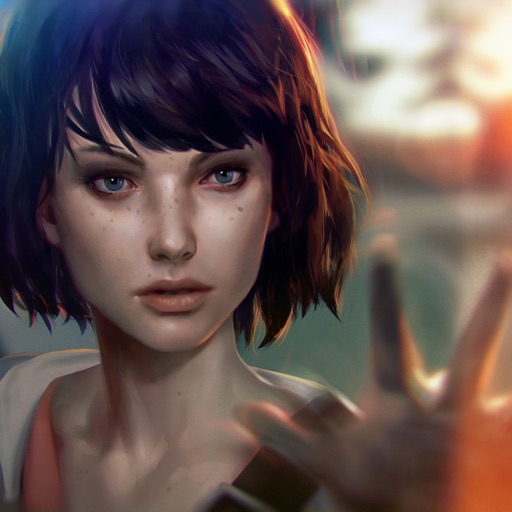
Follow the story of Max Caulfield, a photography senior who discovers she can rewind time while saving her best friend Chloe Price. The pair soon find themselves investigating the mysterious disappearance of fellow student Rachel Amber, uncovering a dark side to life in Arcadia Bay. Meanwhile, Max must quickly learn that changing the past can sometimes lead to a devastating future.
- A beautifully written modern adventure game;
- Rewind time to change the course of events;
- Multiple endings depending on the choices you make;
- Striking, hand-painted visuals;
- Distinct, licensed indie soundtrack featuring Alt-J, Foals, Angus & Julia Stone, Jose Gonzales and more.
** Reviews and Accolades **
Life is Strange, People's Choice Award winner at the International Mobile Game Awards 2018
Mac Game of the Year, United States
5/5 "A must-have." - The Examiner
5/5 "Something truly special." - International Business Times
"One of the best games I've played in years." - Forbes
10/10 "An impressive coming of age story." - Darkzero
Life is Strange, Game Artist Award winner at the International Mobile Game Awards 2018
8/10 "Rare and precious." - Edge
8.5/10 "OUTSTANDING." - GameInformer
90% "Dontnod have clearly put a lot of effort into the little details and it’s worth your time paying attention to their work." – Siliconera
8.5/10 “The climax of Episode Two is one of the most compelling — and devastating — things I’ve ever experienced in a game, because it’s so real, so understandable. Dontnod nails it.” – Polygon
4.5/5 "life is strange has me hooked" - HardcoreGamer
8/10 ".…has the potential to outdo both Telltale Games and Quantic Dream." - Metro
Life Is Strange is a five part episodic game that sets out to revolutionize story-based choice and consequence games by allowing the player to rewind time and affect the past, present, and future.
Follow the story of Max Caulfield, a photography senior who discovers she can rewind time while saving her best friend Chloe Price. The pair soon find themselves investigating the mysterious disappearance of fellow student Rachel Amber, uncovering a dark side to life in Arcadia Bay. Meanwhile, Max must quickly learn that changing the past can sometimes lead to a devastating future.
- A beautifully written modern adventure game;
- Rewind time to change the course of events;
- Multiple endings depending on the choices you make;
- Striking, hand-painted visuals;
- Distinct, licensed indie soundtrack featuring Alt-J, Foals, Angus & Julia Stone, Jose Gonzales and more.
** Reviews and Accolades **
Life is Strange, People's Choice Award winner at the International Mobile Game Awards 2018
Mac Game of the Year, United States
5/5 "A must-have." - The Examiner
5/5 "Something truly special." - International Business Times
"One of the best games I've played in years." - Forbes
10/10 "An impressive coming of age story." - Darkzero
Life is Strange, Game Artist Award winner at the International Mobile Game Awards 2018
8/10 "Rare and precious." - Edge
8.5/10 "OUTSTANDING." - GameInformer
90% "Dontnod have clearly put a lot of effort into the little details and it’s worth your time paying attention to their work." – Siliconera
8.5/10 “The climax of Episode Two is one of the most compelling — and devastating — things I’ve ever experienced in a game, because it’s so real, so understandable. Dontnod nails it.” – Polygon
4.5/5 "life is strange has me hooked" - HardcoreGamer
8/10 ".…has the potential to outdo both Telltale Games and Quantic Dream." - Metro
- Rating: 4.0/5 (9,542 ratings)
- Price: Free
- App Store Category: Games
-
Languages:
EN FR DE IT JA PT ZH ES
- Developer: SQUARE ENIX Ltd
- App Store Link:
Installation Guide
Follow these steps to install Life Is Strange on your iOS device using Sideloadly - the best iOS IPA sideloader for iPhone and iPad.
Prerequisites:
- A computer (Windows PC or Mac)
- Latest version of iTunes & iCloud installed
- An Apple ID (free or paid developer account)
- USB cable to connect your iOS device
- Internet connection
Step-by-Step Installation Guide:
-
Download Sideloadly:
Visit Sideloadly.io and download the application for your computer (Windows or Mac). -
Install Sideloadly:
Run the Sideloadly installer and follow the installation wizard. -
Download the IPA File:
Use the green download button above to get the Life Is Strange IPA file (871.7 MB). -
Connect Your Device:
Use a USB cable to connect your iPhone or iPad to your computer. Trust the computer if prompted on your iOS device. -
Sideload the App:
- Open Sideloadly
- Drag and drop the downloaded IPA file into Sideloadly
- Select your connected iOS device
- Enter your Apple ID email and password when prompted
- Click "Start" to begin sideloading
-
Trust the Developer Profile:
- On your iOS device, go to Settings > General > VPN & Device Management
- Find your Apple ID profile under "Developer App"
- Tap on it and select "Trust"
-
Enable Developer Mode (If Required):
- If you see a prompt about Developer Mode, or the app doesn't open:
- Go to Settings > Privacy & Security
- Scroll down and tap "Developer Mode"
- Toggle Developer Mode on and follow the prompts to restart your device
- After restart, confirm enabling Developer Mode when prompted
Important Notes:
- Free Apple IDs require re-sideloading every 7 days
- Paid Apple Developer accounts ($99/year) allow installations lasting 365 days
- Make sure your iOS version is 12.0+ for compatibility
- Keep Sideloadly updated for the best sideloading experience
Troubleshooting:
- If installation fails, try rebooting your device and computer
- Ensure you have the latest iTunes & iCloud version installed
- Check your internet connection
- Make sure your Apple ID is valid and 2FA is handled if enabled
- If Developer Mode is not visible, make sure you're on iOS 16 or later and reboot device


