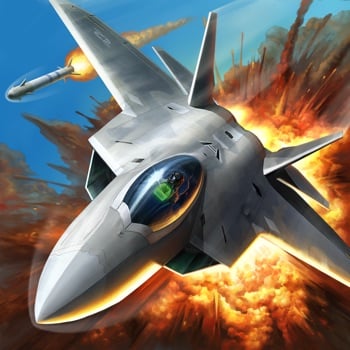
Download iOS IPA Hack
3
1
Views
0
This Week
5.0
Rating
5 years ago
Last Updated
Ace Force: Joint Combat iOS Hack
Compatibility:
iOS 8.0-26+
iPhone
iPad
No Jailbreak Required
Hack Features
- All Planes Unlocked (Complete a Level)
- All Planes Owned (Complete a Level)
App Information
- Hack Version: 2.2.0
- Developer: iOSAppHacks
- Bundle ID: com.oneworld.ef5.x
- IPA Size: 355.99 MB
- iOS Required: 8.0+
- Updated:
Official App Store Description US App Store
ADRENALINE PUMPING AERIAL COMBAT awaits you in Ace Force: Joint Combat. Fight against the forces of the Devil Region. Dodge attacks and dominate adversaries from the world's most technologically advanced aircraft. Unleash the might of your plane's arsenal on enemy jets and light up the skies with blazing explosions.
Enjoy spectacularly detailed jets and environments as you dogfight and dive bomb your way through the most explosive aerial combat game to hit mobile.
DESTROY THE ENEMY
The Devil Region has constricted the World's fuel supply and left the world defenseless. Battle to regain control of precious resource bases to upgrade your planes against enemy attacks.
PILOT DEADLY FIGHTER JETS
Wide selection of over 100 modern realistic planes, like F-22 Raptor, PAK FA T-50, Saab-JAS39, J-10 Vigorous Dragon and more. Choose your fighter to command the skies!
CREATE THE ULTIMATE WAR MACHINE
Hundreds of customization options! Upgrade your armor, engine, missiles, cannons, and technology systems to increase your power, and max out your war machines with classified blueprints.
ADRENALINE INTENSIVE FIGHTS
Modern air combat has never felt so realistic! Enjoy explosive, HD graphics as you progress through breathtaking regions! Shred your enemies and engage in high-speed acrobatics and dizzying 1 VS 1 encounters, and 2 VS 2 competitions. Complete quick time events to barrel roll and escape enemy fire.
TEAM UP AND JOINT COMBAT FOR GLORY
You're not fight alone. Clan with friends, build your exclusive team and win team glory on the global leaderboard. Honor above all else. Lead your team win through all the league championship.
Take to the heavens, Pilot and protect the world. Destroy the Devil Region's enemy jets and dominate the skies! Download Ace Force: Joint Combat, today.
We will update and improve Ace Force: Joint Combat constantly.
Please give us positive rate and feedback for further improvement of the sky combat experience.
Visit our official site at http://www.tminutes.com
Like us on Facebook: http://www.facebook.com/AFJointCombat
Follow us on Twitter: https://twitter.com/AFJointCombat
Customer service: support@tminutes.com
Enjoy spectacularly detailed jets and environments as you dogfight and dive bomb your way through the most explosive aerial combat game to hit mobile.
DESTROY THE ENEMY
The Devil Region has constricted the World's fuel supply and left the world defenseless. Battle to regain control of precious resource bases to upgrade your planes against enemy attacks.
PILOT DEADLY FIGHTER JETS
Wide selection of over 100 modern realistic planes, like F-22 Raptor, PAK FA T-50, Saab-JAS39, J-10 Vigorous Dragon and more. Choose your fighter to command the skies!
CREATE THE ULTIMATE WAR MACHINE
Hundreds of customization options! Upgrade your armor, engine, missiles, cannons, and technology systems to increase your power, and max out your war machines with classified blueprints.
ADRENALINE INTENSIVE FIGHTS
Modern air combat has never felt so realistic! Enjoy explosive, HD graphics as you progress through breathtaking regions! Shred your enemies and engage in high-speed acrobatics and dizzying 1 VS 1 encounters, and 2 VS 2 competitions. Complete quick time events to barrel roll and escape enemy fire.
TEAM UP AND JOINT COMBAT FOR GLORY
You're not fight alone. Clan with friends, build your exclusive team and win team glory on the global leaderboard. Honor above all else. Lead your team win through all the league championship.
Take to the heavens, Pilot and protect the world. Destroy the Devil Region's enemy jets and dominate the skies! Download Ace Force: Joint Combat, today.
We will update and improve Ace Force: Joint Combat constantly.
Please give us positive rate and feedback for further improvement of the sky combat experience.
Visit our official site at http://www.tminutes.com
Like us on Facebook: http://www.facebook.com/AFJointCombat
Follow us on Twitter: https://twitter.com/AFJointCombat
Customer service: support@tminutes.com
- Rating: 4.7/5 (9,773 ratings)
- Price: Free
- App Store Category: Games
-
Languages:
EN FR DE IT JA KO PT RU ZH ES ZH
- Developer: OneWorld LLC
- App Store Link:
Installation Guide
Follow these steps to install Ace Force: Joint Combat on your iOS device using Sideloadly - the best iOS IPA sideloader for iPhone and iPad.
Prerequisites:
- A computer (Windows PC or Mac)
- Latest version of iTunes & iCloud installed
- An Apple ID (free or paid developer account)
- USB cable to connect your iOS device
- Internet connection
Step-by-Step Installation Guide:
-
Download Sideloadly:
Visit Sideloadly.io and download the application for your computer (Windows or Mac). -
Install Sideloadly:
Run the Sideloadly installer and follow the installation wizard. -
Download the IPA File:
Use the green download button above to get the Ace Force: Joint Combat IPA file (355.99 MB). -
Connect Your Device:
Use a USB cable to connect your iPhone or iPad to your computer. Trust the computer if prompted on your iOS device. -
Sideload the App:
- Open Sideloadly
- Drag and drop the downloaded IPA file into Sideloadly
- Select your connected iOS device
- Enter your Apple ID email and password when prompted
- Click "Start" to begin sideloading
-
Trust the Developer Profile:
- On your iOS device, go to Settings > General > VPN & Device Management
- Find your Apple ID profile under "Developer App"
- Tap on it and select "Trust"
-
Enable Developer Mode (If Required):
- If you see a prompt about Developer Mode, or the app doesn't open:
- Go to Settings > Privacy & Security
- Scroll down and tap "Developer Mode"
- Toggle Developer Mode on and follow the prompts to restart your device
- After restart, confirm enabling Developer Mode when prompted
Important Notes:
- Free Apple IDs require re-sideloading every 7 days
- Paid Apple Developer accounts ($99/year) allow installations lasting 365 days
- Make sure your iOS version is 8.0+ for compatibility
- Keep Sideloadly updated for the best sideloading experience
Troubleshooting:
- If installation fails, try rebooting your device and computer
- Ensure you have the latest iTunes & iCloud version installed
- Check your internet connection
- Make sure your Apple ID is valid and 2FA is handled if enabled
- If Developer Mode is not visible, make sure you're on iOS 16 or later and reboot device


