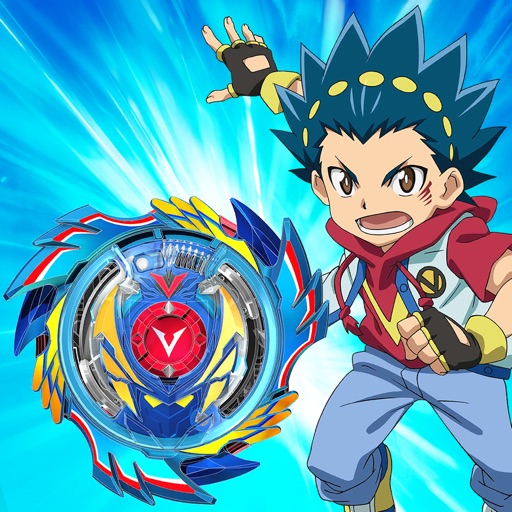
Download iOS IPA Hack
3
1
Views
0
This Week
5.0
Rating
7 years ago
Last Updated
Beyblade Burst Rivals iOS Hack
Compatibility:
iOS 8.0-26+
iPhone
iPad
No Jailbreak Required
Hack Features
- Infinite Coins (Spend some/ Get some)
- Infinite Crystals (Spend some/ Get some)
App Information
- Hack Version: 1.7.0
- Developer: iOSAppHacks
- Bundle ID: com.epicstory.beybladeburst
- IPA Size: 66.06 MB
- iOS Required: 8.0+
- Updated:
Official App Store Description US App Store
BEYBLADE BURST RIVALS is the official fast-paced match-3 puzzle battle game based on the hit boy’s action property, BEYBLADE BURST, which follows the adventures of Valt Aoi and the rest of the gang as they strive to become the world’s greatest Bladers.
Choose your favorite character and follow them on their quest to become a Master Blader as they enter BEYBLADE BURST tournaments, use rare and powerful Beys with the help of your loyal Avatars and participate in epic battles.
Collect an arsenal of Beys and upgrade them, unlocking special Bey techniques that provide a decisive edge for the ultimate battle. Which ones will you master?
Use strategy to defeat your opponents and strive for Ring Out Finishes, Survivor Finishes, and epic Burst Finishes!
Do you have what it takes to become the best Blader in the world? Grab your Bey and LET IT RIP!
FAST-PACED MATCH 3 BEYBLADE BURST BATTLES:
• Match tiles to power up and unleash epic Bey Techniques in battle!
• Use your favorite Bey Techniques from the TV series like Rush Launch, Counter Break, Quake Launch and more!
• Switch your Beys between rounds to perfect your strategy!
BATTLE HEAD-TO-HEAD WITH YOUR FAVORITE BLADERS, BEYS & AVATARS FROM THE BEYBLADE BURST TV SERIES:
• Collect and use all your favorite Beys in battle including Victory Valtryek, Storm Spryzen, Raging Roktavor, Xeno Xcalius, Lost Lúinor and more!
• Battle all your favorite characters including Valt, Rantaro, Daigo, Ken, Wakiya, Xander, Zac, Shu, Lui and more!
• Activate your devoted Avatars, charge up, sit back and watch their explosive affects across the board
• Challenge the best Bladers!
COLLECT THE RAREST AVATARS, BLADERS & BEYS:
• Discover rare and epic loot by opening Bey Boxes!
• Collect, level up and manage your Avatars, Bladers and Beys and use their powers strategically in battle!
• The more powerful the Blader or Bey, the better their stats, powers and abilities will be!
• New Bladers and Beys are added all the time!
BUILD YOUR ARSENAL OF RARE BEYS:
• Build your arsenal of rare Beys and battle with them in the Beystadium!
• Collect 5-star Beys to unlock new Bey Techniques!
• Earn experience and level up your Beys to unlock their true potential!
BECOME THE BEST BLADER IN THE WORLD:
• Compete in tournaments in awesome locations like Mountaintop, Seaside, and the National Stadium!
• Train your arsenal of Beys by battling in Quick Play!
• Compete in special weekly tournaments for epic rewards!
• Defeat the greatest Bladers and earn your place in history!
Follow us to get the latest NEWS and UPDATES:
Twitter- @Beyblade_Rivals
Instagram- @beybladeburstrivals
Discord Invite Link- https://discord.gg/M92MT2J
Choose your favorite character and follow them on their quest to become a Master Blader as they enter BEYBLADE BURST tournaments, use rare and powerful Beys with the help of your loyal Avatars and participate in epic battles.
Collect an arsenal of Beys and upgrade them, unlocking special Bey techniques that provide a decisive edge for the ultimate battle. Which ones will you master?
Use strategy to defeat your opponents and strive for Ring Out Finishes, Survivor Finishes, and epic Burst Finishes!
Do you have what it takes to become the best Blader in the world? Grab your Bey and LET IT RIP!
FAST-PACED MATCH 3 BEYBLADE BURST BATTLES:
• Match tiles to power up and unleash epic Bey Techniques in battle!
• Use your favorite Bey Techniques from the TV series like Rush Launch, Counter Break, Quake Launch and more!
• Switch your Beys between rounds to perfect your strategy!
BATTLE HEAD-TO-HEAD WITH YOUR FAVORITE BLADERS, BEYS & AVATARS FROM THE BEYBLADE BURST TV SERIES:
• Collect and use all your favorite Beys in battle including Victory Valtryek, Storm Spryzen, Raging Roktavor, Xeno Xcalius, Lost Lúinor and more!
• Battle all your favorite characters including Valt, Rantaro, Daigo, Ken, Wakiya, Xander, Zac, Shu, Lui and more!
• Activate your devoted Avatars, charge up, sit back and watch their explosive affects across the board
• Challenge the best Bladers!
COLLECT THE RAREST AVATARS, BLADERS & BEYS:
• Discover rare and epic loot by opening Bey Boxes!
• Collect, level up and manage your Avatars, Bladers and Beys and use their powers strategically in battle!
• The more powerful the Blader or Bey, the better their stats, powers and abilities will be!
• New Bladers and Beys are added all the time!
BUILD YOUR ARSENAL OF RARE BEYS:
• Build your arsenal of rare Beys and battle with them in the Beystadium!
• Collect 5-star Beys to unlock new Bey Techniques!
• Earn experience and level up your Beys to unlock their true potential!
BECOME THE BEST BLADER IN THE WORLD:
• Compete in tournaments in awesome locations like Mountaintop, Seaside, and the National Stadium!
• Train your arsenal of Beys by battling in Quick Play!
• Compete in special weekly tournaments for epic rewards!
• Defeat the greatest Bladers and earn your place in history!
Follow us to get the latest NEWS and UPDATES:
Twitter- @Beyblade_Rivals
Instagram- @beybladeburstrivals
Discord Invite Link- https://discord.gg/M92MT2J
- Rating: 4.8/5 (32,292 ratings)
- Price: Free
- App Store Category: Games
-
Languages:
EN FR KO PT ES
- Developer: Nightmarket Games Inc.
- App Store Link:
Installation Guide
Follow these steps to install Beyblade Burst Rivals on your iOS device using Sideloadly - the best iOS IPA sideloader for iPhone and iPad.
Prerequisites:
- A computer (Windows PC or Mac)
- Latest version of iTunes & iCloud installed
- An Apple ID (free or paid developer account)
- USB cable to connect your iOS device
- Internet connection
Step-by-Step Installation Guide:
-
Download Sideloadly:
Visit Sideloadly.io and download the application for your computer (Windows or Mac). -
Install Sideloadly:
Run the Sideloadly installer and follow the installation wizard. -
Download the IPA File:
Use the green download button above to get the Beyblade Burst Rivals IPA file (66.06 MB). -
Connect Your Device:
Use a USB cable to connect your iPhone or iPad to your computer. Trust the computer if prompted on your iOS device. -
Sideload the App:
- Open Sideloadly
- Drag and drop the downloaded IPA file into Sideloadly
- Select your connected iOS device
- Enter your Apple ID email and password when prompted
- Click "Start" to begin sideloading
-
Trust the Developer Profile:
- On your iOS device, go to Settings > General > VPN & Device Management
- Find your Apple ID profile under "Developer App"
- Tap on it and select "Trust"
-
Enable Developer Mode (If Required):
- If you see a prompt about Developer Mode, or the app doesn't open:
- Go to Settings > Privacy & Security
- Scroll down and tap "Developer Mode"
- Toggle Developer Mode on and follow the prompts to restart your device
- After restart, confirm enabling Developer Mode when prompted
Important Notes:
- Free Apple IDs require re-sideloading every 7 days
- Paid Apple Developer accounts ($99/year) allow installations lasting 365 days
- Make sure your iOS version is 8.0+ for compatibility
- Keep Sideloadly updated for the best sideloading experience
Troubleshooting:
- If installation fails, try rebooting your device and computer
- Ensure you have the latest iTunes & iCloud version installed
- Check your internet connection
- Make sure your Apple ID is valid and 2FA is handled if enabled
- If Developer Mode is not visible, make sure you're on iOS 16 or later and reboot device


