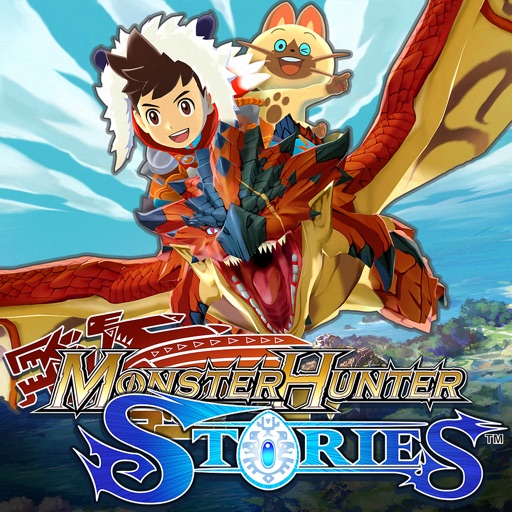
Download iOS IPA Hack
3
1
Views
0
This Week
5.0
Rating
4 years ago
Last Updated
Monster Hunter Stories iOS Hack
Compatibility:
iOS 8.0-26+
iPhone
iPad
No Jailbreak Required
Hack Features
- Infinite Coin (Spend some/ Get some)
App Information
- Hack Version: 1.00.05
- Developer: iOSAppHacks
- Bundle ID: jp.co.capcom.mhsspen
- IPA Size: 1876.08 MB
- iOS Required: 8.0+
- Updated:
Official App Store Description US App Store
Please read the section "Important Notes" before purchasing or using this app. Returns or credit cannot be granted after purchase.
Also, save data from this app (paid version) cannot be imported to the Apple Arcade version.
• The World of Monster Hunter Stories
In a world where large monsters roam, and people everywhere make a living hunting, there's a remote village of people who follow a different set of customs. They are the Monster Riders, a people who don't hunt but instead form bonds with monsters.
The monsters that form kinships with Riders, known as "Monsties," possess incredible powers.
Join the adventure and "Ride On!"
• Game Features
- Recruit countless Monsties!
Monsties, and the bonds you form with them, are the backbone of your adventure. Explore vast environments and dungeons to find monster dens, and bring back the eggs you find to hatch new Monsties!
- Fight with your Monsties in Network Battles!
Take your hero and the Monsties you've raised into battles with other Riders! Build a team of your favorites to challenge other players.
- New features for the smartphone version!
New improvements include beautiful high-resolution graphics, improved user interface, and a new auto-save feature!
• Story
The story begins in a forest near the village of Riders. Three young friends—the hero, Lilia, and Cheval—stumble upon a shining egg.
The trio perform a playful imitation of the Rite of Kinship, only to be shocked when it actually succeeds!
The egg hatches, revealing a baby Rathalos, a flying wyvern also known as "the King of the Skies." The trio affectionately name him "Ratha," and take him back to the village.
A year passes...
The hero receives a Kinship Stone from the Village Chief and officially becomes a Rider. Cheval and Lilia both leave the village, each on their own path. The hero, though separated now from childhood friends, partners up with the cheerful Navirou, and embarks upon a new adventure into the world of hunters.
[Important Notes]
• Compatible Devices (Models / Supported OS)
Please visit the official website for details.
• How to Access the Website
Tap “Developer Website” on this page or access the following link:
https://www.us.capcommobile.com/mhs-device-compatibility
Note: We cannot guarantee the app’s performance or offer refunds if you use a device not listed as compatible.
• Notes on Multiplayer
- Multiplayer (Network Battles, etc.) is available only after a certain amount of game progress.
- Network Battles are only available against other players of the paid iOS version of this app.
- Network Battles are not available against players of the Japanese version of this app.
- Play in an area with a good connection to ensure the best online experience.
- You must sign in to Game Center to use multiplayer features.
• Additional Notes
- To use this app, you must agree to the "Monster Hunter Stories End User License Agreement" (link below) when booting the app for the first time.
https://game.capcom.com/manual/MHST_mobile/global/en/rule.php
- This app features the same story as the handheld console version.
- Several handheld console features, such as certain collaboration contents, amiibo features, local Network Battles, and StreetPass, are NOT available in this version.
- Deleting this app will also erase any stored save data.
- We recommend that you connect to a Wi-Fi network before downloading.
- Battle Party QR codes from the Japanese version will not work in this version.
Also, save data from this app (paid version) cannot be imported to the Apple Arcade version.
• The World of Monster Hunter Stories
In a world where large monsters roam, and people everywhere make a living hunting, there's a remote village of people who follow a different set of customs. They are the Monster Riders, a people who don't hunt but instead form bonds with monsters.
The monsters that form kinships with Riders, known as "Monsties," possess incredible powers.
Join the adventure and "Ride On!"
• Game Features
- Recruit countless Monsties!
Monsties, and the bonds you form with them, are the backbone of your adventure. Explore vast environments and dungeons to find monster dens, and bring back the eggs you find to hatch new Monsties!
- Fight with your Monsties in Network Battles!
Take your hero and the Monsties you've raised into battles with other Riders! Build a team of your favorites to challenge other players.
- New features for the smartphone version!
New improvements include beautiful high-resolution graphics, improved user interface, and a new auto-save feature!
• Story
The story begins in a forest near the village of Riders. Three young friends—the hero, Lilia, and Cheval—stumble upon a shining egg.
The trio perform a playful imitation of the Rite of Kinship, only to be shocked when it actually succeeds!
The egg hatches, revealing a baby Rathalos, a flying wyvern also known as "the King of the Skies." The trio affectionately name him "Ratha," and take him back to the village.
A year passes...
The hero receives a Kinship Stone from the Village Chief and officially becomes a Rider. Cheval and Lilia both leave the village, each on their own path. The hero, though separated now from childhood friends, partners up with the cheerful Navirou, and embarks upon a new adventure into the world of hunters.
[Important Notes]
• Compatible Devices (Models / Supported OS)
Please visit the official website for details.
• How to Access the Website
Tap “Developer Website” on this page or access the following link:
https://www.us.capcommobile.com/mhs-device-compatibility
Note: We cannot guarantee the app’s performance or offer refunds if you use a device not listed as compatible.
• Notes on Multiplayer
- Multiplayer (Network Battles, etc.) is available only after a certain amount of game progress.
- Network Battles are only available against other players of the paid iOS version of this app.
- Network Battles are not available against players of the Japanese version of this app.
- Play in an area with a good connection to ensure the best online experience.
- You must sign in to Game Center to use multiplayer features.
• Additional Notes
- To use this app, you must agree to the "Monster Hunter Stories End User License Agreement" (link below) when booting the app for the first time.
https://game.capcom.com/manual/MHST_mobile/global/en/rule.php
- This app features the same story as the handheld console version.
- Several handheld console features, such as certain collaboration contents, amiibo features, local Network Battles, and StreetPass, are NOT available in this version.
- Deleting this app will also erase any stored save data.
- We recommend that you connect to a Wi-Fi network before downloading.
- Battle Party QR codes from the Japanese version will not work in this version.
- Rating: 4.5/5 (1,193 ratings)
- Price: $19.99
- App Store Category: Games
-
Languages:
EN FR DE IT ES
- Developer: CAPCOM Co., Ltd
- App Store Link:
Installation Guide
Follow these steps to install Monster Hunter Stories on your iOS device using Sideloadly - the best iOS IPA sideloader for iPhone and iPad.
Prerequisites:
- A computer (Windows PC or Mac)
- Latest version of iTunes & iCloud installed
- An Apple ID (free or paid developer account)
- USB cable to connect your iOS device
- Internet connection
Step-by-Step Installation Guide:
-
Download Sideloadly:
Visit Sideloadly.io and download the application for your computer (Windows or Mac). -
Install Sideloadly:
Run the Sideloadly installer and follow the installation wizard. -
Download the IPA File:
Use the green download button above to get the Monster Hunter Stories IPA file (1876.08 MB). -
Connect Your Device:
Use a USB cable to connect your iPhone or iPad to your computer. Trust the computer if prompted on your iOS device. -
Sideload the App:
- Open Sideloadly
- Drag and drop the downloaded IPA file into Sideloadly
- Select your connected iOS device
- Enter your Apple ID email and password when prompted
- Click "Start" to begin sideloading
-
Trust the Developer Profile:
- On your iOS device, go to Settings > General > VPN & Device Management
- Find your Apple ID profile under "Developer App"
- Tap on it and select "Trust"
-
Enable Developer Mode (If Required):
- If you see a prompt about Developer Mode, or the app doesn't open:
- Go to Settings > Privacy & Security
- Scroll down and tap "Developer Mode"
- Toggle Developer Mode on and follow the prompts to restart your device
- After restart, confirm enabling Developer Mode when prompted
Important Notes:
- Free Apple IDs require re-sideloading every 7 days
- Paid Apple Developer accounts ($99/year) allow installations lasting 365 days
- Make sure your iOS version is 8.0+ for compatibility
- Keep Sideloadly updated for the best sideloading experience
Troubleshooting:
- If installation fails, try rebooting your device and computer
- Ensure you have the latest iTunes & iCloud version installed
- Check your internet connection
- Make sure your Apple ID is valid and 2FA is handled if enabled
- If Developer Mode is not visible, make sure you're on iOS 16 or later and reboot device


