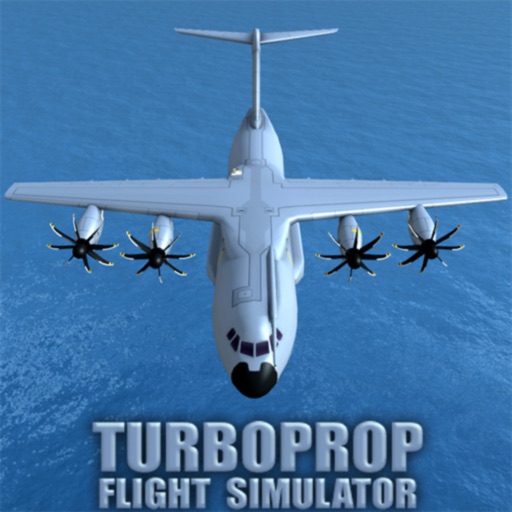
Download iOS IPA Hack
2
1
Views
0
This Week
5.0
Rating
3 years ago
Last Updated
Turboprop Flight Simulator iOS Hack
Compatibility:
iOS 9.0-26+
iPhone
iPad
No Jailbreak Required
Hack Features
- ATR-72 Moded Skin Vietjet AiR (Bia sai gon)
- Made by ThanhDark1909
App Information
- Hack Version: 1.30
- Developer: iOSAppHacks
- Bundle ID: com.AXgamesoft.TurbopropFS
- IPA Size: 74.59 MB
- iOS Required: 9.0+
- Updated:
Official App Store Description US App Store
FLY MILITARY AIRCRAFT AND PASSENGER AIRLINERS:
"Turboprop Flight Simulator" is a 3D airplane simulator game, in which you pilot various types of modern turboprop aircraft, and also drive ground vehicles.
THE AIRCRAFT:
* C-400 tactical airlifter - inspired from the real-world Airbus A400M.
* HC-400 coastguard search and rescue - variant of C-400.
* MC-400 special operations - variant of C-400.
* RL-42 regional airliner - inspired from the real-world ATR-42.
* RL-72 regional airliner - inspired from the real-world ATR-72.
* E-42 military early warning aircraft - derived from RL-42.
* XV-40 concept tilt-wing VTOL cargo.
* PV-40 private luxury VTOL - variant of XV-40.
* MV-40 special operations VTOL - variant of XV-40.
* PS-26 concept private seaplane.
* MS-26 special operations seaplane - variant of PS-26.
* C-130 military cargo - inspired from the legendary Lockheed C-130 Hercules.
* HC-130 coastguard search and rescue - variant of C-130.
* MC-130 special operations - variant of C-130.
HAVE FUN:
* Learn to fly with training missions (teaching the basics of flying, taxiing, takeoff and landing).
* Complete various missions.
* Explore the plane's interior in first-person (in most levels, and free-flight).
* Interact with various items (doors, cargo ramp, strobes, main lights).
* Drive ground vehicles.
* Load, unload, and airdrop supplies and vehicles with the cargo planes.
* Takeoff and land on improvised runways (and airports, for sure).
* Fly without restrictions in free-flight mode, or create flight routes on the map.
* Perform refueling on ground and mid-air refueling.
* Use JATO/L (Jet Assisted Take-Off and Landing).
* Fly in varied time-of-day, fog and wind conditions.
OTHER FEATURES:
* FREE airplane simulator game updated in 2025!
* NO MANDATORY ADS! Only optional, rewarded ones in-between flights.
* Good 3D graphics (with detailed cockpits for all the airplanes).
* Realistic physics for flight simulation.
* Complete pilot controls (including rudder, flaps, spoilers, thrust reversers, auto-brakes, and landing gear).
* Multiple control options (including mixed tilt sensor & stick / yoke).
* Multiple cameras (including cockpit cameras with captain and copilot positions).
* Close to realistic engines' sounds (turbines and propellers noises recorded from real airplanes).
* Partial and total aircraft destruction (clipping wing tips, full wings separation, tail separation, and main fuselage breakage).
* Several islands with many airports.
* Selection of measurement units for air speed, flying altitude, and distance (metric, aviation standard, and imperial).
"Turboprop Flight Simulator" is a 3D airplane simulator game, in which you pilot various types of modern turboprop aircraft, and also drive ground vehicles.
THE AIRCRAFT:
* C-400 tactical airlifter - inspired from the real-world Airbus A400M.
* HC-400 coastguard search and rescue - variant of C-400.
* MC-400 special operations - variant of C-400.
* RL-42 regional airliner - inspired from the real-world ATR-42.
* RL-72 regional airliner - inspired from the real-world ATR-72.
* E-42 military early warning aircraft - derived from RL-42.
* XV-40 concept tilt-wing VTOL cargo.
* PV-40 private luxury VTOL - variant of XV-40.
* MV-40 special operations VTOL - variant of XV-40.
* PS-26 concept private seaplane.
* MS-26 special operations seaplane - variant of PS-26.
* C-130 military cargo - inspired from the legendary Lockheed C-130 Hercules.
* HC-130 coastguard search and rescue - variant of C-130.
* MC-130 special operations - variant of C-130.
HAVE FUN:
* Learn to fly with training missions (teaching the basics of flying, taxiing, takeoff and landing).
* Complete various missions.
* Explore the plane's interior in first-person (in most levels, and free-flight).
* Interact with various items (doors, cargo ramp, strobes, main lights).
* Drive ground vehicles.
* Load, unload, and airdrop supplies and vehicles with the cargo planes.
* Takeoff and land on improvised runways (and airports, for sure).
* Fly without restrictions in free-flight mode, or create flight routes on the map.
* Perform refueling on ground and mid-air refueling.
* Use JATO/L (Jet Assisted Take-Off and Landing).
* Fly in varied time-of-day, fog and wind conditions.
OTHER FEATURES:
* FREE airplane simulator game updated in 2025!
* NO MANDATORY ADS! Only optional, rewarded ones in-between flights.
* Good 3D graphics (with detailed cockpits for all the airplanes).
* Realistic physics for flight simulation.
* Complete pilot controls (including rudder, flaps, spoilers, thrust reversers, auto-brakes, and landing gear).
* Multiple control options (including mixed tilt sensor & stick / yoke).
* Multiple cameras (including cockpit cameras with captain and copilot positions).
* Close to realistic engines' sounds (turbines and propellers noises recorded from real airplanes).
* Partial and total aircraft destruction (clipping wing tips, full wings separation, tail separation, and main fuselage breakage).
* Several islands with many airports.
* Selection of measurement units for air speed, flying altitude, and distance (metric, aviation standard, and imperial).
- Rating: 4.7/5 (13,328 ratings)
- Price: Free
- App Store Category: Games
-
Languages:
EN
- Developer: Alexandru Petre
- App Store Link:
Installation Guide
Follow these steps to install Turboprop Flight Simulator on your iOS device using Sideloadly - the best iOS IPA sideloader for iPhone and iPad.
Prerequisites:
- A computer (Windows PC or Mac)
- Latest version of iTunes & iCloud installed
- An Apple ID (free or paid developer account)
- USB cable to connect your iOS device
- Internet connection
Step-by-Step Installation Guide:
-
Download Sideloadly:
Visit Sideloadly.io and download the application for your computer (Windows or Mac). -
Install Sideloadly:
Run the Sideloadly installer and follow the installation wizard. -
Download the IPA File:
Use the green download button above to get the Turboprop Flight Simulator IPA file (74.59 MB). -
Connect Your Device:
Use a USB cable to connect your iPhone or iPad to your computer. Trust the computer if prompted on your iOS device. -
Sideload the App:
- Open Sideloadly
- Drag and drop the downloaded IPA file into Sideloadly
- Select your connected iOS device
- Enter your Apple ID email and password when prompted
- Click "Start" to begin sideloading
-
Trust the Developer Profile:
- On your iOS device, go to Settings > General > VPN & Device Management
- Find your Apple ID profile under "Developer App"
- Tap on it and select "Trust"
-
Enable Developer Mode (If Required):
- If you see a prompt about Developer Mode, or the app doesn't open:
- Go to Settings > Privacy & Security
- Scroll down and tap "Developer Mode"
- Toggle Developer Mode on and follow the prompts to restart your device
- After restart, confirm enabling Developer Mode when prompted
Important Notes:
- Free Apple IDs require re-sideloading every 7 days
- Paid Apple Developer accounts ($99/year) allow installations lasting 365 days
- Make sure your iOS version is 9.0+ for compatibility
- Keep Sideloadly updated for the best sideloading experience
Troubleshooting:
- If installation fails, try rebooting your device and computer
- Ensure you have the latest iTunes & iCloud version installed
- Check your internet connection
- Make sure your Apple ID is valid and 2FA is handled if enabled
- If Developer Mode is not visible, make sure you're on iOS 16 or later and reboot device


