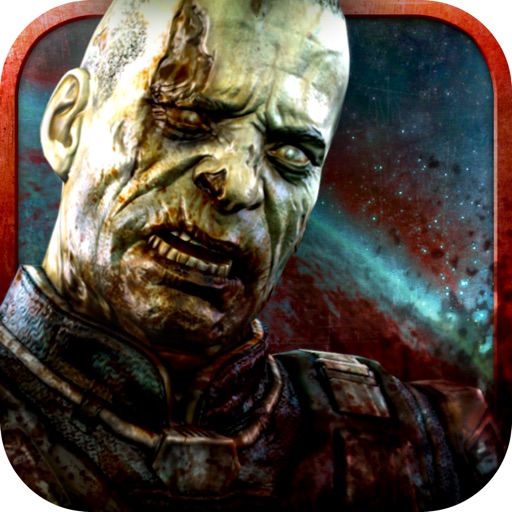
Download iOS IPA Hack
2
1
Views
0
This Week
5.0
Rating
7 years ago
Last Updated
Dead Effect: Space Zombie RPG - Free iOS Hack
Compatibility:
iOS 8.0-26+
iPhone
iPad
No Jailbreak Required
Hack Features
- Godmode - Health will not decrease.
- One-Hit Kill - Kill enemies will one bullet.
- Unlimited Credits - Earn some to receive an unlimited amount.
- Free I-AP - Tap on an In-App Purchase to receive the item for free.
- Unlimited Ammo - Will not decrease.
- No Spread - Crosshairs won't shrink but you'll still shoot directly in the middle.
App Information
- Hack Version: 1.0
- Developer: iOSAppHacks
- Bundle ID: com.dualcarbon.deadeffect
- IPA Size: 440.64 MB
- iOS Required: 8.0+
- Updated:
Official App Store Description US App Store
Be careful, you need at least 160 MB FREE RAM to run the game.
"Dead Effect is pretty awesome."-capsulecomputers.com.au 9/10
"Graphically, the game is top notch."-toucharcade.com 4/5 Stars
"Dead Effect [...] strikes an impressive balance between humor and fear"-modojo.com 4/5
ESS Meridian System: Wednesday September 7, 2045… 178 days of hibernation.
Delta 3 Chamber, Active… Tissue and vital functions Check.
Error! Disruption Detected… Critical Health Detected.
3… 2… 1… Awakening!
Something is not right, the hibernation pods are all empty. What is happening?
You are an elite member of the Unit 13. Fight for your life in a SCI-FI FPS game that will send chills down your spine.
• Grab your phone/tablet, get in control and bring infected horrors down. Your interface is zombie-shooting ready.
• An epic single player campaign awaits you with more than 5 hours of story gameplay. Space is cold and full of horrors.
• Throughout the campaign you will find new weapons and money to upgrade your armory.
• Discover the mysteries of the ESS Meridian, and wander around its impressive environments with intense background music.
• Use your special ability to slow down the time and defeat even the toughest enemies!
• Will you take up the challenge and try to defeat all your enemies in survival mode arenas? Unlock all the achievements and get all the weapons available!
FOLLOW US:
https://www.facebook.com/DeadEffectGame/
twitter.com/deadeffectgame
deadeffect.com
About the developer:
BadFly Interactive, a.s. is a small indie studio based in Brno, Czech Republic. We are a group of veterans of the gaming industry, having worked on projects like Mafia, Vietcong, Mad Max or Witcher III in the past. With each of us having dedicated 15+ years of our professional careers to game development, we thought it was about time we started making games under our own flag. We love horror and sci-fi movies, good action, and cheesy one-liners. Our goal is to create entertaining games which combine fast-paced action with gore, humor, and lots of fun.
"Dead Effect is pretty awesome."-capsulecomputers.com.au 9/10
"Graphically, the game is top notch."-toucharcade.com 4/5 Stars
"Dead Effect [...] strikes an impressive balance between humor and fear"-modojo.com 4/5
ESS Meridian System: Wednesday September 7, 2045… 178 days of hibernation.
Delta 3 Chamber, Active… Tissue and vital functions Check.
Error! Disruption Detected… Critical Health Detected.
3… 2… 1… Awakening!
Something is not right, the hibernation pods are all empty. What is happening?
You are an elite member of the Unit 13. Fight for your life in a SCI-FI FPS game that will send chills down your spine.
• Grab your phone/tablet, get in control and bring infected horrors down. Your interface is zombie-shooting ready.
• An epic single player campaign awaits you with more than 5 hours of story gameplay. Space is cold and full of horrors.
• Throughout the campaign you will find new weapons and money to upgrade your armory.
• Discover the mysteries of the ESS Meridian, and wander around its impressive environments with intense background music.
• Use your special ability to slow down the time and defeat even the toughest enemies!
• Will you take up the challenge and try to defeat all your enemies in survival mode arenas? Unlock all the achievements and get all the weapons available!
FOLLOW US:
https://www.facebook.com/DeadEffectGame/
twitter.com/deadeffectgame
deadeffect.com
About the developer:
BadFly Interactive, a.s. is a small indie studio based in Brno, Czech Republic. We are a group of veterans of the gaming industry, having worked on projects like Mafia, Vietcong, Mad Max or Witcher III in the past. With each of us having dedicated 15+ years of our professional careers to game development, we thought it was about time we started making games under our own flag. We love horror and sci-fi movies, good action, and cheesy one-liners. Our goal is to create entertaining games which combine fast-paced action with gore, humor, and lots of fun.
- Rating: 4.5/5 (172 ratings)
- Price: Free
- App Store Category: Games
-
Languages:
EN
- Developer: BrainVault Games, LLC
- App Store Link:
Installation Guide
Follow these steps to install Dead Effect: Space Zombie RPG - Free on your iOS device using Sideloadly - the best iOS IPA sideloader for iPhone and iPad.
Prerequisites:
- A computer (Windows PC or Mac)
- Latest version of iTunes & iCloud installed
- An Apple ID (free or paid developer account)
- USB cable to connect your iOS device
- Internet connection
Step-by-Step Installation Guide:
-
Download Sideloadly:
Visit Sideloadly.io and download the application for your computer (Windows or Mac). -
Install Sideloadly:
Run the Sideloadly installer and follow the installation wizard. -
Download the IPA File:
Use the green download button above to get the Dead Effect: Space Zombie RPG - Free IPA file (440.64 MB). -
Connect Your Device:
Use a USB cable to connect your iPhone or iPad to your computer. Trust the computer if prompted on your iOS device. -
Sideload the App:
- Open Sideloadly
- Drag and drop the downloaded IPA file into Sideloadly
- Select your connected iOS device
- Enter your Apple ID email and password when prompted
- Click "Start" to begin sideloading
-
Trust the Developer Profile:
- On your iOS device, go to Settings > General > VPN & Device Management
- Find your Apple ID profile under "Developer App"
- Tap on it and select "Trust"
-
Enable Developer Mode (If Required):
- If you see a prompt about Developer Mode, or the app doesn't open:
- Go to Settings > Privacy & Security
- Scroll down and tap "Developer Mode"
- Toggle Developer Mode on and follow the prompts to restart your device
- After restart, confirm enabling Developer Mode when prompted
Important Notes:
- Free Apple IDs require re-sideloading every 7 days
- Paid Apple Developer accounts ($99/year) allow installations lasting 365 days
- Make sure your iOS version is 8.0+ for compatibility
- Keep Sideloadly updated for the best sideloading experience
Troubleshooting:
- If installation fails, try rebooting your device and computer
- Ensure you have the latest iTunes & iCloud version installed
- Check your internet connection
- Make sure your Apple ID is valid and 2FA is handled if enabled
- If Developer Mode is not visible, make sure you're on iOS 16 or later and reboot device


