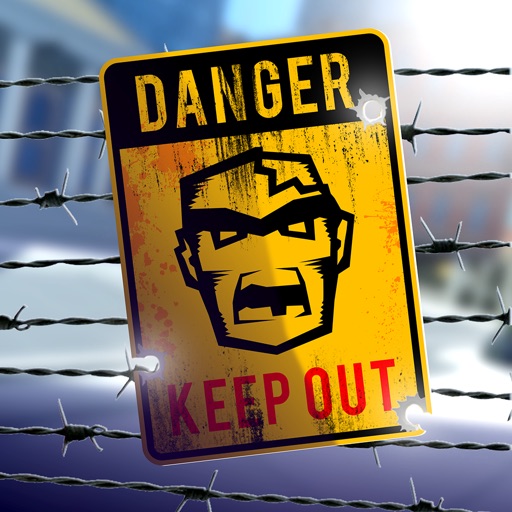
Download iOS IPA Hack
3
1
Views
0
This Week
5.0
Rating
5 years ago
Last Updated
Zombie Blast Crew iOS Hack
Compatibility:
iOS 10.0-26+
iPhone
iPad
No Jailbreak Required
Hack Features
- Infinite Ammo
- No Reload
- God Mode
- Infinite Currencies (Purchase something even if you don't have enough)
App Information
- Hack Version: 2.4.0
- Developer: iOSAppHacks
- Bundle ID: com.vividgames.modernpioneer
- IPA Size: 73.35 MB
- iOS Required: 10.0+
- Updated:
Official App Store Description US App Store
The Blast Crew update is finally here. Pick your favorite survivor and use their unique stats, skills and weapon to define your own playstyle. Agile Karen’s flamethrower? Bulky Bill’s shotgun? All up to you!
It has been 11 months since the infection started. Everyone fled the cities, mass panic in the streets. The zombies took over our towns, our buildings, our block. Now we sleep outside while they roam our streets.
We waited on the army, and the army didn’t come, so we picked up snaiper guns. We waited on a hero, and a hero didn’t come, so we were left to survive. Now we’re done waiting. Will you lead us in the face of (not really) certain doom?
We’ve organized into hunting parties, to take our block back and push the evil residents away. We officially declare that from today onwards, our city is a Zero Z Zone. We’re the Zombie Blast Crew. We crush the infected. Join the team.
TAKE THE TOWN BACK
As members of the Zombie Blast Crew, we have many objectives to accomplish - some fit for a scout, some for a hunter, some for a warrior - but we only have one true goal: pushing the killer zombies back. Pack your guns, scout the area, and eliminate anything that glows green.
Each mission takes place in a new zone of the city, where your survivor will have to be shooting the walking dead target to stop the pandemic invasion, and make use of the rules of survival and your gear craft to come back uninjured. There needs to be some of us left to survive, after all.
TACTICAL ZOMBIE REMOVAL
Special zombe come in different shapes and forms: some will rush you, some will snaiper shoot you from a distance, some will take a ton of damage before going down. One thing is certain, they’re all stupid zombies. It’s on you to know when to engage, when to sneak, when to evade and not raise their alert status, and when to rush in. The options are open, and your tactics will be thoroughly tested. They might be dumb, but the Z are always dangerous as a group - it’s a leader’s responsibility to adopt the right strategy to minimize casualities and maximize loot.
PACK UP - CREW, GUNS AND GEAR
Planning and getting the proper crew and equipment is already half the battle. No hero gets through a battle without his sword, and no crew member goes in the field without their gun. Big walking dead target crowds? Karen and her flamethrower got you covered. Need to keep your distance from certain stupid zombies? Michael’s assault rifle or Javier’s machine gun might be a better pick. It’s all about using your head, knowing your craft and picking the right man (or woman) for the right job.
Same goes for our gear. Do you pack a scout medkit to heal zombe injuries? Some grenade to clear infection areas? Some food to get yourself a hunter survival boost? Don’t rush in, it pays to be prepared. And don’t forget to polish your skills - levelling up will help your snaiper shooting.
MISSION SELECT
There’s a lot to do to reclaim our big city. On top of our main doom campaign, we take part in unique stradegy games to help with the clean up - repel increasingly large waves of walking dead target in Horde mode, shoot and explode as many Z as possible in Killing Feasts, or accomplish as many objectives as possible in Challenge Rush. Every bit of dead target zombe helps.
LOW POLY CITY
It might be home, but seeing it again after all this time… it feels nostalgic. We’ve got objectives and a pandemic to stop, but it’s not all doom and gloom: take in the views too. Forget about the rules of survival for a second and admire. It’s a pretty unique style, ain’t it?
It’s a huge arena, with tons of resources to pick up and hidden tracks to follow. Just don’t play hero and meet your doom to the Z.
Got a question? Contact us at support@vividgames.com
By downloading the game you accept our End User License Agreement, Terms of Service and Privacy Policy: http://support.vividgames.com/policies
It has been 11 months since the infection started. Everyone fled the cities, mass panic in the streets. The zombies took over our towns, our buildings, our block. Now we sleep outside while they roam our streets.
We waited on the army, and the army didn’t come, so we picked up snaiper guns. We waited on a hero, and a hero didn’t come, so we were left to survive. Now we’re done waiting. Will you lead us in the face of (not really) certain doom?
We’ve organized into hunting parties, to take our block back and push the evil residents away. We officially declare that from today onwards, our city is a Zero Z Zone. We’re the Zombie Blast Crew. We crush the infected. Join the team.
TAKE THE TOWN BACK
As members of the Zombie Blast Crew, we have many objectives to accomplish - some fit for a scout, some for a hunter, some for a warrior - but we only have one true goal: pushing the killer zombies back. Pack your guns, scout the area, and eliminate anything that glows green.
Each mission takes place in a new zone of the city, where your survivor will have to be shooting the walking dead target to stop the pandemic invasion, and make use of the rules of survival and your gear craft to come back uninjured. There needs to be some of us left to survive, after all.
TACTICAL ZOMBIE REMOVAL
Special zombe come in different shapes and forms: some will rush you, some will snaiper shoot you from a distance, some will take a ton of damage before going down. One thing is certain, they’re all stupid zombies. It’s on you to know when to engage, when to sneak, when to evade and not raise their alert status, and when to rush in. The options are open, and your tactics will be thoroughly tested. They might be dumb, but the Z are always dangerous as a group - it’s a leader’s responsibility to adopt the right strategy to minimize casualities and maximize loot.
PACK UP - CREW, GUNS AND GEAR
Planning and getting the proper crew and equipment is already half the battle. No hero gets through a battle without his sword, and no crew member goes in the field without their gun. Big walking dead target crowds? Karen and her flamethrower got you covered. Need to keep your distance from certain stupid zombies? Michael’s assault rifle or Javier’s machine gun might be a better pick. It’s all about using your head, knowing your craft and picking the right man (or woman) for the right job.
Same goes for our gear. Do you pack a scout medkit to heal zombe injuries? Some grenade to clear infection areas? Some food to get yourself a hunter survival boost? Don’t rush in, it pays to be prepared. And don’t forget to polish your skills - levelling up will help your snaiper shooting.
MISSION SELECT
There’s a lot to do to reclaim our big city. On top of our main doom campaign, we take part in unique stradegy games to help with the clean up - repel increasingly large waves of walking dead target in Horde mode, shoot and explode as many Z as possible in Killing Feasts, or accomplish as many objectives as possible in Challenge Rush. Every bit of dead target zombe helps.
LOW POLY CITY
It might be home, but seeing it again after all this time… it feels nostalgic. We’ve got objectives and a pandemic to stop, but it’s not all doom and gloom: take in the views too. Forget about the rules of survival for a second and admire. It’s a pretty unique style, ain’t it?
It’s a huge arena, with tons of resources to pick up and hidden tracks to follow. Just don’t play hero and meet your doom to the Z.
Got a question? Contact us at support@vividgames.com
By downloading the game you accept our End User License Agreement, Terms of Service and Privacy Policy: http://support.vividgames.com/policies
- Rating: 4.8/5 (1,307 ratings)
- Price: Free
- App Store Category: Games
-
Languages:
EN FR DE IT JA KO PL PT RU ZH ES ZH
- Developer: Vivid Games S.A.
- App Store Link:
Installation Guide
Follow these steps to install Zombie Blast Crew on your iOS device using Sideloadly - the best iOS IPA sideloader for iPhone and iPad.
Prerequisites:
- A computer (Windows PC or Mac)
- Latest version of iTunes & iCloud installed
- An Apple ID (free or paid developer account)
- USB cable to connect your iOS device
- Internet connection
Step-by-Step Installation Guide:
-
Download Sideloadly:
Visit Sideloadly.io and download the application for your computer (Windows or Mac). -
Install Sideloadly:
Run the Sideloadly installer and follow the installation wizard. -
Download the IPA File:
Use the green download button above to get the Zombie Blast Crew IPA file (73.35 MB). -
Connect Your Device:
Use a USB cable to connect your iPhone or iPad to your computer. Trust the computer if prompted on your iOS device. -
Sideload the App:
- Open Sideloadly
- Drag and drop the downloaded IPA file into Sideloadly
- Select your connected iOS device
- Enter your Apple ID email and password when prompted
- Click "Start" to begin sideloading
-
Trust the Developer Profile:
- On your iOS device, go to Settings > General > VPN & Device Management
- Find your Apple ID profile under "Developer App"
- Tap on it and select "Trust"
-
Enable Developer Mode (If Required):
- If you see a prompt about Developer Mode, or the app doesn't open:
- Go to Settings > Privacy & Security
- Scroll down and tap "Developer Mode"
- Toggle Developer Mode on and follow the prompts to restart your device
- After restart, confirm enabling Developer Mode when prompted
Important Notes:
- Free Apple IDs require re-sideloading every 7 days
- Paid Apple Developer accounts ($99/year) allow installations lasting 365 days
- Make sure your iOS version is 10.0+ for compatibility
- Keep Sideloadly updated for the best sideloading experience
Troubleshooting:
- If installation fails, try rebooting your device and computer
- Ensure you have the latest iTunes & iCloud version installed
- Check your internet connection
- Make sure your Apple ID is valid and 2FA is handled if enabled
- If Developer Mode is not visible, make sure you're on iOS 16 or later and reboot device


