Download iOS IPA Hack
2
1
Views
0
This Week
5.0
Rating
1 year ago
Last Updated
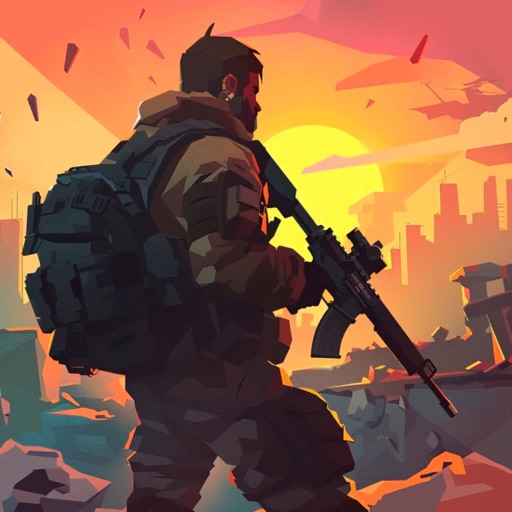
TEGRA: Zombie survival island iOS Hack
Compatibility:
iOS 13.0-26+
iPhone
iPad
No Jailbreak Required
Hack Features
- God Mode/Never Die
- No Recoil
- Inf Ammo
- Freeze Resources/Currency not decreasing
- Free Shop
- Free Craft & Upgrade
- Made by @Cashlaz for iOSGods.com!
App Information
- Hack Version: 1.96
- Developer: iOSAppHacks
- Bundle ID: com.tegra.magic.craft.survival
- IPA Size: 817.51 MB
- iOS Required: 13.0+
- Updated:
Official App Store Description US App Store
Are you ready to survive in the ultimate open-world zombie survival shooter?
Explore, build, craft, and fight for your life in an offline sandbox survival game filled with zombies, monsters, and danger! Craft weapons, fortify your base, and battle terrifying creatures in this action-packed post-apocalyptic adventure.
=>Your mission is to save humanity! Build your survival base and activate the portal between worlds before it's too late.
This post-apocalyptic open world is full of danger. Monsters, hordes of zombies, and unknown threats lurk everywhere. TEGRA: Zombie Survival Island challenges you to survive, gather resources, and defend yourself against deadly creatures and endless zombie waves in one of the best zombie survival games.
SURVIVE IN AN OPEN WORLD
Explore forests, abandoned cities, and dangerous territories in a massive sandbox map. Search for valuable loot, gather resources, and craft tools to stay alive. Every corner hides secrets, challenges, and a chance to survive longer in this immersive apocalypse simulator.
BUILD AND DEFEND YOUR BASE
Your fortress is your last hope for survival. Build walls, upgrade defenses, and reinforce your shelter to withstand zombie hordes and marauder raiders. Set traps, guard the perimeter, and stop the undead onslaught. Can you fortify your base and survive the raider attacks in this offline zombie defense game?
CRAFT POWERFUL WEAPONS AND GEAR
From axes and bows to flamethrowers and shotguns—craft weapons and tear zombies apart! Create tools, armor, and powerful equipment. Only the well-armed will survive in this deep crafting and base-building survival game.
EPIC ZOMBIE BATTLES
Fight off hordes of zombies, mutant bosses, and magical creatures. Engage in dynamic first-person survival combat with a massive arsenal of weapons. Are you ready to face a giant zombie, venomous spiders, or infected monsters from beyond the portal?
UPGRADE YOUR SURVIVAL SKILLS
Level up, unlock new abilities, and find rare artifacts. Develop your survivor to become stronger, faster, and tougher. Customize your build to match your playstyle and adapt to a world full of deadly threats, brutal enemies, and survival challenges.
EXPLORE A WORLD FULL OF SECRETS
Venture into mysterious locations, abandoned bunkers, and forgotten dungeons. Complete quests, uncover hidden secrets, and unravel the mysteries of the apocalypse. Every journey brings new risks and valuable rewards in this survival exploration experience.
Key Features:
— Base building and strategic defense against zombie attacks
— Resource gathering, crafting, and deep survival mechanics
— Dynamic first-person combat with zombies, monsters, and raiders
— Open world sandbox with multiple unique locations
— Quests, hidden secrets, and battles with powerful bosses
— Build a portal to other worlds and collect the rarest artifacts
Are you ready to take on the challenge and survive the zombie apocalypse?
The post-apocalyptic world will immerse you in an unforgettable offline adventure. Survival will become your way of life!
=> Install TEGRA: Zombie Survival Island now! Fight, build, craft, and survive the last days of humanity!
Explore, build, craft, and fight for your life in an offline sandbox survival game filled with zombies, monsters, and danger! Craft weapons, fortify your base, and battle terrifying creatures in this action-packed post-apocalyptic adventure.
=>Your mission is to save humanity! Build your survival base and activate the portal between worlds before it's too late.
This post-apocalyptic open world is full of danger. Monsters, hordes of zombies, and unknown threats lurk everywhere. TEGRA: Zombie Survival Island challenges you to survive, gather resources, and defend yourself against deadly creatures and endless zombie waves in one of the best zombie survival games.
SURVIVE IN AN OPEN WORLD
Explore forests, abandoned cities, and dangerous territories in a massive sandbox map. Search for valuable loot, gather resources, and craft tools to stay alive. Every corner hides secrets, challenges, and a chance to survive longer in this immersive apocalypse simulator.
BUILD AND DEFEND YOUR BASE
Your fortress is your last hope for survival. Build walls, upgrade defenses, and reinforce your shelter to withstand zombie hordes and marauder raiders. Set traps, guard the perimeter, and stop the undead onslaught. Can you fortify your base and survive the raider attacks in this offline zombie defense game?
CRAFT POWERFUL WEAPONS AND GEAR
From axes and bows to flamethrowers and shotguns—craft weapons and tear zombies apart! Create tools, armor, and powerful equipment. Only the well-armed will survive in this deep crafting and base-building survival game.
EPIC ZOMBIE BATTLES
Fight off hordes of zombies, mutant bosses, and magical creatures. Engage in dynamic first-person survival combat with a massive arsenal of weapons. Are you ready to face a giant zombie, venomous spiders, or infected monsters from beyond the portal?
UPGRADE YOUR SURVIVAL SKILLS
Level up, unlock new abilities, and find rare artifacts. Develop your survivor to become stronger, faster, and tougher. Customize your build to match your playstyle and adapt to a world full of deadly threats, brutal enemies, and survival challenges.
EXPLORE A WORLD FULL OF SECRETS
Venture into mysterious locations, abandoned bunkers, and forgotten dungeons. Complete quests, uncover hidden secrets, and unravel the mysteries of the apocalypse. Every journey brings new risks and valuable rewards in this survival exploration experience.
Key Features:
— Base building and strategic defense against zombie attacks
— Resource gathering, crafting, and deep survival mechanics
— Dynamic first-person combat with zombies, monsters, and raiders
— Open world sandbox with multiple unique locations
— Quests, hidden secrets, and battles with powerful bosses
— Build a portal to other worlds and collect the rarest artifacts
Are you ready to take on the challenge and survive the zombie apocalypse?
The post-apocalyptic world will immerse you in an unforgettable offline adventure. Survival will become your way of life!
=> Install TEGRA: Zombie Survival Island now! Fight, build, craft, and survive the last days of humanity!
- Rating: 4.7/5 (3,251 ratings)
- Price: Free
- App Store Category: Games
-
Languages:
EN FR DE JA PT RU ES UK
- Developer: PSV STUDIO LTD
- App Store Link:
Installation Guide
Follow these steps to install TEGRA: Zombie survival island on your iOS device using Sideloadly - the best iOS IPA sideloader for iPhone and iPad.
Prerequisites:
- A computer (Windows PC or Mac)
- Latest version of iTunes & iCloud installed
- An Apple ID (free or paid developer account)
- USB cable to connect your iOS device
- Internet connection
Step-by-Step Installation Guide:
-
Download Sideloadly:
Visit Sideloadly.io and download the application for your computer (Windows or Mac). -
Install Sideloadly:
Run the Sideloadly installer and follow the installation wizard. -
Download the IPA File:
Use the green download button above to get the TEGRA: Zombie survival island IPA file (817.51 MB). -
Connect Your Device:
Use a USB cable to connect your iPhone or iPad to your computer. Trust the computer if prompted on your iOS device. -
Sideload the App:
- Open Sideloadly
- Drag and drop the downloaded IPA file into Sideloadly
- Select your connected iOS device
- Enter your Apple ID email and password when prompted
- Click "Start" to begin sideloading
-
Trust the Developer Profile:
- On your iOS device, go to Settings > General > VPN & Device Management
- Find your Apple ID profile under "Developer App"
- Tap on it and select "Trust"
-
Enable Developer Mode (If Required):
- If you see a prompt about Developer Mode, or the app doesn't open:
- Go to Settings > Privacy & Security
- Scroll down and tap "Developer Mode"
- Toggle Developer Mode on and follow the prompts to restart your device
- After restart, confirm enabling Developer Mode when prompted
Important Notes:
- Free Apple IDs require re-sideloading every 7 days
- Paid Apple Developer accounts ($99/year) allow installations lasting 365 days
- Make sure your iOS version is 13.0+ for compatibility
- Keep Sideloadly updated for the best sideloading experience
Troubleshooting:
- If installation fails, try rebooting your device and computer
- Ensure you have the latest iTunes & iCloud version installed
- Check your internet connection
- Make sure your Apple ID is valid and 2FA is handled if enabled
- If Developer Mode is not visible, make sure you're on iOS 16 or later and reboot device


