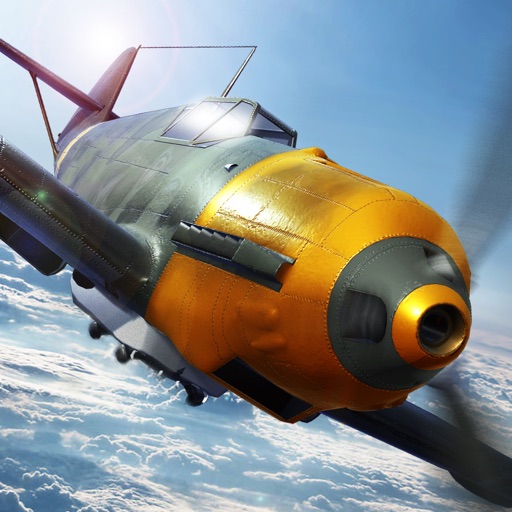
Download iOS IPA Hack
1
1
Views
0
This Week
5.0
Rating
3 years ago
Last Updated
Wings of Heroes iOS Hack
Compatibility:
iOS 11.0-26+
iPhone
iPad
No Jailbreak Required
Hack Features
- Inf Ammo/No Reload
- No Weapon Overheat
App Information
- Hack Version: 1.0.0
- Developer: iOSAppHacks
- Bundle ID: it.rortos.aircombat
- IPA Size: 84.99 MB
- iOS Required: 11.0+
- Updated:
Official App Store Description US App Store
Take to the skies with Wings of Heroes, a high-intensity flying game built around fast airplane combat, realistic flight simulation, and explosive war action. Experience adrenaline-filled aerial warfare, master advanced flying mechanics, and dominate the skies in one of the most action-packed flying games on mobile.
Choose your airplane, take control of powerful fighters and bombers, and jump straight into relentless air combat. Whether you enjoy competitive flying, thrilling dogfights, or tactical flight control, Wings of Heroes delivers a realistic flying simulator game with nonstop action.
Key Features of Wings of Heroes:
• Fly Combat-Ready Warplanes: Pilot a wide selection of airplanes inspired by military aviation and WW2-era designs, from agile fighters to heavy bombers. Every plane delivers a satisfying flight simulator feel focused on speed, power, and precision.
• Upgrade and Customize Your Plane: Push your airplane to its limits with powerful upgrades. Boost firepower, survivability, and performance to gain the edge in intense air combat and large-scale war scenarios.
• Action-Focused Flying Game Modes: Jump into multiple modes designed for fast reactions, aggressive flying, and constant aerial action.
• Online Air Combat: Face players worldwide in high-energy multiplayer matches. Outsmart enemy planes, control the airspace, and prove your dominance in competitive air warfare.
What Makes Wings of Heroes Unique?
Wings of Heroes blends the speed and intensity of modern flying games with authentic flight simulation and large-scale war combat. Expect fluid controls, dynamic environments, and detailed airplanes that make every encounter feel powerful and rewarding.
• Daily Rewards and Live Events: Stay in the action with daily rewards, special events, and rotating challenges.
• Constant Updates: New planes, maps, modes, and gameplay features are added regularly to keep the experience fresh and competitive.
• Skill-Based Air Combat: Victory depends on flying skill, positioning, and smart decision-making in every match.
Master the Skies in Multiple Game Modes:
• Domination: Fight for control of strategic areas through coordinated team play and aggressive flying.
• Ace Mode Domination: A high-skill mode that rewards precision flying, manual aiming, and mastery of flight mechanics.
• Dogfight: Pure action-focused aerial combat where speed and accuracy decide the winner.
• Annihilation: Team-based war gameplay built around objectives, pressure, and nonstop aerial action.
Why Play Wings of Heroes?
Wings of Heroes is more than a traditional war game. It’s a fast, competitive flying simulator for players who love airplanes, action, and intense air combat.
• Customizable Airplanes: Upgrade your planes to match your combat style and dominate the skies.
• Competitive Multiplayer Action: Challenge skilled pilots worldwide in high-speed aerial combat.
• Challenging Objectives and Rewards: Complete missions, unlock achievements, and earn exclusive content.
• Authentic War Atmosphere: Experience large-scale aerial warfare inspired by WW2 aviation, enhanced with modern action gameplay.
What Awaits You in Wings of Heroes?
From your first takeoff, Wings of Heroes throws you into nonstop WW2 air combat. Master airplane controls, push flight physics to the limit, and unleash devastating attacks in intense war action across the skies.
• Realistic Flight Physics: Responsive controls and authentic airplane handling.
• Dynamic Objectives: Missions that reward aggression, teamwork, and flying skill.
• High-Quality Visuals and Sound: Explosive effects, detailed environments, and immersive audio heighten the action.
Join millions of players in one of the most intense flying games on mobile. Command powerful airplanes, engage in high-speed air combat, and experience nonstop action in a fully realized war flight simulator.
Take off, fight hard, and rule the skies in Wings of Heroes — where flying skill meets pure action.
Choose your airplane, take control of powerful fighters and bombers, and jump straight into relentless air combat. Whether you enjoy competitive flying, thrilling dogfights, or tactical flight control, Wings of Heroes delivers a realistic flying simulator game with nonstop action.
Key Features of Wings of Heroes:
• Fly Combat-Ready Warplanes: Pilot a wide selection of airplanes inspired by military aviation and WW2-era designs, from agile fighters to heavy bombers. Every plane delivers a satisfying flight simulator feel focused on speed, power, and precision.
• Upgrade and Customize Your Plane: Push your airplane to its limits with powerful upgrades. Boost firepower, survivability, and performance to gain the edge in intense air combat and large-scale war scenarios.
• Action-Focused Flying Game Modes: Jump into multiple modes designed for fast reactions, aggressive flying, and constant aerial action.
• Online Air Combat: Face players worldwide in high-energy multiplayer matches. Outsmart enemy planes, control the airspace, and prove your dominance in competitive air warfare.
What Makes Wings of Heroes Unique?
Wings of Heroes blends the speed and intensity of modern flying games with authentic flight simulation and large-scale war combat. Expect fluid controls, dynamic environments, and detailed airplanes that make every encounter feel powerful and rewarding.
• Daily Rewards and Live Events: Stay in the action with daily rewards, special events, and rotating challenges.
• Constant Updates: New planes, maps, modes, and gameplay features are added regularly to keep the experience fresh and competitive.
• Skill-Based Air Combat: Victory depends on flying skill, positioning, and smart decision-making in every match.
Master the Skies in Multiple Game Modes:
• Domination: Fight for control of strategic areas through coordinated team play and aggressive flying.
• Ace Mode Domination: A high-skill mode that rewards precision flying, manual aiming, and mastery of flight mechanics.
• Dogfight: Pure action-focused aerial combat where speed and accuracy decide the winner.
• Annihilation: Team-based war gameplay built around objectives, pressure, and nonstop aerial action.
Why Play Wings of Heroes?
Wings of Heroes is more than a traditional war game. It’s a fast, competitive flying simulator for players who love airplanes, action, and intense air combat.
• Customizable Airplanes: Upgrade your planes to match your combat style and dominate the skies.
• Competitive Multiplayer Action: Challenge skilled pilots worldwide in high-speed aerial combat.
• Challenging Objectives and Rewards: Complete missions, unlock achievements, and earn exclusive content.
• Authentic War Atmosphere: Experience large-scale aerial warfare inspired by WW2 aviation, enhanced with modern action gameplay.
What Awaits You in Wings of Heroes?
From your first takeoff, Wings of Heroes throws you into nonstop WW2 air combat. Master airplane controls, push flight physics to the limit, and unleash devastating attacks in intense war action across the skies.
• Realistic Flight Physics: Responsive controls and authentic airplane handling.
• Dynamic Objectives: Missions that reward aggression, teamwork, and flying skill.
• High-Quality Visuals and Sound: Explosive effects, detailed environments, and immersive audio heighten the action.
Join millions of players in one of the most intense flying games on mobile. Command powerful airplanes, engage in high-speed air combat, and experience nonstop action in a fully realized war flight simulator.
Take off, fight hard, and rule the skies in Wings of Heroes — where flying skill meets pure action.
- Rating: 4.5/5 (65,088 ratings)
- Price: Free
- App Store Category: Games
-
Languages:
EN FR DE IT JA KO PL PT RU ZH ES ZH TR
- Developer: RORTOS SRL
- App Store Link:
Installation Guide
Follow these steps to install Wings of Heroes on your iOS device using Sideloadly - the best iOS IPA sideloader for iPhone and iPad.
Prerequisites:
- A computer (Windows PC or Mac)
- Latest version of iTunes & iCloud installed
- An Apple ID (free or paid developer account)
- USB cable to connect your iOS device
- Internet connection
Step-by-Step Installation Guide:
-
Download Sideloadly:
Visit Sideloadly.io and download the application for your computer (Windows or Mac). -
Install Sideloadly:
Run the Sideloadly installer and follow the installation wizard. -
Download the IPA File:
Use the green download button above to get the Wings of Heroes IPA file (84.99 MB). -
Connect Your Device:
Use a USB cable to connect your iPhone or iPad to your computer. Trust the computer if prompted on your iOS device. -
Sideload the App:
- Open Sideloadly
- Drag and drop the downloaded IPA file into Sideloadly
- Select your connected iOS device
- Enter your Apple ID email and password when prompted
- Click "Start" to begin sideloading
-
Trust the Developer Profile:
- On your iOS device, go to Settings > General > VPN & Device Management
- Find your Apple ID profile under "Developer App"
- Tap on it and select "Trust"
-
Enable Developer Mode (If Required):
- If you see a prompt about Developer Mode, or the app doesn't open:
- Go to Settings > Privacy & Security
- Scroll down and tap "Developer Mode"
- Toggle Developer Mode on and follow the prompts to restart your device
- After restart, confirm enabling Developer Mode when prompted
Important Notes:
- Free Apple IDs require re-sideloading every 7 days
- Paid Apple Developer accounts ($99/year) allow installations lasting 365 days
- Make sure your iOS version is 11.0+ for compatibility
- Keep Sideloadly updated for the best sideloading experience
Troubleshooting:
- If installation fails, try rebooting your device and computer
- Ensure you have the latest iTunes & iCloud version installed
- Check your internet connection
- Make sure your Apple ID is valid and 2FA is handled if enabled
- If Developer Mode is not visible, make sure you're on iOS 16 or later and reboot device


