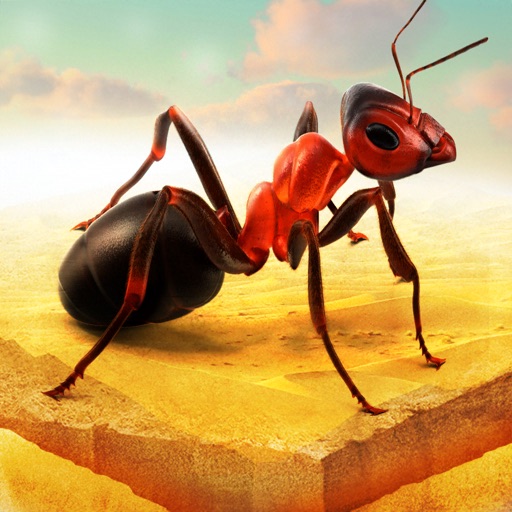
Download iOS IPA Hack
3
1
Views
0
This Week
5.0
Rating
5 years ago
Last Updated
Little Ant Colony - Idle Game iOS Hack
Compatibility:
iOS 11.0-26+
iPhone
iPad
No Jailbreak Required
Hack Features
- Unlimited Currency [Spend to Gain]
App Information
- Hack Version: 2.0
- Developer: iOSAppHacks
- Bundle ID: com.ants.idlegame
- IPA Size: 144.23 MB
- iOS Required: 11.0+
- Updated:
Official App Store Description US App Store
No food is left behind. Not when the Little Ant Colony is around.
In this fun, easy idle game, it’s time to take charge of the ants colony. Collect the food, grow your ant tribe, and win.
Start out with just one lonely ant, but as you eat your way through this idle game, you add more ants to your colony. And more ants means more income & rewards.
It’s so fun!
The app contains the following purchase options:
Super tiny gems pack $0.99
Tiny gems pack $1.99
Small gems pack $3.99
Medium gems pack $7.99
Big jems pack $15.99
Huge gems pack $39.99
Food Boost $3.99
SpeedX2 $3.99
Unlimited DNA $29.99
SugarX2 $4.99
FreeReward $9.99
No interstitials! $2.99
Offline bonus for 1 hour $1.99
Offline bonus for 3 hours $3.99
Offline bonus for 7 hours $8.99
Offline bonus for 7 hours $11.99
Increase income 50% $5.99
Increase income 100% $9.99
Robo Ant Skin $0.99
Mantis Skin $0.99
Ant-Man Skin $0.99
Combo Skins $1.99
Small Mice $0.99
Lizard $0.99
Iron Ant $3.99
Hero Skin $2.99
Smiling Skin $2.99
Gold Ant $49.99
Starter Pack $3.99
Mole Skin $2.99
The app contains the following subscription options:
- Pro mode monthly with a 3-day free trial at $6.99
- Payment will be charged to iTunes Account at confirmation of purchase.
- Subscription automatically renews unless auto-renew is turned off at least 24-hours prior to the end of the current period.
- The account is charged for renewal within 24-hours before the end of the current period.
- Subscriptions may be managed by the user and auto-renewal may be turned off by going to the user’s Account Settings after purchase.
- The cost of renewal is equal to the value that “Apple’s App Store Matrix” determines as the equivalent of the subscription price in $USD.
- Any unused portion of a free trial period, if offered, will be forfeited when the user purchases a subscription to that publication.
- Unlimited access to our Premium features include:
* Full access to all exclusive content
Privacy Policy: https://gismart.com/privacy-policy/
Terms of Service: https://gismart.com/terms-of-service/
*Prices are equal to the value that "Apple's App Store Matrix" determines is the equivalent of the subscription price in $USD.
In this fun, easy idle game, it’s time to take charge of the ants colony. Collect the food, grow your ant tribe, and win.
Start out with just one lonely ant, but as you eat your way through this idle game, you add more ants to your colony. And more ants means more income & rewards.
It’s so fun!
The app contains the following purchase options:
Super tiny gems pack $0.99
Tiny gems pack $1.99
Small gems pack $3.99
Medium gems pack $7.99
Big jems pack $15.99
Huge gems pack $39.99
Food Boost $3.99
SpeedX2 $3.99
Unlimited DNA $29.99
SugarX2 $4.99
FreeReward $9.99
No interstitials! $2.99
Offline bonus for 1 hour $1.99
Offline bonus for 3 hours $3.99
Offline bonus for 7 hours $8.99
Offline bonus for 7 hours $11.99
Increase income 50% $5.99
Increase income 100% $9.99
Robo Ant Skin $0.99
Mantis Skin $0.99
Ant-Man Skin $0.99
Combo Skins $1.99
Small Mice $0.99
Lizard $0.99
Iron Ant $3.99
Hero Skin $2.99
Smiling Skin $2.99
Gold Ant $49.99
Starter Pack $3.99
Mole Skin $2.99
The app contains the following subscription options:
- Pro mode monthly with a 3-day free trial at $6.99
- Payment will be charged to iTunes Account at confirmation of purchase.
- Subscription automatically renews unless auto-renew is turned off at least 24-hours prior to the end of the current period.
- The account is charged for renewal within 24-hours before the end of the current period.
- Subscriptions may be managed by the user and auto-renewal may be turned off by going to the user’s Account Settings after purchase.
- The cost of renewal is equal to the value that “Apple’s App Store Matrix” determines as the equivalent of the subscription price in $USD.
- Any unused portion of a free trial period, if offered, will be forfeited when the user purchases a subscription to that publication.
- Unlimited access to our Premium features include:
* Full access to all exclusive content
Privacy Policy: https://gismart.com/privacy-policy/
Terms of Service: https://gismart.com/terms-of-service/
*Prices are equal to the value that "Apple's App Store Matrix" determines is the equivalent of the subscription price in $USD.
- Rating: 4.5/5 (10,046 ratings)
- Price: Free
- App Store Category: Games
-
Languages:
EN FR DE HI IT PT RU ZH ES ZH
- Developer: Gismart Limited
- App Store Link:
Installation Guide
Follow these steps to install Little Ant Colony - Idle Game on your iOS device using Sideloadly - the best iOS IPA sideloader for iPhone and iPad.
Prerequisites:
- A computer (Windows PC or Mac)
- Latest version of iTunes & iCloud installed
- An Apple ID (free or paid developer account)
- USB cable to connect your iOS device
- Internet connection
Step-by-Step Installation Guide:
-
Download Sideloadly:
Visit Sideloadly.io and download the application for your computer (Windows or Mac). -
Install Sideloadly:
Run the Sideloadly installer and follow the installation wizard. -
Download the IPA File:
Use the green download button above to get the Little Ant Colony - Idle Game IPA file (144.23 MB). -
Connect Your Device:
Use a USB cable to connect your iPhone or iPad to your computer. Trust the computer if prompted on your iOS device. -
Sideload the App:
- Open Sideloadly
- Drag and drop the downloaded IPA file into Sideloadly
- Select your connected iOS device
- Enter your Apple ID email and password when prompted
- Click "Start" to begin sideloading
-
Trust the Developer Profile:
- On your iOS device, go to Settings > General > VPN & Device Management
- Find your Apple ID profile under "Developer App"
- Tap on it and select "Trust"
-
Enable Developer Mode (If Required):
- If you see a prompt about Developer Mode, or the app doesn't open:
- Go to Settings > Privacy & Security
- Scroll down and tap "Developer Mode"
- Toggle Developer Mode on and follow the prompts to restart your device
- After restart, confirm enabling Developer Mode when prompted
Important Notes:
- Free Apple IDs require re-sideloading every 7 days
- Paid Apple Developer accounts ($99/year) allow installations lasting 365 days
- Make sure your iOS version is 11.0+ for compatibility
- Keep Sideloadly updated for the best sideloading experience
Troubleshooting:
- If installation fails, try rebooting your device and computer
- Ensure you have the latest iTunes & iCloud version installed
- Check your internet connection
- Make sure your Apple ID is valid and 2FA is handled if enabled
- If Developer Mode is not visible, make sure you're on iOS 16 or later and reboot device


