Download iOS IPA Hack
1
1
Views
0
This Week
5.0
Rating
4 years ago
Last Updated
Mega War : Clash of Legions iOS Hack
Compatibility:
iOS 11.0-26+
iPhone
iPad
No Jailbreak Required
Hack Features
- Surrender to Win
App Information
- Hack Version: 1.800
- Developer: iOSAppHacks
- Bundle ID: com.megacombat.clashoflegions
- IPA Size: 119.55 MB
- iOS Required: 11.0+
- Updated:
Official App Store Description US App Store
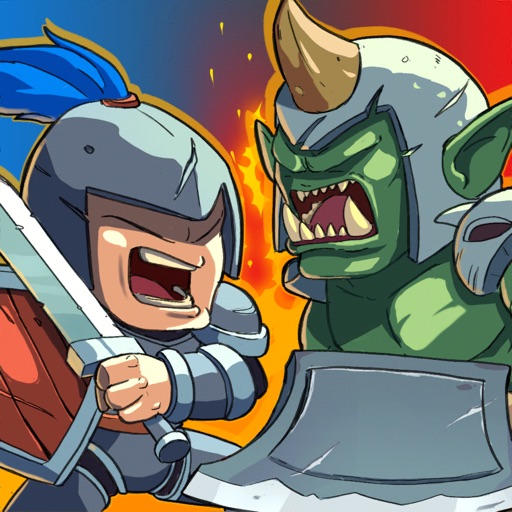
Mega War - Clash of legions is a special real-time strategy game with epic human battles against Orcs. You can build your legendary army with unique units, items and lead humanity to the ultimate victory. In addition, you can also compete with powerful armies from all over the world in pvp battles. This is an open world, where you can unleash finding species that seem to be only in legends such as Dragons, Orc ,Dawrf, Elf, Taurent, Troll, Undead, ... etc. Conquer and use them for strategies that only you know to achieve your armies ultimate goal of victory on the battlefield.
Collect and upgrade dozens of cards like Human, Orc, Dwarf, Elf, Taurent, Troll, Undead, Valkyrie, Trent, Demon, Dragons, Naga, spells and defenses that you know and love.
FEATURES
● Massive 200v200 Unit Battles
● Easy to learn but difficult to master on the battlefield, thousands of strategies must be used in battle to lead your armies to victory.
● Attractive Campaign with an interesting story behind and extra rewards
● Duel players from around the world in battle arena with pvp war.
● Hunting for Dragons and capture them for your purpose.
● Lead your Kingdom against the Demons from Hell in Endless war.
● Co-op with other player in Naga Clan
● Quenching rebellions with thousands of enemies to reassure the people in bandit war.
● Challenge yourself with plenty game events and collect amazing prizes.
● Form a Clan to share cards and build your very own battle community
● Join millions players in clan raid and war
● Collect treasure chests to unlock rewards, collect powerful new cards, and upgrade existing cards.
● Custom your armies with plenty of different items.
● Create your own custom PVP experiences through Friendly Challenges, Friendly War (Coming soon)
We would love to hear any feedback from you. If you have problems or questions, please leave a comment or email us at: megacombatstudio@gmail.com
Wish you a good time!
Fanpage: https://www.facebook.com/Clash-of-legions-101896228439341
Discord: https://discord.gg/7XHNsR6yxs
Youtube: https://www.youtube.com/channel/UCXEmdJvt1iD9Oko-w_HNyrg
• Song : Epic Trailer Drums By (Anwar Amr)
• Video Link : https://cutt.ly/9tqGdzM
Collect and upgrade dozens of cards like Human, Orc, Dwarf, Elf, Taurent, Troll, Undead, Valkyrie, Trent, Demon, Dragons, Naga, spells and defenses that you know and love.
FEATURES
● Massive 200v200 Unit Battles
● Easy to learn but difficult to master on the battlefield, thousands of strategies must be used in battle to lead your armies to victory.
● Attractive Campaign with an interesting story behind and extra rewards
● Duel players from around the world in battle arena with pvp war.
● Hunting for Dragons and capture them for your purpose.
● Lead your Kingdom against the Demons from Hell in Endless war.
● Co-op with other player in Naga Clan
● Quenching rebellions with thousands of enemies to reassure the people in bandit war.
● Challenge yourself with plenty game events and collect amazing prizes.
● Form a Clan to share cards and build your very own battle community
● Join millions players in clan raid and war
● Collect treasure chests to unlock rewards, collect powerful new cards, and upgrade existing cards.
● Custom your armies with plenty of different items.
● Create your own custom PVP experiences through Friendly Challenges, Friendly War (Coming soon)
We would love to hear any feedback from you. If you have problems or questions, please leave a comment or email us at: megacombatstudio@gmail.com
Wish you a good time!
Fanpage: https://www.facebook.com/Clash-of-legions-101896228439341
Discord: https://discord.gg/7XHNsR6yxs
Youtube: https://www.youtube.com/channel/UCXEmdJvt1iD9Oko-w_HNyrg
• Song : Epic Trailer Drums By (Anwar Amr)
• Video Link : https://cutt.ly/9tqGdzM
- Rating: 4.5/5 (698 ratings)
- Price: Free
- App Store Category: Games
-
Languages:
CA EN FR DE JA KO ZH ES
- Developer: MEGA COMBAT COMPANY LIMITED
- App Store Link:
Installation Guide
Follow these steps to install Mega War : Clash of Legions on your iOS device using Sideloadly - the best iOS IPA sideloader for iPhone and iPad.
Prerequisites:
- A computer (Windows PC or Mac)
- Latest version of iTunes & iCloud installed
- An Apple ID (free or paid developer account)
- USB cable to connect your iOS device
- Internet connection
Step-by-Step Installation Guide:
-
Download Sideloadly:
Visit Sideloadly.io and download the application for your computer (Windows or Mac). -
Install Sideloadly:
Run the Sideloadly installer and follow the installation wizard. -
Download the IPA File:
Use the green download button above to get the Mega War : Clash of Legions IPA file (119.55 MB). -
Connect Your Device:
Use a USB cable to connect your iPhone or iPad to your computer. Trust the computer if prompted on your iOS device. -
Sideload the App:
- Open Sideloadly
- Drag and drop the downloaded IPA file into Sideloadly
- Select your connected iOS device
- Enter your Apple ID email and password when prompted
- Click "Start" to begin sideloading
-
Trust the Developer Profile:
- On your iOS device, go to Settings > General > VPN & Device Management
- Find your Apple ID profile under "Developer App"
- Tap on it and select "Trust"
-
Enable Developer Mode (If Required):
- If you see a prompt about Developer Mode, or the app doesn't open:
- Go to Settings > Privacy & Security
- Scroll down and tap "Developer Mode"
- Toggle Developer Mode on and follow the prompts to restart your device
- After restart, confirm enabling Developer Mode when prompted
Important Notes:
- Free Apple IDs require re-sideloading every 7 days
- Paid Apple Developer accounts ($99/year) allow installations lasting 365 days
- Make sure your iOS version is 11.0+ for compatibility
- Keep Sideloadly updated for the best sideloading experience
Troubleshooting:
- If installation fails, try rebooting your device and computer
- Ensure you have the latest iTunes & iCloud version installed
- Check your internet connection
- Make sure your Apple ID is valid and 2FA is handled if enabled
- If Developer Mode is not visible, make sure you're on iOS 16 or later and reboot device


