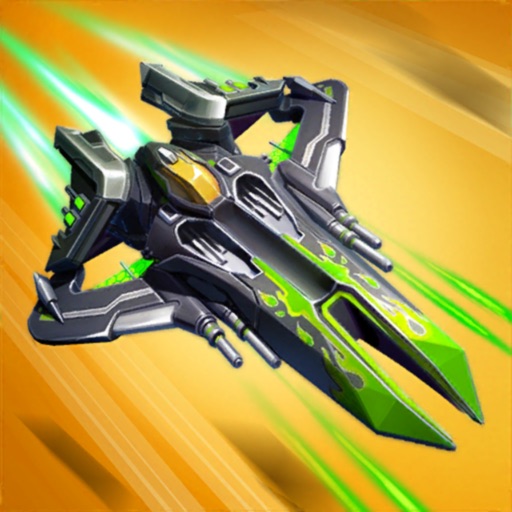
Download iOS IPA Hack
2
1
Views
0
This Week
5.0
Rating
4 years ago
Last Updated
Wing Fighter iOS Hack
Compatibility:
iOS 10.0-26+
iPhone
iPad
No Jailbreak Required
Hack Features
- Freeze Energy
- Freeze Revive (Freezes diamonds for revive only)
- No Crash Damage
App Information
- Hack Version: 1.7.30
- Developer: iOSAppHacks
- Bundle ID: com.joyfort.windfighter.ios
- IPA Size: 495.68 MB
- iOS Required: 10.0+
- Updated:
Official App Store Description US App Store
Wing Fighter is an free classic arcade online shooting game, with epic 3D realistic scene, gorgeous and fascinating combat effects and variety of unique bosses and equipment. If you loved arcade shooting games as a kid, this retro, vintage game blend modern combat styles would be the perfect game for you!
In every battle of Wing Fighter, You will become an air force pilot, controlling different fighters to fight evil enemies and bosses. It is your mission to defeat them and protect the safety and freedom of the skies! Enemies have invaded, the battle is on the verge of breaking out, come on and start this thrilling combat flight action game now!
Features:
- Shoot down enemy fighters, challenge powerful and diverse ultimate bosses.
- Enrich equipment arsenal, hundreds kinds of equipment to choose. Turn your fighter into flying tank.
- Clone skill, furious mode, damage bonus...Choose strong fighters with multiple additional attributes as you wish!
- Hundreds of combat buffs, different buffs and attack strategies create different combat experiences.
- Complete the mission and unlock battle scenes and levels.
- Select multiple activity patterns from normal to nightmare.
- Improve fighter power, fight your way to the top of the Leaderboard!
- Complete daily missions to gain resources, lots of rewards are waiting for you.
- Choose your favorite beautiful pilots and send them out on tasks.
- Mysterious talent system that combines Roguelike elements to increase combat power permanently.
- Challenge the limit and win big prizes in Endless voyage event.
- Easy to operate, no tutorial required.
Enjoy the classic thrilling combat flight action game--Wing Fighter. Don’t let the enemy conquer your freedom, shoot and be ready to attack right now!
DOWNLOAD AND PLAY IT FOR FREE!
Contact us: wszj6868@gmail.com
Join us on Facebook: https://www.facebook.com/WingFighterOfficial
Join Discord to get support: https://discord.gg/2WaJZbqFAy
In every battle of Wing Fighter, You will become an air force pilot, controlling different fighters to fight evil enemies and bosses. It is your mission to defeat them and protect the safety and freedom of the skies! Enemies have invaded, the battle is on the verge of breaking out, come on and start this thrilling combat flight action game now!
Features:
- Shoot down enemy fighters, challenge powerful and diverse ultimate bosses.
- Enrich equipment arsenal, hundreds kinds of equipment to choose. Turn your fighter into flying tank.
- Clone skill, furious mode, damage bonus...Choose strong fighters with multiple additional attributes as you wish!
- Hundreds of combat buffs, different buffs and attack strategies create different combat experiences.
- Complete the mission and unlock battle scenes and levels.
- Select multiple activity patterns from normal to nightmare.
- Improve fighter power, fight your way to the top of the Leaderboard!
- Complete daily missions to gain resources, lots of rewards are waiting for you.
- Choose your favorite beautiful pilots and send them out on tasks.
- Mysterious talent system that combines Roguelike elements to increase combat power permanently.
- Challenge the limit and win big prizes in Endless voyage event.
- Easy to operate, no tutorial required.
Enjoy the classic thrilling combat flight action game--Wing Fighter. Don’t let the enemy conquer your freedom, shoot and be ready to attack right now!
DOWNLOAD AND PLAY IT FOR FREE!
Contact us: wszj6868@gmail.com
Join us on Facebook: https://www.facebook.com/WingFighterOfficial
Join Discord to get support: https://discord.gg/2WaJZbqFAy
- Rating: 4.7/5 (15,014 ratings)
- Price: Free
- App Store Category: Games
-
Languages:
EN FR DE JA KO ZH ES ZH
- Developer: MINIGAME ENTERTAINMENT LIMITED
- App Store Link:
Installation Guide
Follow these steps to install Wing Fighter on your iOS device using Sideloadly - the best iOS IPA sideloader for iPhone and iPad.
Prerequisites:
- A computer (Windows PC or Mac)
- Latest version of iTunes & iCloud installed
- An Apple ID (free or paid developer account)
- USB cable to connect your iOS device
- Internet connection
Step-by-Step Installation Guide:
-
Download Sideloadly:
Visit Sideloadly.io and download the application for your computer (Windows or Mac). -
Install Sideloadly:
Run the Sideloadly installer and follow the installation wizard. -
Download the IPA File:
Use the green download button above to get the Wing Fighter IPA file (495.68 MB). -
Connect Your Device:
Use a USB cable to connect your iPhone or iPad to your computer. Trust the computer if prompted on your iOS device. -
Sideload the App:
- Open Sideloadly
- Drag and drop the downloaded IPA file into Sideloadly
- Select your connected iOS device
- Enter your Apple ID email and password when prompted
- Click "Start" to begin sideloading
-
Trust the Developer Profile:
- On your iOS device, go to Settings > General > VPN & Device Management
- Find your Apple ID profile under "Developer App"
- Tap on it and select "Trust"
-
Enable Developer Mode (If Required):
- If you see a prompt about Developer Mode, or the app doesn't open:
- Go to Settings > Privacy & Security
- Scroll down and tap "Developer Mode"
- Toggle Developer Mode on and follow the prompts to restart your device
- After restart, confirm enabling Developer Mode when prompted
Important Notes:
- Free Apple IDs require re-sideloading every 7 days
- Paid Apple Developer accounts ($99/year) allow installations lasting 365 days
- Make sure your iOS version is 10.0+ for compatibility
- Keep Sideloadly updated for the best sideloading experience
Troubleshooting:
- If installation fails, try rebooting your device and computer
- Ensure you have the latest iTunes & iCloud version installed
- Check your internet connection
- Make sure your Apple ID is valid and 2FA is handled if enabled
- If Developer Mode is not visible, make sure you're on iOS 16 or later and reboot device


