Download iOS IPA Hack
2
1
Views
0
This Week
5.0
Rating
4 years ago
Last Updated
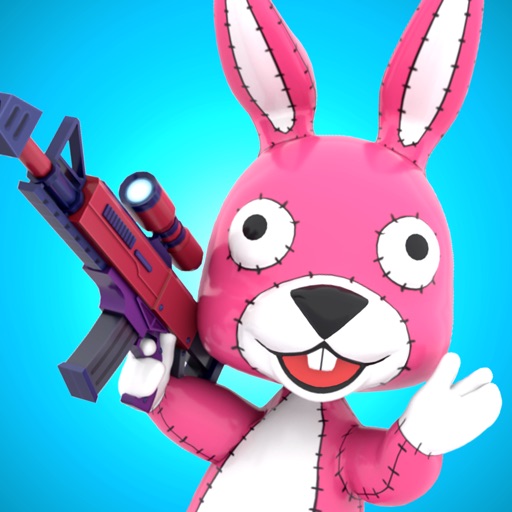
Smash Party - Hero Action Game iOS Hack
Compatibility:
iOS 11.0-26+
iPhone
iPad
No Jailbreak Required
Hack Features
- Godmode
- Buddy Godmode
- High Range
- No Ads
App Information
- Hack Version: 1.2.4
- Developer: iOSAppHacks
- Bundle ID: com.toydium.smashparty
- IPA Size: 297.38 MB
- iOS Required: 11.0+
- Updated:
Official App Store Description US App Store
Welcome to the World of Smash Party!
Officers, a nefarious gang has taken over the town. We need your help to protect and preserve the peace.
Form a squad of three and sweep the criminal element clean from our fair city.
- Simple but Exciting Combat
Wield an adorable assortment of weapons in this thrilling action shooter that anyone can enjoy and control, all with just one finger.
Move in on enemies and release your finger to commence fire.
- Wide Variety of Colorful Weapons
Pistols, assault rifles, baseball bats, rocket launchers, grenades, and flame throwers are just some of the weapons you can grab.
Make sure to pick the right weapon for the job.
- Gather Cards to Power Up Your Gear
Collect weapon and buddy cards to upgrade your gear and companions.
Assemble a set of legendary gear, and you'll be able to face any foe.
- Play with Friends
As you play, you'll unlock the ability to set up and join matches with friends.
Invite them into your game and make it a Smash Party.
- Dress in Different Character Outfits
You start out with your police uniform but can collect many unique costume pieces.
Don your favorite combination before you head out to battle.
- Regular Updates
The Smash Party development team is just getting started - we're committed to bringing you the fun.
If you have any feedback to help improve the experience, just let us know at the following address.
Inquiries and Feedback: smash-party.support@toydium.co.jp
Privacy Policy: https://toydium.co.jp/privacy_policy_en
App Terms of Use: https://toydium.co.jp/appterms_en
Good luck out there!
© Toydium Inc., Akatsuki Buddy Inc.
Officers, a nefarious gang has taken over the town. We need your help to protect and preserve the peace.
Form a squad of three and sweep the criminal element clean from our fair city.
- Simple but Exciting Combat
Wield an adorable assortment of weapons in this thrilling action shooter that anyone can enjoy and control, all with just one finger.
Move in on enemies and release your finger to commence fire.
- Wide Variety of Colorful Weapons
Pistols, assault rifles, baseball bats, rocket launchers, grenades, and flame throwers are just some of the weapons you can grab.
Make sure to pick the right weapon for the job.
- Gather Cards to Power Up Your Gear
Collect weapon and buddy cards to upgrade your gear and companions.
Assemble a set of legendary gear, and you'll be able to face any foe.
- Play with Friends
As you play, you'll unlock the ability to set up and join matches with friends.
Invite them into your game and make it a Smash Party.
- Dress in Different Character Outfits
You start out with your police uniform but can collect many unique costume pieces.
Don your favorite combination before you head out to battle.
- Regular Updates
The Smash Party development team is just getting started - we're committed to bringing you the fun.
If you have any feedback to help improve the experience, just let us know at the following address.
Inquiries and Feedback: smash-party.support@toydium.co.jp
Privacy Policy: https://toydium.co.jp/privacy_policy_en
App Terms of Use: https://toydium.co.jp/appterms_en
Good luck out there!
© Toydium Inc., Akatsuki Buddy Inc.
- Rating: 4.6/5 (3,864 ratings)
- Price: Free
- App Store Category: Games
-
Languages:
EN FR DE ID IT JA KO PT RU ZH ES ZH VI
- Developer: Toydium Inc.
- App Store Link:
Installation Guide
Follow these steps to install Smash Party - Hero Action Game on your iOS device using Sideloadly - the best iOS IPA sideloader for iPhone and iPad.
Prerequisites:
- A computer (Windows PC or Mac)
- Latest version of iTunes & iCloud installed
- An Apple ID (free or paid developer account)
- USB cable to connect your iOS device
- Internet connection
Step-by-Step Installation Guide:
-
Download Sideloadly:
Visit Sideloadly.io and download the application for your computer (Windows or Mac). -
Install Sideloadly:
Run the Sideloadly installer and follow the installation wizard. -
Download the IPA File:
Use the green download button above to get the Smash Party - Hero Action Game IPA file (297.38 MB). -
Connect Your Device:
Use a USB cable to connect your iPhone or iPad to your computer. Trust the computer if prompted on your iOS device. -
Sideload the App:
- Open Sideloadly
- Drag and drop the downloaded IPA file into Sideloadly
- Select your connected iOS device
- Enter your Apple ID email and password when prompted
- Click "Start" to begin sideloading
-
Trust the Developer Profile:
- On your iOS device, go to Settings > General > VPN & Device Management
- Find your Apple ID profile under "Developer App"
- Tap on it and select "Trust"
-
Enable Developer Mode (If Required):
- If you see a prompt about Developer Mode, or the app doesn't open:
- Go to Settings > Privacy & Security
- Scroll down and tap "Developer Mode"
- Toggle Developer Mode on and follow the prompts to restart your device
- After restart, confirm enabling Developer Mode when prompted
Important Notes:
- Free Apple IDs require re-sideloading every 7 days
- Paid Apple Developer accounts ($99/year) allow installations lasting 365 days
- Make sure your iOS version is 11.0+ for compatibility
- Keep Sideloadly updated for the best sideloading experience
Troubleshooting:
- If installation fails, try rebooting your device and computer
- Ensure you have the latest iTunes & iCloud version installed
- Check your internet connection
- Make sure your Apple ID is valid and 2FA is handled if enabled
- If Developer Mode is not visible, make sure you're on iOS 16 or later and reboot device


