Download iOS IPA Hack
2
1
Views
0
This Week
5.0
Rating
1 year ago
Last Updated
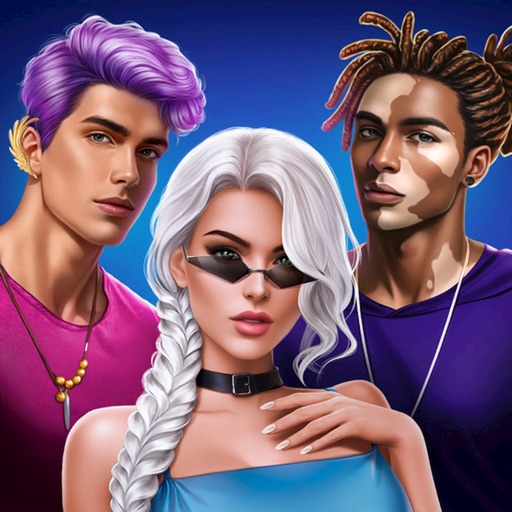
Love Sparks: Make Me Blush iOS Hack
Compatibility:
iOS 13.0-26+
iPhone
iPad
No Jailbreak Required
Hack Features
- Unlimited Currenciess -> Earn or some.
- VIP Enabled
App Information
- Hack Version: 2.46.0
- Developer: iOSAppHacks
- Bundle ID: com.swagmasha.lovespark
- IPA Size: 177.19 MB
- iOS Required: 13.0+
- Updated:
Official App Store Description US App Store
Find your spark in Love Sparks – a romantic interactive chat game!
Swipe, match, and dive into stories where your choices shape the experience.
Why You'll Love It:
– Interactive love stories driven by your decisions
– Charming voice notes from your matches
– Attractive characters with unique personalities
– Cute emojis & fun selfies to bring chats to life
How It Works:
– Customize your profile and interests
– Swipe through potential matches
– Match and start chatting
– Listen to voice messages made just for you
– Flirt, connect & explore – all in a safe, fictional world
Meet characters from all walks of life — a smooth-talking CEO, a rising musician, or even a royal with a secret. Every story is different. Every choice matters.
Whether you're into sweet romance, playful banter, or dramatic twists – Love Sparks lets you live out your own romantic journey.
Please note: Love Sparks is a fictional dating simulator. All interactions happen within the game.
Download now and start your story!
SUBSCRIPTION PRICING AND TERMS
Love Sparks offers auto-renewing subscription options for "Premium Features":
$14,99 - per month
Premium Features:
- Daily bonus x10 multiply daily
- Super boost feature for 12 hours daily
- Unique avatars
- Pricing in the countries may vary and actual charges may be converted to your local currency depending on the country of residence.
- Payment will be charged to iTunes Account at confirmation of purchase.
- Subscription automatically renews unless auto-renew is turned off at least 24-hours before the end of the current period.
- Account will be charged for renewal within 24-hours prior to the end of the current period, and identify the cost of the renewal.
- Subscriptions may be managed by the user and auto-renewal may be turned off by going to the user’s Account Settings after purchase.
- Any unused portion of a free trial period, if offered, will be forfeited when the user purchases a subscription to that publication, where applicable.
Read more:
License agreement: https://swagmasha.org/eula
Terms of service: https://swagmasha.org/terms
Privacy policy: https://swagmasha.org/privacypolicy
Swipe, match, and dive into stories where your choices shape the experience.
Why You'll Love It:
– Interactive love stories driven by your decisions
– Charming voice notes from your matches
– Attractive characters with unique personalities
– Cute emojis & fun selfies to bring chats to life
How It Works:
– Customize your profile and interests
– Swipe through potential matches
– Match and start chatting
– Listen to voice messages made just for you
– Flirt, connect & explore – all in a safe, fictional world
Meet characters from all walks of life — a smooth-talking CEO, a rising musician, or even a royal with a secret. Every story is different. Every choice matters.
Whether you're into sweet romance, playful banter, or dramatic twists – Love Sparks lets you live out your own romantic journey.
Please note: Love Sparks is a fictional dating simulator. All interactions happen within the game.
Download now and start your story!
SUBSCRIPTION PRICING AND TERMS
Love Sparks offers auto-renewing subscription options for "Premium Features":
$14,99 - per month
Premium Features:
- Daily bonus x10 multiply daily
- Super boost feature for 12 hours daily
- Unique avatars
- Pricing in the countries may vary and actual charges may be converted to your local currency depending on the country of residence.
- Payment will be charged to iTunes Account at confirmation of purchase.
- Subscription automatically renews unless auto-renew is turned off at least 24-hours before the end of the current period.
- Account will be charged for renewal within 24-hours prior to the end of the current period, and identify the cost of the renewal.
- Subscriptions may be managed by the user and auto-renewal may be turned off by going to the user’s Account Settings after purchase.
- Any unused portion of a free trial period, if offered, will be forfeited when the user purchases a subscription to that publication, where applicable.
Read more:
License agreement: https://swagmasha.org/eula
Terms of service: https://swagmasha.org/terms
Privacy policy: https://swagmasha.org/privacypolicy
- Rating: 4.7/5 (3,388 ratings)
- Price: Free
- App Store Category: Games
-
Languages:
EN
- Developer: SVEG MASHA, OOO
- App Store Link:
Installation Guide
Follow these steps to install Love Sparks: Make Me Blush on your iOS device using Sideloadly - the best iOS IPA sideloader for iPhone and iPad.
Prerequisites:
- A computer (Windows PC or Mac)
- Latest version of iTunes & iCloud installed
- An Apple ID (free or paid developer account)
- USB cable to connect your iOS device
- Internet connection
Step-by-Step Installation Guide:
-
Download Sideloadly:
Visit Sideloadly.io and download the application for your computer (Windows or Mac). -
Install Sideloadly:
Run the Sideloadly installer and follow the installation wizard. -
Download the IPA File:
Use the green download button above to get the Love Sparks: Make Me Blush IPA file (177.19 MB). -
Connect Your Device:
Use a USB cable to connect your iPhone or iPad to your computer. Trust the computer if prompted on your iOS device. -
Sideload the App:
- Open Sideloadly
- Drag and drop the downloaded IPA file into Sideloadly
- Select your connected iOS device
- Enter your Apple ID email and password when prompted
- Click "Start" to begin sideloading
-
Trust the Developer Profile:
- On your iOS device, go to Settings > General > VPN & Device Management
- Find your Apple ID profile under "Developer App"
- Tap on it and select "Trust"
-
Enable Developer Mode (If Required):
- If you see a prompt about Developer Mode, or the app doesn't open:
- Go to Settings > Privacy & Security
- Scroll down and tap "Developer Mode"
- Toggle Developer Mode on and follow the prompts to restart your device
- After restart, confirm enabling Developer Mode when prompted
Important Notes:
- Free Apple IDs require re-sideloading every 7 days
- Paid Apple Developer accounts ($99/year) allow installations lasting 365 days
- Make sure your iOS version is 13.0+ for compatibility
- Keep Sideloadly updated for the best sideloading experience
Troubleshooting:
- If installation fails, try rebooting your device and computer
- Ensure you have the latest iTunes & iCloud version installed
- Check your internet connection
- Make sure your Apple ID is valid and 2FA is handled if enabled
- If Developer Mode is not visible, make sure you're on iOS 16 or later and reboot device


