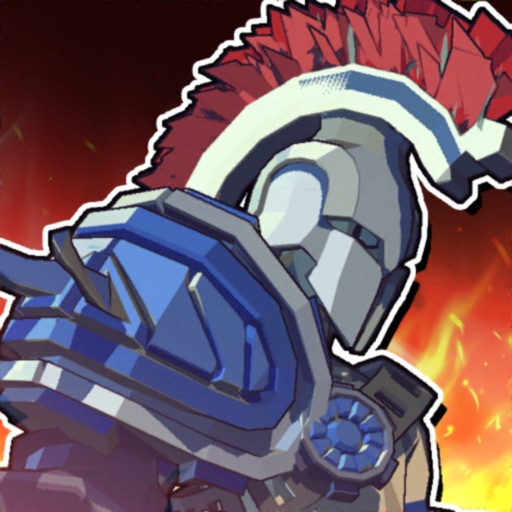
Download iOS IPA Hack
4
1
Views
0
This Week
5.0
Rating
1 year ago
Last Updated
Dungeon of Gods iOS Hack
Compatibility:
iOS 12.0-26+
iPhone
iPad
No Jailbreak Required
Hack Features
- Multiply Attack
- Multiply Defense
- God Mode
App Information
- Hack Version: 1.6.3
- Developer: iOSAppHacks
- Bundle ID: com.superplanet.goddungeon
- IPA Size: 141.43 MB
- iOS Required: 12.0+
- Updated:
Official App Store Description US App Store
UPDATE : Guild open! Conquer the Guild Dungeon by joining forces with your Guild members!
■ Guild & Guild Dungeon Update
- Exchange game tips with your Guild members through the guild chat!
- Build a team strategy and conquer the Guild Dungeon together!
■ Relic Awakening added!
- One more rune slot when relics are awakened!
- If you equip 2 runes with Transcendence + Awakening, additional effects will be stacked!
■ New dungeon 'Chapter 22' opened
- Challenge the stronger Golem's Dungeon!
- Story Mode and Trial Mode unlocked at the same time!
------------------------------------------------------------------
▪ Raise a Half-God in this Infinite Upgrade RPG!
▪ Break through the dungeon with only the tip of your finger!
▪ Enjoy the incredible assault action.
■ Feel the excitement of assault action with incredibly simple controls!
- Drag, drop and defeat stage monsters easily!
- Dodge the attack of the God guarding dungeon and, once you enter a certain range, charge!
- Destroy all surrounding monsters in one unstoppable attack!
- Hit and run quickly before the enemy's attack gauge fills up!
■ Gameplay based on options, rogue-like action RPG
- If you clear the dungeon, multiple new entrances will appear! Which one will you choose?
- Before entering the next dungeon, choose the best skill among 3!
- After strengthening your skills through stacking, clear the stage in one go with one continuous attack!
- The more chapters you conquer, the more diverse skills and strategies you will need!
■ Become the king of gods with infinite upgrades!
- Defeat enemies that are growing stronger and get promoted!
- Collect and strengthen equipment and relics to become a powerful demigod!
- Equip yourself with a unique costume and acquire additional stats!
- Protect yourself from enemies with a half shield!
■ Challenge the dungeons if you want to get stronger!
- Dark Tower: Within the time limit, kill 30 enemies and get a huge amount of gems!
- Item Dungeon: Obtain various items by dealing with monsters on each floor!
- Rune Dungeon: Defeat enemies in all phases and acquire runes to upgrade relics!
- Material Dungeon: Acquire material for the half-shield but beware... If you get even one attack from the enemy, it's game over!
■ Thanks to automatic hunting, you can clear again dungeons that have already been cleared in one strike! Super-fast growth with less play time!
- Collect swords, equipment, skills and more as rewards for clearing the chapters! Become a dungeon master!
■ Guild & Guild Dungeon Update
- Exchange game tips with your Guild members through the guild chat!
- Build a team strategy and conquer the Guild Dungeon together!
■ Relic Awakening added!
- One more rune slot when relics are awakened!
- If you equip 2 runes with Transcendence + Awakening, additional effects will be stacked!
■ New dungeon 'Chapter 22' opened
- Challenge the stronger Golem's Dungeon!
- Story Mode and Trial Mode unlocked at the same time!
------------------------------------------------------------------
▪ Raise a Half-God in this Infinite Upgrade RPG!
▪ Break through the dungeon with only the tip of your finger!
▪ Enjoy the incredible assault action.
■ Feel the excitement of assault action with incredibly simple controls!
- Drag, drop and defeat stage monsters easily!
- Dodge the attack of the God guarding dungeon and, once you enter a certain range, charge!
- Destroy all surrounding monsters in one unstoppable attack!
- Hit and run quickly before the enemy's attack gauge fills up!
■ Gameplay based on options, rogue-like action RPG
- If you clear the dungeon, multiple new entrances will appear! Which one will you choose?
- Before entering the next dungeon, choose the best skill among 3!
- After strengthening your skills through stacking, clear the stage in one go with one continuous attack!
- The more chapters you conquer, the more diverse skills and strategies you will need!
■ Become the king of gods with infinite upgrades!
- Defeat enemies that are growing stronger and get promoted!
- Collect and strengthen equipment and relics to become a powerful demigod!
- Equip yourself with a unique costume and acquire additional stats!
- Protect yourself from enemies with a half shield!
■ Challenge the dungeons if you want to get stronger!
- Dark Tower: Within the time limit, kill 30 enemies and get a huge amount of gems!
- Item Dungeon: Obtain various items by dealing with monsters on each floor!
- Rune Dungeon: Defeat enemies in all phases and acquire runes to upgrade relics!
- Material Dungeon: Acquire material for the half-shield but beware... If you get even one attack from the enemy, it's game over!
■ Thanks to automatic hunting, you can clear again dungeons that have already been cleared in one strike! Super-fast growth with less play time!
- Collect swords, equipment, skills and more as rewards for clearing the chapters! Become a dungeon master!
- Rating: 4.6/5 (1,333 ratings)
- Price: Free
- App Store Category: Games
-
Languages:
FR DE ID IT JA KO PT RU ZH ES TH ZH VI
- Developer: SuperPlanet corp.
- App Store Link:
Installation Guide
Follow these steps to install Dungeon of Gods on your iOS device using Sideloadly - the best iOS IPA sideloader for iPhone and iPad.
Prerequisites:
- A computer (Windows PC or Mac)
- Latest version of iTunes & iCloud installed
- An Apple ID (free or paid developer account)
- USB cable to connect your iOS device
- Internet connection
Step-by-Step Installation Guide:
-
Download Sideloadly:
Visit Sideloadly.io and download the application for your computer (Windows or Mac). -
Install Sideloadly:
Run the Sideloadly installer and follow the installation wizard. -
Download the IPA File:
Use the green download button above to get the Dungeon of Gods IPA file (141.43 MB). -
Connect Your Device:
Use a USB cable to connect your iPhone or iPad to your computer. Trust the computer if prompted on your iOS device. -
Sideload the App:
- Open Sideloadly
- Drag and drop the downloaded IPA file into Sideloadly
- Select your connected iOS device
- Enter your Apple ID email and password when prompted
- Click "Start" to begin sideloading
-
Trust the Developer Profile:
- On your iOS device, go to Settings > General > VPN & Device Management
- Find your Apple ID profile under "Developer App"
- Tap on it and select "Trust"
-
Enable Developer Mode (If Required):
- If you see a prompt about Developer Mode, or the app doesn't open:
- Go to Settings > Privacy & Security
- Scroll down and tap "Developer Mode"
- Toggle Developer Mode on and follow the prompts to restart your device
- After restart, confirm enabling Developer Mode when prompted
Important Notes:
- Free Apple IDs require re-sideloading every 7 days
- Paid Apple Developer accounts ($99/year) allow installations lasting 365 days
- Make sure your iOS version is 12.0+ for compatibility
- Keep Sideloadly updated for the best sideloading experience
Troubleshooting:
- If installation fails, try rebooting your device and computer
- Ensure you have the latest iTunes & iCloud version installed
- Check your internet connection
- Make sure your Apple ID is valid and 2FA is handled if enabled
- If Developer Mode is not visible, make sure you're on iOS 16 or later and reboot device


