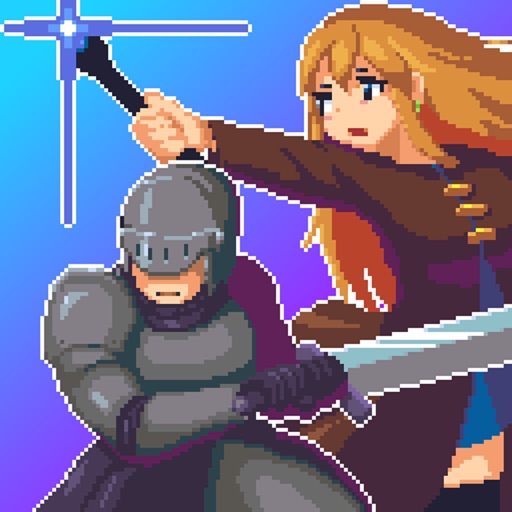
Download iOS IPA Hack
3
1
Views
0
This Week
5.0
Rating
4 years ago
Last Updated
Labyrinth Legend II iOS Hack
Compatibility:
iOS 11.0-26+
iPhone
iPad
No Jailbreak Required
Hack Features
- Godmode
- Freeze Gems
- Freeze Orbs
- Unlimited Inventory Space
- Unlimited Storage Space
- No Ads
App Information
- Hack Version: 1.0.3
- Developer: iOSAppHacks
- Bundle ID: com.ShinobiGames.InfiniteW
- IPA Size: 91.1 MB
- iOS Required: 11.0+
- Updated:
Official App Store Description US App Store
The second installment of the pick-up-and-play hack-and-slash Action RPG! Make use of a variety of weapons and skills. Venture into randomly generated dungeons to save the world from the rule of demonkind!
◆Randomly Generated Dungeons
Dungeons are randomly generated, which means the layout changes every time you enter
Defeat the enemies lurking in the depths of the dungeon, obtain powerful equipment, and power-up your character!
◆Battle Mighty Bosses
Progress enough in the game and you will encounter bosses
Facing the overwhelming might of these bosses will be tough, but by leveling up and changing your gear you should be able to find the path to victory
And if you could master dodging, maybe you could defeat bosses without taking a single scratch...?
Study their attack patterns, then strike back with a powerful blow!
◆Variety of Mechanics and Enemies
Dungeons have their own unique mechanics and enemies lying in wait for players
Clearing these difficult dungeons will be no simple task, but by strengthening your character and enlisting the aid of helper NPCs you can set your sights on the lower levels and attain the rare treasures within!
◆Variety of Weapons and Skills
An array or equipment and skills can be found in-game
How well you can use them will depend on your own skill
Find equipment that you like and aim for victory with your own fighting style!
In addition, armor you equip will change your character's appearance
Use your favorite equipment to customize your character!
◆A Pixel Art Fantasy World
The game world is depicted entirely through nostalgic pixel art
In this fantasy world overflowing with mysteries,
you're sure to encounter many characterful NPCs and enemies
◆Randomly Generated Dungeons
Dungeons are randomly generated, which means the layout changes every time you enter
Defeat the enemies lurking in the depths of the dungeon, obtain powerful equipment, and power-up your character!
◆Battle Mighty Bosses
Progress enough in the game and you will encounter bosses
Facing the overwhelming might of these bosses will be tough, but by leveling up and changing your gear you should be able to find the path to victory
And if you could master dodging, maybe you could defeat bosses without taking a single scratch...?
Study their attack patterns, then strike back with a powerful blow!
◆Variety of Mechanics and Enemies
Dungeons have their own unique mechanics and enemies lying in wait for players
Clearing these difficult dungeons will be no simple task, but by strengthening your character and enlisting the aid of helper NPCs you can set your sights on the lower levels and attain the rare treasures within!
◆Variety of Weapons and Skills
An array or equipment and skills can be found in-game
How well you can use them will depend on your own skill
Find equipment that you like and aim for victory with your own fighting style!
In addition, armor you equip will change your character's appearance
Use your favorite equipment to customize your character!
◆A Pixel Art Fantasy World
The game world is depicted entirely through nostalgic pixel art
In this fantasy world overflowing with mysteries,
you're sure to encounter many characterful NPCs and enemies
- Rating: 4.5/5 (81 ratings)
- Price: Free
- App Store Category: Games
-
Languages:
EN JA KO ZH VI
- Developer: Sasuke Shimoyama
- App Store Link:
Installation Guide
Follow these steps to install Labyrinth Legend II on your iOS device using Sideloadly - the best iOS IPA sideloader for iPhone and iPad.
Prerequisites:
- A computer (Windows PC or Mac)
- Latest version of iTunes & iCloud installed
- An Apple ID (free or paid developer account)
- USB cable to connect your iOS device
- Internet connection
Step-by-Step Installation Guide:
-
Download Sideloadly:
Visit Sideloadly.io and download the application for your computer (Windows or Mac). -
Install Sideloadly:
Run the Sideloadly installer and follow the installation wizard. -
Download the IPA File:
Use the green download button above to get the Labyrinth Legend II IPA file (91.1 MB). -
Connect Your Device:
Use a USB cable to connect your iPhone or iPad to your computer. Trust the computer if prompted on your iOS device. -
Sideload the App:
- Open Sideloadly
- Drag and drop the downloaded IPA file into Sideloadly
- Select your connected iOS device
- Enter your Apple ID email and password when prompted
- Click "Start" to begin sideloading
-
Trust the Developer Profile:
- On your iOS device, go to Settings > General > VPN & Device Management
- Find your Apple ID profile under "Developer App"
- Tap on it and select "Trust"
-
Enable Developer Mode (If Required):
- If you see a prompt about Developer Mode, or the app doesn't open:
- Go to Settings > Privacy & Security
- Scroll down and tap "Developer Mode"
- Toggle Developer Mode on and follow the prompts to restart your device
- After restart, confirm enabling Developer Mode when prompted
Important Notes:
- Free Apple IDs require re-sideloading every 7 days
- Paid Apple Developer accounts ($99/year) allow installations lasting 365 days
- Make sure your iOS version is 11.0+ for compatibility
- Keep Sideloadly updated for the best sideloading experience
Troubleshooting:
- If installation fails, try rebooting your device and computer
- Ensure you have the latest iTunes & iCloud version installed
- Check your internet connection
- Make sure your Apple ID is valid and 2FA is handled if enabled
- If Developer Mode is not visible, make sure you're on iOS 16 or later and reboot device


