Download iOS IPA Hack
18
1
Views
0
This Week
5.0
Rating
1 year ago
Last Updated
Gang Battle Party: Animals 3D iOS Hack
Compatibility:
iOS 13.0-26+
iPhone
iPad
No Jailbreak Required
Hack Features
- Unlimited Currencies -> Will increase instead of decrease.
- God Mode
- One-Hit Kill
- No Ads
App Information
- Hack Version: 2.0.12
- Developer: iOSAppHacks
- Bundle ID: com.taketopios.chillybash
- IPA Size: 137.38 MB
- iOS Required: 13.0+
- Updated:
Official App Store Description US App Store
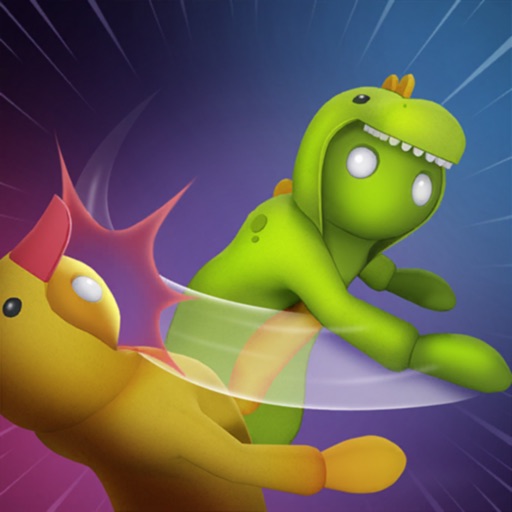
Gang Battle Party is the ultimate physics-based fighting experience for players who want to test their skills in chaotic, action-packed arenas. Customize your fighter, choose your battleground, and face off against rivals in intense battles to become the champion!
The game features a wide variety of quirky street brawlers, wild creatures, fun arena challengers, and classic human fighters — each with their own fighting style and unique moves. Find the perfect match for your playstyle and build a character that truly stands out.
Personalize your fighter’s appearance, outfits, and special abilities to create a one-of-a-kind combatant. Whether you prefer fast strikes, heavy blows, or unpredictable attacks, the choice is yours.
What truly sets Gang Battle Party apart is its dynamic physics-driven combat system. Every punch, kick, and special move delivers satisfying impact, making each fight feel intense and unpredictable. Watch your opponents stumble, lose balance, and crash to the ground as you dominate the arena.
Play solo against AI opponents or jump into multiplayer mode to challenge real players online. Earn experience and in-game rewards as you progress through increasingly difficult battles, unlocking new fighters, arenas, and customization options.
Each arena offers unique environmental hazards and interactive elements that can turn the tide of battle. Fight in dramatic castles, neon-lit city rooftops, industrial zones, and more — every location presents new tactical opportunities.
With intuitive controls, fast-paced combat, and deep customization, Gang Battle Party delivers endless fun for both casual players and competitive fighters. Step into the arena, master the chaos, and prove you have what it takes to rule the fight!
Agreement: https://www.apple.com/legal/internet-services/itunes/dev/stdeula/
Privacy Policy: https://taketopgames.com/privacy-policy/
The game features a wide variety of quirky street brawlers, wild creatures, fun arena challengers, and classic human fighters — each with their own fighting style and unique moves. Find the perfect match for your playstyle and build a character that truly stands out.
Personalize your fighter’s appearance, outfits, and special abilities to create a one-of-a-kind combatant. Whether you prefer fast strikes, heavy blows, or unpredictable attacks, the choice is yours.
What truly sets Gang Battle Party apart is its dynamic physics-driven combat system. Every punch, kick, and special move delivers satisfying impact, making each fight feel intense and unpredictable. Watch your opponents stumble, lose balance, and crash to the ground as you dominate the arena.
Play solo against AI opponents or jump into multiplayer mode to challenge real players online. Earn experience and in-game rewards as you progress through increasingly difficult battles, unlocking new fighters, arenas, and customization options.
Each arena offers unique environmental hazards and interactive elements that can turn the tide of battle. Fight in dramatic castles, neon-lit city rooftops, industrial zones, and more — every location presents new tactical opportunities.
With intuitive controls, fast-paced combat, and deep customization, Gang Battle Party delivers endless fun for both casual players and competitive fighters. Step into the arena, master the chaos, and prove you have what it takes to rule the fight!
Agreement: https://www.apple.com/legal/internet-services/itunes/dev/stdeula/
Privacy Policy: https://taketopgames.com/privacy-policy/
- Rating: 4.8/5 (3,176 ratings)
- Price: Free
- App Store Category: Games
-
Languages:
EN FR DE JA KO RU ZH ES ZH
- Developer: LLP Take Top Entertainment
- App Store Link:
Installation Guide
Follow these steps to install Gang Battle Party: Animals 3D on your iOS device using Sideloadly - the best iOS IPA sideloader for iPhone and iPad.
Prerequisites:
- A computer (Windows PC or Mac)
- Latest version of iTunes & iCloud installed
- An Apple ID (free or paid developer account)
- USB cable to connect your iOS device
- Internet connection
Step-by-Step Installation Guide:
-
Download Sideloadly:
Visit Sideloadly.io and download the application for your computer (Windows or Mac). -
Install Sideloadly:
Run the Sideloadly installer and follow the installation wizard. -
Download the IPA File:
Use the green download button above to get the Gang Battle Party: Animals 3D IPA file (137.38 MB). -
Connect Your Device:
Use a USB cable to connect your iPhone or iPad to your computer. Trust the computer if prompted on your iOS device. -
Sideload the App:
- Open Sideloadly
- Drag and drop the downloaded IPA file into Sideloadly
- Select your connected iOS device
- Enter your Apple ID email and password when prompted
- Click "Start" to begin sideloading
-
Trust the Developer Profile:
- On your iOS device, go to Settings > General > VPN & Device Management
- Find your Apple ID profile under "Developer App"
- Tap on it and select "Trust"
-
Enable Developer Mode (If Required):
- If you see a prompt about Developer Mode, or the app doesn't open:
- Go to Settings > Privacy & Security
- Scroll down and tap "Developer Mode"
- Toggle Developer Mode on and follow the prompts to restart your device
- After restart, confirm enabling Developer Mode when prompted
Important Notes:
- Free Apple IDs require re-sideloading every 7 days
- Paid Apple Developer accounts ($99/year) allow installations lasting 365 days
- Make sure your iOS version is 13.0+ for compatibility
- Keep Sideloadly updated for the best sideloading experience
Troubleshooting:
- If installation fails, try rebooting your device and computer
- Ensure you have the latest iTunes & iCloud version installed
- Check your internet connection
- Make sure your Apple ID is valid and 2FA is handled if enabled
- If Developer Mode is not visible, make sure you're on iOS 16 or later and reboot device


