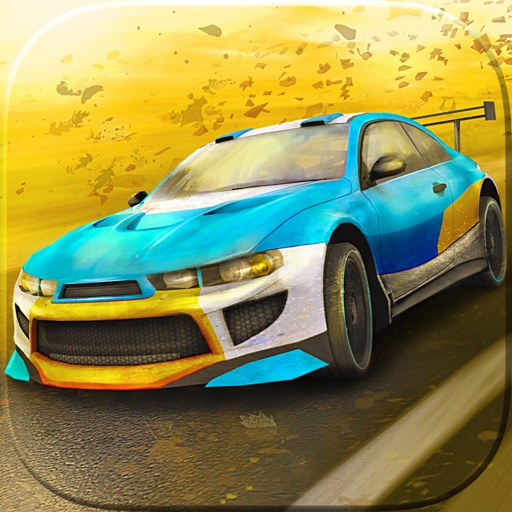
Download iOS IPA Hack
4
1
Views
0
This Week
5.0
Rating
5 years ago
Last Updated
Go Rally iOS Hack
Compatibility:
iOS 13.0-26+
iPhone
iPad
No Jailbreak Required
Hack Features
- Inf Cash (Buy a Car)
App Information
- Hack Version: 2.0.7
- Developer: iOSAppHacks
- Bundle ID: com.inputwish.Raceland
- IPA Size: 174.79 MB
- iOS Required: 13.0+
- Updated:
Official App Store Description US App Store
With loads of tracks, cars, a career mode, multiplayer time challenges and an awesome track creator, Go Rally is the only rally game you’ll ever need! And, with cross-play functionality, you can enjoy Go Rally on iPhone, iPad and Apple TV.*
CREATE THE CHALLENGE
Draw a line on your screen, tap the ‘race’ icon, and instantly drive your very own track! Add hills, bridges, checkpoints, trackside banners, houses and terrain – create the circuit of your dreams, then share on-line and challenge your friends, and the world, to beat your times. Apple TV users can design on iPhone or iPad and then pick up the Siri Remote and play on the big screen! With player made tracks, there are potentially limitless possibilities.
AWESOME TRACKS
Pit yourself against a huge variety of pre-made rally tracks across stunningly realistic deserts, arctic snowscapes, forests and arid outback landscapes. Each course delivers a fresh challenge, from glass-like ice to treacherous rocks and everything in-between. The challenges never stop with new tracks being added all the time.
CHALLENGE FRIENDS AND FAMILY AND THE WORLD!
Rocket through each stage as fast as you dare and compete against friends, family and gamers all over the world to better your time. This is where rivalries are born!
A CAREER IN RALLY!
Career mode lets you work up the ranks from Rookie to Master. Work your way up through 100 tracks around the world and become the rally champion of the world. Only the most daring drivers need apply!
CHOOSE YOUR PERFECT CAR
Choose from a cool collection of rally vehicles from ferocious muscle cars to powerful SUV’s. Customize with a stunning paint job so that no one will miss you roaring across the tracks.
PLAY ON APPLE TV
Go Rally plays brilliantly on Apple TV, from its pass-and-play gameplay and easy to pick up Siri Remote controls to its visuals that look great on the widest of widescreens, the game is perfect family entertainment.
*Track Creator only available on iPhone and iPad
CREATE THE CHALLENGE
Draw a line on your screen, tap the ‘race’ icon, and instantly drive your very own track! Add hills, bridges, checkpoints, trackside banners, houses and terrain – create the circuit of your dreams, then share on-line and challenge your friends, and the world, to beat your times. Apple TV users can design on iPhone or iPad and then pick up the Siri Remote and play on the big screen! With player made tracks, there are potentially limitless possibilities.
AWESOME TRACKS
Pit yourself against a huge variety of pre-made rally tracks across stunningly realistic deserts, arctic snowscapes, forests and arid outback landscapes. Each course delivers a fresh challenge, from glass-like ice to treacherous rocks and everything in-between. The challenges never stop with new tracks being added all the time.
CHALLENGE FRIENDS AND FAMILY AND THE WORLD!
Rocket through each stage as fast as you dare and compete against friends, family and gamers all over the world to better your time. This is where rivalries are born!
A CAREER IN RALLY!
Career mode lets you work up the ranks from Rookie to Master. Work your way up through 100 tracks around the world and become the rally champion of the world. Only the most daring drivers need apply!
CHOOSE YOUR PERFECT CAR
Choose from a cool collection of rally vehicles from ferocious muscle cars to powerful SUV’s. Customize with a stunning paint job so that no one will miss you roaring across the tracks.
PLAY ON APPLE TV
Go Rally plays brilliantly on Apple TV, from its pass-and-play gameplay and easy to pick up Siri Remote controls to its visuals that look great on the widest of widescreens, the game is perfect family entertainment.
*Track Creator only available on iPhone and iPad
- Rating: 4.0/5 (125 ratings)
- Price: $4.99
- App Store Category: Games
-
Languages:
EN
- Developer: Inputwish s.r.o.
- App Store Link:
Installation Guide
Follow these steps to install Go Rally on your iOS device using Sideloadly - the best iOS IPA sideloader for iPhone and iPad.
Prerequisites:
- A computer (Windows PC or Mac)
- Latest version of iTunes & iCloud installed
- An Apple ID (free or paid developer account)
- USB cable to connect your iOS device
- Internet connection
Step-by-Step Installation Guide:
-
Download Sideloadly:
Visit Sideloadly.io and download the application for your computer (Windows or Mac). -
Install Sideloadly:
Run the Sideloadly installer and follow the installation wizard. -
Download the IPA File:
Use the green download button above to get the Go Rally IPA file (174.79 MB). -
Connect Your Device:
Use a USB cable to connect your iPhone or iPad to your computer. Trust the computer if prompted on your iOS device. -
Sideload the App:
- Open Sideloadly
- Drag and drop the downloaded IPA file into Sideloadly
- Select your connected iOS device
- Enter your Apple ID email and password when prompted
- Click "Start" to begin sideloading
-
Trust the Developer Profile:
- On your iOS device, go to Settings > General > VPN & Device Management
- Find your Apple ID profile under "Developer App"
- Tap on it and select "Trust"
-
Enable Developer Mode (If Required):
- If you see a prompt about Developer Mode, or the app doesn't open:
- Go to Settings > Privacy & Security
- Scroll down and tap "Developer Mode"
- Toggle Developer Mode on and follow the prompts to restart your device
- After restart, confirm enabling Developer Mode when prompted
Important Notes:
- Free Apple IDs require re-sideloading every 7 days
- Paid Apple Developer accounts ($99/year) allow installations lasting 365 days
- Make sure your iOS version is 13.0+ for compatibility
- Keep Sideloadly updated for the best sideloading experience
Troubleshooting:
- If installation fails, try rebooting your device and computer
- Ensure you have the latest iTunes & iCloud version installed
- Check your internet connection
- Make sure your Apple ID is valid and 2FA is handled if enabled
- If Developer Mode is not visible, make sure you're on iOS 16 or later and reboot device


