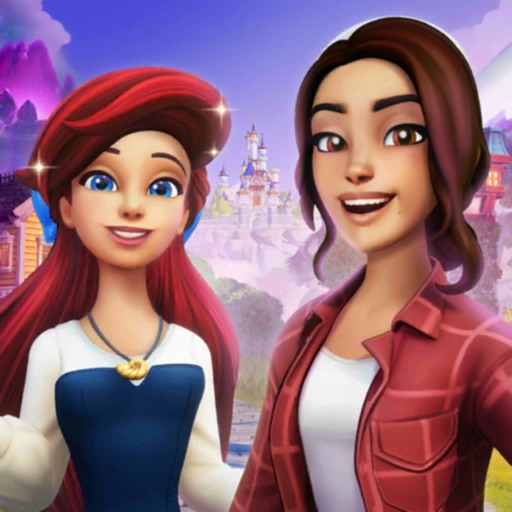
Download iOS IPA Hack
0
1
Views
0
This Week
4.0
Rating
2 years ago
Last Updated
Disney Dreamlight Valley iOS Hack
Compatibility:
iOS 14.0-26+
iPhone
iPad
No Jailbreak Required
Description
<p>This app has <a href="https://iosgods.com/topic/153130-introducing-igamegod-jailed-speed-manager-touch-recorder-cheat-engine-for-non-jailbroken-devices/?do=findComment&comment=4937789">iGameGod Jailed</a> enabled so you can use the <a href="https://iosgods.com/topic/134184-introducing-igamegod-cheat-engine-speed-manager-auto-touch-more/#comment-4265745" rel="">iOS Cheat Engine</a>, <a href="https://iosgods.com/topic/134186-igamegod-speed-manager-adjust-the-speed-of-your-games/?tab=comments#comment-4265749" rel="">Speed Hack Manager</a> or <a href="https://iosgods.com/topic/134185-igamegod-auto-touch-record-and-replay-your-taps/?tab=comments#comment-4265748" rel="">Auto Touch Recorder</a> to your liking! If you would like to add iGameGod Jailed to your app, you can do so by following the instructions in <a href="https://iosgods.com/topic/153130-introducing-igamegod-jailed-speed-manager-touch-recorder-cheat-engine-for-non-jailbroken-devices/?do=findComment&comment=4937789">the official topic</a>!<br />
<br />
For tutorials, videos & examples on how to use iGameGod, please visit: <a href="https://iosgods.com/tags/iGameGod/" rel="">https://iosgods.com/tags/iGameGod/</a></p>
<br />
For tutorials, videos & examples on how to use iGameGod, please visit: <a href="https://iosgods.com/tags/iGameGod/" rel="">https://iosgods.com/tags/iGameGod/</a></p>
App Information
- Hack Version: 1.8.7
- Developer: iOSAppHacks
- Bundle ID: com.gameloft.DisneyDreamlightValley.arcade
- IPA Size: 2048 MB
- iOS Required: 14.0+
- Updated:
Official App Store Description US App Store
Experience this life-sim and adventure game rich with quests, exploration, and engaging activities featuring Disney and Pixar friends, both old and new.
ABOUT DISNEY DREAMLIGHT VALLEY
Once an idyllic land, Dreamlight Valley was a place where Disney and Pixar characters lived in harmony -- until the Forgetting. Night Thorns grew across the land and severed the wonderful memories tied to this magical place. With nowhere else to go, the hopeless inhabitants of Dreamlight Valley retreated behind locked doors in the Dream Castle. Now it's up to you to discover the stories of this world and bring the magic back to Dreamlight Valley!
Garden with WALL·E, cook with Remy or kick back and fish with Goofy. What better way to collect, craft, and rebuild the Valley than with a friend! From beautiful princesses to nefarious villains, every Dreamlight Valley resident brings their own story arc, quests, and rewards.
Build the perfect neighborhood that is just for you with a fully customizable layout, creative landscaping, and thousands of decorative items. Will you settle on the Beach next to Moana, or call Buzz Lightyear your next-door neighbor in the Plaza?
Free the Dream Castle from the Forgetting's grasp and unlock the Realms of great queens and kings, such as Anna and Simba. Each Realm contains unique challenges with puzzles to solve in the quest to bring friendship back to the Valley.
Assemble unique outfits and decorate your home with thousands of fantastic items. With the in-game Camera, get ready to snap a sunset selfie with Mirabel, capture a culinary creation with Remy, or simply cherish a moment.
ABOUT DISNEY DREAMLIGHT VALLEY: WISHBLOSSOM RANCH
Nestled amongst the Wishblossom Mountains is a special place powered by the Heart’s deepest wishes, where horses once roamed free and stables were full of life. That was until the Ranch fell into the hands of someone who neglected it, causing a mysterious phenomenon -- the Decay. Saddle up for an adventure with your magical new Disney friends to find the missing horses, reverse the effects of the Decay, and restore the Ranch to its former glory!
ABOUT DISNEY DREAMLIGHT VALLEY: THE STORYBOOK VALE
Once upon a time, the Storybook Vale was a land made up of fabled stories, where myths and fairy tales sprang to life… until Maleficent and Hades tore the Vale apart. With the guidance of the Lorekeeper, journey to the Vale and meet heroes and villains who will bring epic trials to undertake, stories to reassemble, and friendships to recover.
ABOUT DISNEY DREAMLIGHT VALLEY: A RIFT IN TIME
Once an ancient kingdom full of treasures and magical artifacts, Eternity Isle has become lost in time thanks to Jafar's meddling in magic. Journey to this faraway land and utilize a mysterious new Royal Tool -- the Hourglass -- as you discover new secrets and treasures, and decide if you can trust the nefarious Jafar. Stop Jafar's scheme to steal the Spark of Imagination, an ancient relic that holds the fabric of Dreamlight Valley together. With the help of the Hourglass, you are the key to fixing rifts in time and putting a stop to Jafar's evil plan!
DISCLAIMER: Please note that Disney Dreamlight Valley Arcade Edition on Apple Arcade does not contain in-app purchases. As such, Star Path seasons and the Premium Shop are not found in this version. This version of the game does not support cross-save with platforms outside of the Apple Arcade ecosystem.
Terms of Use: https://gmlft.co/terms-of-use-AA-DDV
Privacy Policy: https://gmlft.co/privacy-policy-AA-DDV
End-User License Agreement: https://gmlft.co/eula-AA-DDV
ABOUT DISNEY DREAMLIGHT VALLEY
Once an idyllic land, Dreamlight Valley was a place where Disney and Pixar characters lived in harmony -- until the Forgetting. Night Thorns grew across the land and severed the wonderful memories tied to this magical place. With nowhere else to go, the hopeless inhabitants of Dreamlight Valley retreated behind locked doors in the Dream Castle. Now it's up to you to discover the stories of this world and bring the magic back to Dreamlight Valley!
Garden with WALL·E, cook with Remy or kick back and fish with Goofy. What better way to collect, craft, and rebuild the Valley than with a friend! From beautiful princesses to nefarious villains, every Dreamlight Valley resident brings their own story arc, quests, and rewards.
Build the perfect neighborhood that is just for you with a fully customizable layout, creative landscaping, and thousands of decorative items. Will you settle on the Beach next to Moana, or call Buzz Lightyear your next-door neighbor in the Plaza?
Free the Dream Castle from the Forgetting's grasp and unlock the Realms of great queens and kings, such as Anna and Simba. Each Realm contains unique challenges with puzzles to solve in the quest to bring friendship back to the Valley.
Assemble unique outfits and decorate your home with thousands of fantastic items. With the in-game Camera, get ready to snap a sunset selfie with Mirabel, capture a culinary creation with Remy, or simply cherish a moment.
ABOUT DISNEY DREAMLIGHT VALLEY: WISHBLOSSOM RANCH
Nestled amongst the Wishblossom Mountains is a special place powered by the Heart’s deepest wishes, where horses once roamed free and stables were full of life. That was until the Ranch fell into the hands of someone who neglected it, causing a mysterious phenomenon -- the Decay. Saddle up for an adventure with your magical new Disney friends to find the missing horses, reverse the effects of the Decay, and restore the Ranch to its former glory!
ABOUT DISNEY DREAMLIGHT VALLEY: THE STORYBOOK VALE
Once upon a time, the Storybook Vale was a land made up of fabled stories, where myths and fairy tales sprang to life… until Maleficent and Hades tore the Vale apart. With the guidance of the Lorekeeper, journey to the Vale and meet heroes and villains who will bring epic trials to undertake, stories to reassemble, and friendships to recover.
ABOUT DISNEY DREAMLIGHT VALLEY: A RIFT IN TIME
Once an ancient kingdom full of treasures and magical artifacts, Eternity Isle has become lost in time thanks to Jafar's meddling in magic. Journey to this faraway land and utilize a mysterious new Royal Tool -- the Hourglass -- as you discover new secrets and treasures, and decide if you can trust the nefarious Jafar. Stop Jafar's scheme to steal the Spark of Imagination, an ancient relic that holds the fabric of Dreamlight Valley together. With the help of the Hourglass, you are the key to fixing rifts in time and putting a stop to Jafar's evil plan!
DISCLAIMER: Please note that Disney Dreamlight Valley Arcade Edition on Apple Arcade does not contain in-app purchases. As such, Star Path seasons and the Premium Shop are not found in this version. This version of the game does not support cross-save with platforms outside of the Apple Arcade ecosystem.
Terms of Use: https://gmlft.co/terms-of-use-AA-DDV
Privacy Policy: https://gmlft.co/privacy-policy-AA-DDV
End-User License Agreement: https://gmlft.co/eula-AA-DDV
- Rating: 4.7/5 (22,051 ratings)
- Price: N/A
- App Store Category: Games
-
Languages:
EN FR DE IT JA PT ZH ES
- Developer: Gameloft
- App Store Link:
Installation Guide
Follow these steps to install Disney Dreamlight Valley on your iOS device using Sideloadly - the best iOS IPA sideloader for iPhone and iPad.
Prerequisites:
- A computer (Windows PC or Mac)
- Latest version of iTunes & iCloud installed
- An Apple ID (free or paid developer account)
- USB cable to connect your iOS device
- Internet connection
Step-by-Step Installation Guide:
-
Download Sideloadly:
Visit Sideloadly.io and download the application for your computer (Windows or Mac). -
Install Sideloadly:
Run the Sideloadly installer and follow the installation wizard. -
Download the IPA File:
Use the green download button above to get the Disney Dreamlight Valley IPA file (2048 MB). -
Connect Your Device:
Use a USB cable to connect your iPhone or iPad to your computer. Trust the computer if prompted on your iOS device. -
Sideload the App:
- Open Sideloadly
- Drag and drop the downloaded IPA file into Sideloadly
- Select your connected iOS device
- Enter your Apple ID email and password when prompted
- Click "Start" to begin sideloading
-
Trust the Developer Profile:
- On your iOS device, go to Settings > General > VPN & Device Management
- Find your Apple ID profile under "Developer App"
- Tap on it and select "Trust"
-
Enable Developer Mode (If Required):
- If you see a prompt about Developer Mode, or the app doesn't open:
- Go to Settings > Privacy & Security
- Scroll down and tap "Developer Mode"
- Toggle Developer Mode on and follow the prompts to restart your device
- After restart, confirm enabling Developer Mode when prompted
Important Notes:
- Free Apple IDs require re-sideloading every 7 days
- Paid Apple Developer accounts ($99/year) allow installations lasting 365 days
- Make sure your iOS version is 14.0+ for compatibility
- Keep Sideloadly updated for the best sideloading experience
Troubleshooting:
- If installation fails, try rebooting your device and computer
- Ensure you have the latest iTunes & iCloud version installed
- Check your internet connection
- Make sure your Apple ID is valid and 2FA is handled if enabled
- If Developer Mode is not visible, make sure you're on iOS 16 or later and reboot device


