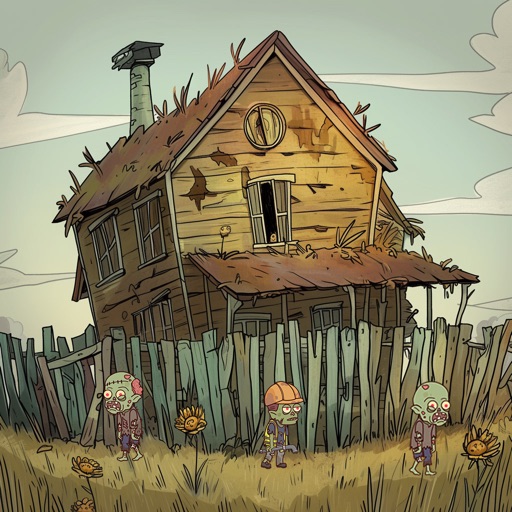
Download iOS IPA Hack
3
1
Views
0
This Week
5.0
Rating
2 months ago
Last Updated
Mini Survival: Zombie Fight iOS Hack
Compatibility:
iOS 14.0-26+
iPhone
iPad
No Jailbreak Required
Hack Features
- Unlimited Currency
- Free Spend
- Max VIP
- Never Die
- One Hit Kill
App Information
- Hack Version: 1.2.0
- Developer: iOSAppHacks
- Bundle ID: com.hdsoul.minisurvival.ios
- IPA Size: 719.78 MB
- iOS Required: 14.0+
- Updated:
Official App Store Description US App Store
On a morning day, you are ready for a new day, but the sudden outbreak of a zombie virus changes the world. The bustling city gradually turned into ruins, as if the end of the world was coming. Establish a base shelter in the last day, build high walls and facilities, plant fruits and vegetables. Provide a safe and reliable haven for more survivors! Survive in the survival zombie shooting&base buildiing game!
BUILD THE SHELTER
Survive in the doomsday is difficult, save survivors and build a base shelter with restaurant, hospital, hotel, and gas stations to provide convenience for them and make money. Recruit survivors to manage these facilities, upgrade to attract more survivors!
DEFENSE ZOMBIES ATTACK
Silent night is the scariest. The zombie brigade is approaching the shelter as if the last day is coming. Alarm is sounded, they are coming and besieging the base shelter! Build sentry towers, put powerful companions on sentry towers to defend zombie waves! Pick up your guns, make a stormshot to eliminate them!
RECRUIT SURVIVORS
Each survivor has different professional abilities and combat skills. Some are good at cooking, some are good at rescuing, some are good at fighting. Place them in their proficient positions or join your combat team. They will become your assistants when collecting resources and fighting zombies! Don’t forget to upgrade if you want them stronger!
EXPLORE UNKNOWN REGIONS
You must collect required resources to upgrade base in the zombie shooting game, there are at least 4 islands to discover. The unknown regions are full of dangers, don’t forget to take your teammates. During the exploration, be careful of the zombies around, use your gun to make a stormshot and shooting them back! Run away if you can’t beat them, remember to live first!
COLLECT FOOD AND RESOURCES
Cooking requires ingredient supplies, you can unlock farms in the base shelter to grow vegetables and fruits, or fishing. Of course, you can also collect vegetables by exploring regions. Resources can be used to create equipment and upgrade facilities.
BEWARE OF ZOMBIES
Urban fringe, dark forest, forest farm and city center are all full of terrifying zombies and mutated animals. They are coming from everywhere, they use guns and attack you collectively. In addition, beware of the zombie bosses, they are so strong that they can't be killed easily. Take your companions and guns, wear great equipment and medicine, protect yourself in the last day.
RESCUE ANIMALS
There are also very cute pets in this zombie shooting game, you can feed and train them, each pet has different skills, take it to your team when exploring dangerous areas, it will give you a lot of help!
Mini Survival is a base building survival game that combines simulation and zombie war gameplay. Manage your base buildings and shooting zombies, we make it very playable. There are more than 80 types of zombies and monsters with different images. These zombies is not scaring, because the development team give them cute and cartoonish appearances, different from the scary and bloody ordinary zombies, they even look a little cute. Welcome to the world of Mini Survival, hope you can find a way out in the last day, create the most prosperous base shelter! The zombies are coming!
BUILD THE SHELTER
Survive in the doomsday is difficult, save survivors and build a base shelter with restaurant, hospital, hotel, and gas stations to provide convenience for them and make money. Recruit survivors to manage these facilities, upgrade to attract more survivors!
DEFENSE ZOMBIES ATTACK
Silent night is the scariest. The zombie brigade is approaching the shelter as if the last day is coming. Alarm is sounded, they are coming and besieging the base shelter! Build sentry towers, put powerful companions on sentry towers to defend zombie waves! Pick up your guns, make a stormshot to eliminate them!
RECRUIT SURVIVORS
Each survivor has different professional abilities and combat skills. Some are good at cooking, some are good at rescuing, some are good at fighting. Place them in their proficient positions or join your combat team. They will become your assistants when collecting resources and fighting zombies! Don’t forget to upgrade if you want them stronger!
EXPLORE UNKNOWN REGIONS
You must collect required resources to upgrade base in the zombie shooting game, there are at least 4 islands to discover. The unknown regions are full of dangers, don’t forget to take your teammates. During the exploration, be careful of the zombies around, use your gun to make a stormshot and shooting them back! Run away if you can’t beat them, remember to live first!
COLLECT FOOD AND RESOURCES
Cooking requires ingredient supplies, you can unlock farms in the base shelter to grow vegetables and fruits, or fishing. Of course, you can also collect vegetables by exploring regions. Resources can be used to create equipment and upgrade facilities.
BEWARE OF ZOMBIES
Urban fringe, dark forest, forest farm and city center are all full of terrifying zombies and mutated animals. They are coming from everywhere, they use guns and attack you collectively. In addition, beware of the zombie bosses, they are so strong that they can't be killed easily. Take your companions and guns, wear great equipment and medicine, protect yourself in the last day.
RESCUE ANIMALS
There are also very cute pets in this zombie shooting game, you can feed and train them, each pet has different skills, take it to your team when exploring dangerous areas, it will give you a lot of help!
Mini Survival is a base building survival game that combines simulation and zombie war gameplay. Manage your base buildings and shooting zombies, we make it very playable. There are more than 80 types of zombies and monsters with different images. These zombies is not scaring, because the development team give them cute and cartoonish appearances, different from the scary and bloody ordinary zombies, they even look a little cute. Welcome to the world of Mini Survival, hope you can find a way out in the last day, create the most prosperous base shelter! The zombies are coming!
- Rating: 4.5/5 (1,354 ratings)
- Price: Free
- App Store Category: Games
-
Languages:
EN ZH
- Developer: BitStrong Pte. Ltd.
- App Store Link:
Installation Guide
Follow these steps to install Mini Survival: Zombie Fight on your iOS device using Sideloadly - the best iOS IPA sideloader for iPhone and iPad.
Prerequisites:
- A computer (Windows PC or Mac)
- Latest version of iTunes & iCloud installed
- An Apple ID (free or paid developer account)
- USB cable to connect your iOS device
- Internet connection
Step-by-Step Installation Guide:
-
Download Sideloadly:
Visit Sideloadly.io and download the application for your computer (Windows or Mac). -
Install Sideloadly:
Run the Sideloadly installer and follow the installation wizard. -
Download the IPA File:
Use the green download button above to get the Mini Survival: Zombie Fight IPA file (719.78 MB). -
Connect Your Device:
Use a USB cable to connect your iPhone or iPad to your computer. Trust the computer if prompted on your iOS device. -
Sideload the App:
- Open Sideloadly
- Drag and drop the downloaded IPA file into Sideloadly
- Select your connected iOS device
- Enter your Apple ID email and password when prompted
- Click "Start" to begin sideloading
-
Trust the Developer Profile:
- On your iOS device, go to Settings > General > VPN & Device Management
- Find your Apple ID profile under "Developer App"
- Tap on it and select "Trust"
-
Enable Developer Mode (If Required):
- If you see a prompt about Developer Mode, or the app doesn't open:
- Go to Settings > Privacy & Security
- Scroll down and tap "Developer Mode"
- Toggle Developer Mode on and follow the prompts to restart your device
- After restart, confirm enabling Developer Mode when prompted
Important Notes:
- Free Apple IDs require re-sideloading every 7 days
- Paid Apple Developer accounts ($99/year) allow installations lasting 365 days
- Make sure your iOS version is 14.0+ for compatibility
- Keep Sideloadly updated for the best sideloading experience
Troubleshooting:
- If installation fails, try rebooting your device and computer
- Ensure you have the latest iTunes & iCloud version installed
- Check your internet connection
- Make sure your Apple ID is valid and 2FA is handled if enabled
- If Developer Mode is not visible, make sure you're on iOS 16 or later and reboot device


