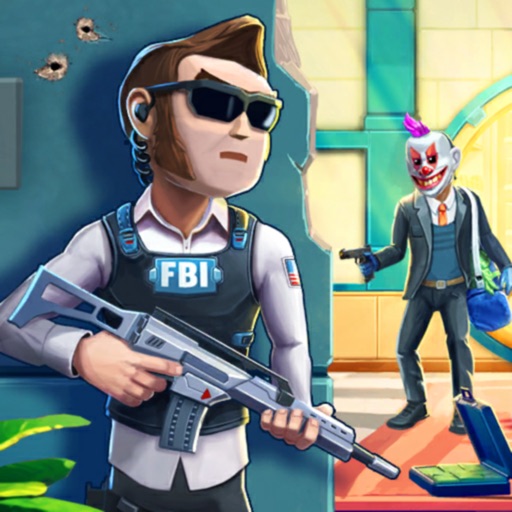
Download iOS IPA Hack
2
1
Views
0
This Week
5.0
Rating
10 months ago
Last Updated
Crime City: Bank Robbery iOS Hack
Compatibility:
iOS 12.0-26+
iPhone
iPad
No Jailbreak Required
Hack Features
- Free iAP
- Free Equipment Upgrade
- Unlimited Ammo
App Information
- Hack Version: 1.9
- Developer: iOSAppHacks
- Bundle ID: com.gamegears.robberysniper
- IPA Size: 201.06 MB
- iOS Required: 12.0+
- Updated:
Official App Store Description US App Store
Welcome to "Crime City: Bank Robbery" the ultimate shooting game that will immerse you in the thrilling world of criminal gangs and daring heistsan. An adrenaline-pumping shooter where you play as an FBI agent tasked with taking down a notorious gang of bank robbers in armed heist. Dive into the dangerous underworld of crime and test your skills as a sharpshooter and member of the police SWAT team.
In this action-packed game, you will face intense challenges and thrilling missions as you go head-to-head with the mafia gangsters and their powerful criminal organizations. Your objective is to prevent successful bank heists and restore law and order to Crime City.
Equipped with state-of-the-art weapon, including sniper rifles, guns, pistols and advanced tactical gear, you'll engage in exhilarating shootouts and strategic battles against the gangs. Use your sharpshooting skills to take out enemies from a distance or go in guns blazing for close-quarter combat. The choice is yours.
To ensure your success in each mission - plan meticulously and strike swiftly.
As you progress through the game, you will uncover the dark secrets of the criminal underworld, infiltrate gang hideouts, and gather vital intel to bring down their sprawling network. Immersive visuals, realistic sound effects, and gripping storyline will keep you engaged in this thrilling crime-fighting journey and bank heists.
Prepare yourself for heart-racing action as you navigate through the treacherous city streets, encountering various challenges, and uncovering the truth behind each bank robbery. Gripping PvP battles for ultimate supremacy in Crime City.
"Crime City: Bank Robbery" offers a gripping gameplay experience for all shooting enthusiasts and fans of action-packed games. Become the ultimate crimefighter, save innocent lives, and restore peace to the city by taking down ruthless gangsters. Are you ready to accept the challenge? Download now and prove your skills as the most skilled sniper in town!
Privacy Policy: https://www.gamegears.online/privacy-policy
Terms of Use: https://www.gamegears.online/term-of-use
Discord: https://discord.gg/YSnQMHGw
In this action-packed game, you will face intense challenges and thrilling missions as you go head-to-head with the mafia gangsters and their powerful criminal organizations. Your objective is to prevent successful bank heists and restore law and order to Crime City.
Equipped with state-of-the-art weapon, including sniper rifles, guns, pistols and advanced tactical gear, you'll engage in exhilarating shootouts and strategic battles against the gangs. Use your sharpshooting skills to take out enemies from a distance or go in guns blazing for close-quarter combat. The choice is yours.
To ensure your success in each mission - plan meticulously and strike swiftly.
As you progress through the game, you will uncover the dark secrets of the criminal underworld, infiltrate gang hideouts, and gather vital intel to bring down their sprawling network. Immersive visuals, realistic sound effects, and gripping storyline will keep you engaged in this thrilling crime-fighting journey and bank heists.
Prepare yourself for heart-racing action as you navigate through the treacherous city streets, encountering various challenges, and uncovering the truth behind each bank robbery. Gripping PvP battles for ultimate supremacy in Crime City.
"Crime City: Bank Robbery" offers a gripping gameplay experience for all shooting enthusiasts and fans of action-packed games. Become the ultimate crimefighter, save innocent lives, and restore peace to the city by taking down ruthless gangsters. Are you ready to accept the challenge? Download now and prove your skills as the most skilled sniper in town!
Privacy Policy: https://www.gamegears.online/privacy-policy
Terms of Use: https://www.gamegears.online/term-of-use
Discord: https://discord.gg/YSnQMHGw
- Rating: 4.6/5 (1,671 ratings)
- Price: Free
- App Store Category: Games
-
Languages:
EN DE
- Developer: Winchange Limited
- App Store Link:
Installation Guide
Follow these steps to install Crime City: Bank Robbery on your iOS device using Sideloadly - the best iOS IPA sideloader for iPhone and iPad.
Prerequisites:
- A computer (Windows PC or Mac)
- Latest version of iTunes & iCloud installed
- An Apple ID (free or paid developer account)
- USB cable to connect your iOS device
- Internet connection
Step-by-Step Installation Guide:
-
Download Sideloadly:
Visit Sideloadly.io and download the application for your computer (Windows or Mac). -
Install Sideloadly:
Run the Sideloadly installer and follow the installation wizard. -
Download the IPA File:
Use the green download button above to get the Crime City: Bank Robbery IPA file (201.06 MB). -
Connect Your Device:
Use a USB cable to connect your iPhone or iPad to your computer. Trust the computer if prompted on your iOS device. -
Sideload the App:
- Open Sideloadly
- Drag and drop the downloaded IPA file into Sideloadly
- Select your connected iOS device
- Enter your Apple ID email and password when prompted
- Click "Start" to begin sideloading
-
Trust the Developer Profile:
- On your iOS device, go to Settings > General > VPN & Device Management
- Find your Apple ID profile under "Developer App"
- Tap on it and select "Trust"
-
Enable Developer Mode (If Required):
- If you see a prompt about Developer Mode, or the app doesn't open:
- Go to Settings > Privacy & Security
- Scroll down and tap "Developer Mode"
- Toggle Developer Mode on and follow the prompts to restart your device
- After restart, confirm enabling Developer Mode when prompted
Important Notes:
- Free Apple IDs require re-sideloading every 7 days
- Paid Apple Developer accounts ($99/year) allow installations lasting 365 days
- Make sure your iOS version is 12.0+ for compatibility
- Keep Sideloadly updated for the best sideloading experience
Troubleshooting:
- If installation fails, try rebooting your device and computer
- Ensure you have the latest iTunes & iCloud version installed
- Check your internet connection
- Make sure your Apple ID is valid and 2FA is handled if enabled
- If Developer Mode is not visible, make sure you're on iOS 16 or later and reboot device


