Download iOS IPA Hack
2
1
Views
0
This Week
5.0
Rating
1 year ago
Last Updated
Survivor Base: Zombie City 3D iOS Hack
Compatibility:
iOS 13.0-26+
iPhone
iPad
No Jailbreak Required
Hack Features
- Never Die
- Unlimited Currency (Will Increase instead of decrease)
App Information
- Hack Version: 0.9.0
- Developer: iOSAppHacks
- Bundle ID: adventure.io.horror.beat
- IPA Size: 99.28 MB
- iOS Required: 13.0+
- Updated:
Official App Store Description US App Store
Survivor Base: Zombie City 3D
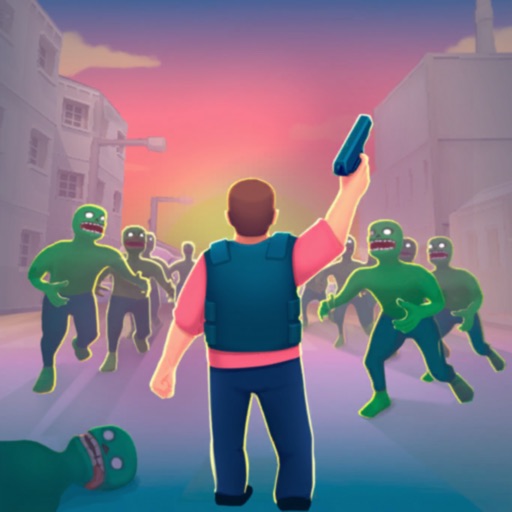
Get ready for the ultimate zombie survival adventure! In Survivor Base: Zombie City 3D, dive into a post-apocalyptic city where you, a brave hero, must fight against endless waves of zombies. Armed with powerful guns and supported by mighty drones, it's your mission to protect humanity and reclaim the streets. This 3D survival game will immerse you in a world where danger lurks around every corner, and every decision can mean the difference between life and death.
Key Features:
- Epic Zombie Battles: Face off against relentless hordes of zombies in intense, action-packed battles. Each encounter will test your skills and strategy as you fight to survive. Can you win in this war for the future of the human race?
- Powerful Weapons: Choose from a vast arsenal of guns and drones, each with unique abilities and upgrade paths. Boost your combat effectiveness and adapt your strategy to overcome even the toughest enemies. Smash through the crowds of foes with ease!
-Explore the City: Go missions across a stylized 3D cityscape. Navigate through the ruins, uncover hidden secrets, and gather vital resources to aid in your survival.
- Build and Defend: Craft and fortify your base to withstand zombie attacks. Research new technologies, u[grade your arsenal and feed cute chickens! The key to winning the war is to be prepared!
- Strategic Gameplay: Use your wits and reflexes to dodge, shoot, and employ a variety of skills to crush the zombie menace. Each battle requires careful planning and quick thinking to outmaneuver the undead. Don’t let them eat your brain!
- Fast-Paced Action: Experience non-stop action with quick, responsive controls. The fast-paced gameplay keeps you on your toes, ensuring every moment is filled with excitement.
- Level Up: Gain experience from every battle and mission, upgrading your skills and becoming the commander humanity needs. Choose different perks and abilities to enhance your playstyle and make it unique! Tailor your abilities to suit your playstyle and dominate the battlefield. Use your brain and quick reflexes to emerge victorious!
- Boss Fights: Face off against gigantic, mutant zombies in epic boss battles. These formidable foes require all your skills and strategy to defeat, providing a thrilling challenge.
- Drone Support: Launch drones to assist in your fight, providing additional firepower and strategic advantages. These mechanical allies are crucial for turning the tide of battle in your favor. Get ready to mow down undead monsters!
Are you ready to embark on an epic journey of survival, adventure, and action? Download Survivor Base: Zombie City 3D now and lead humanity to victory against the undead!
Get ready for the ultimate zombie survival adventure! In Survivor Base: Zombie City 3D, dive into a post-apocalyptic city where you, a brave hero, must fight against endless waves of zombies. Armed with powerful guns and supported by mighty drones, it's your mission to protect humanity and reclaim the streets. This 3D survival game will immerse you in a world where danger lurks around every corner, and every decision can mean the difference between life and death.
Key Features:
- Epic Zombie Battles: Face off against relentless hordes of zombies in intense, action-packed battles. Each encounter will test your skills and strategy as you fight to survive. Can you win in this war for the future of the human race?
- Powerful Weapons: Choose from a vast arsenal of guns and drones, each with unique abilities and upgrade paths. Boost your combat effectiveness and adapt your strategy to overcome even the toughest enemies. Smash through the crowds of foes with ease!
-Explore the City: Go missions across a stylized 3D cityscape. Navigate through the ruins, uncover hidden secrets, and gather vital resources to aid in your survival.
- Build and Defend: Craft and fortify your base to withstand zombie attacks. Research new technologies, u[grade your arsenal and feed cute chickens! The key to winning the war is to be prepared!
- Strategic Gameplay: Use your wits and reflexes to dodge, shoot, and employ a variety of skills to crush the zombie menace. Each battle requires careful planning and quick thinking to outmaneuver the undead. Don’t let them eat your brain!
- Fast-Paced Action: Experience non-stop action with quick, responsive controls. The fast-paced gameplay keeps you on your toes, ensuring every moment is filled with excitement.
- Level Up: Gain experience from every battle and mission, upgrading your skills and becoming the commander humanity needs. Choose different perks and abilities to enhance your playstyle and make it unique! Tailor your abilities to suit your playstyle and dominate the battlefield. Use your brain and quick reflexes to emerge victorious!
- Boss Fights: Face off against gigantic, mutant zombies in epic boss battles. These formidable foes require all your skills and strategy to defeat, providing a thrilling challenge.
- Drone Support: Launch drones to assist in your fight, providing additional firepower and strategic advantages. These mechanical allies are crucial for turning the tide of battle in your favor. Get ready to mow down undead monsters!
Are you ready to embark on an epic journey of survival, adventure, and action? Download Survivor Base: Zombie City 3D now and lead humanity to victory against the undead!
- Rating: 5.0/5 (8 ratings)
- Price: Free
- App Store Category: Games
-
Languages:
EN FR DE JA KO ZH ES ZH
- Developer: MAD PIXEL GAMES LTD
- App Store Link:
Installation Guide
Follow these steps to install Survivor Base: Zombie City 3D on your iOS device using Sideloadly - the best iOS IPA sideloader for iPhone and iPad.
Prerequisites:
- A computer (Windows PC or Mac)
- Latest version of iTunes & iCloud installed
- An Apple ID (free or paid developer account)
- USB cable to connect your iOS device
- Internet connection
Step-by-Step Installation Guide:
-
Download Sideloadly:
Visit Sideloadly.io and download the application for your computer (Windows or Mac). -
Install Sideloadly:
Run the Sideloadly installer and follow the installation wizard. -
Download the IPA File:
Use the green download button above to get the Survivor Base: Zombie City 3D IPA file (99.28 MB). -
Connect Your Device:
Use a USB cable to connect your iPhone or iPad to your computer. Trust the computer if prompted on your iOS device. -
Sideload the App:
- Open Sideloadly
- Drag and drop the downloaded IPA file into Sideloadly
- Select your connected iOS device
- Enter your Apple ID email and password when prompted
- Click "Start" to begin sideloading
-
Trust the Developer Profile:
- On your iOS device, go to Settings > General > VPN & Device Management
- Find your Apple ID profile under "Developer App"
- Tap on it and select "Trust"
-
Enable Developer Mode (If Required):
- If you see a prompt about Developer Mode, or the app doesn't open:
- Go to Settings > Privacy & Security
- Scroll down and tap "Developer Mode"
- Toggle Developer Mode on and follow the prompts to restart your device
- After restart, confirm enabling Developer Mode when prompted
Important Notes:
- Free Apple IDs require re-sideloading every 7 days
- Paid Apple Developer accounts ($99/year) allow installations lasting 365 days
- Make sure your iOS version is 13.0+ for compatibility
- Keep Sideloadly updated for the best sideloading experience
Troubleshooting:
- If installation fails, try rebooting your device and computer
- Ensure you have the latest iTunes & iCloud version installed
- Check your internet connection
- Make sure your Apple ID is valid and 2FA is handled if enabled
- If Developer Mode is not visible, make sure you're on iOS 16 or later and reboot device


