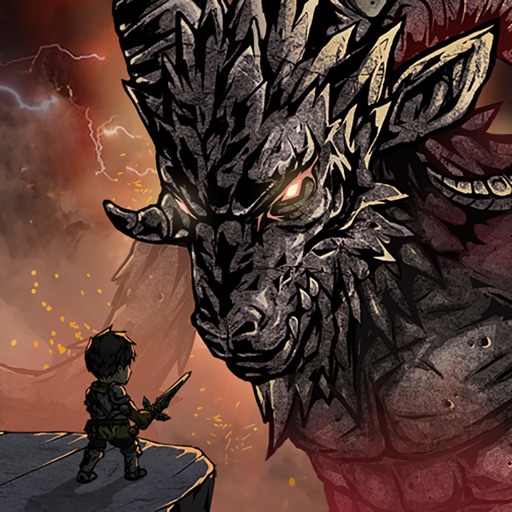
Download iOS IPA Hack
5
1
Views
0
This Week
5.0
Rating
1 year ago
Last Updated
Slay the Titan : Deckbuild RPG iOS Hack
Compatibility:
iOS 13.0-26+
iPhone
iPad
No Jailbreak Required
Hack Features
- Damage Multiplier
- Defense Multiplier
App Information
- Hack Version: 1.4.2
- Developer: iOSAppHacks
- Bundle ID: com.dreamplay.slaythetitan.apple
- IPA Size: 95.09 MB
- iOS Required: 13.0+
- Updated:
Official App Store Description US App Store
Collect character cards to explore dungeons and compete for strategies!
We created a really fun Deckbuilding game by adding Dungeoncrawl elements to the role-playing card game.
Create original combinations and enjoy both Singleplay and Multiplay.
[Game Features]
▣ Create a fun deck [Deck Building]
▶Add skill cards possessed by characters to create a unique deck.
▶Depending on your choices, you could achieve the best synergy, or completely ruin the combination.
▶Collect characters from various occupations, including pirates, witches, nights, rogues, slayers, and crawlers.
▶We will consistently update the game with characters that have new and exciting skill cards, in order to bring our users a more varied and fun deck building experience.
▣ Singleplayer [Adventure & Dungeon Crawl]
▶You will create a inventive deck to prepare for your adventure to Valhalla.
▶There are a total of 7 Titans that will try to stop you on your way to Valhalla.
▶In order to defeat these immensely powerful 7 Titans, you will need to recruit allies to create a strategic and inventive deck, and increase its strength.
▶Become the main character of the story by gathering characters from various occupations such as pirates, witches, nights, rogues, slayers, and crawlers
▣ Multiplayer [Survival, Card batttle]
▶You can meet other adventurers in the Temple of Judgment.
▶You can battle other adventurer’s decks instead of taking on the Titans.
▶You must figure out the various characteristics of the Titans, and create a deck that counters them.
▶Live for as long as you can. Survival is a skill, and also the way to victory.
▣ Tower of Competition [Competitive Strategy]
▶There are no such things as useless characters or skills in the world of Titan Slayer.
▶In the Tower of Competition, you can experiment with your deck using characters that you don’t have.
▶As you climb the tower, you’ll have to choose a character that will be given to you at random.
▶Luck is important. Sometimes you’ll be given a character that won’t synergize with your deck.
▣ Genre
▶Dungeon Crawl
▶Deck builder, Deck building
▶Card rpg, Trading card games
▶Roguelike
▶Slay the full moon
We created a really fun Deckbuilding game by adding Dungeoncrawl elements to the role-playing card game.
Create original combinations and enjoy both Singleplay and Multiplay.
[Game Features]
▣ Create a fun deck [Deck Building]
▶Add skill cards possessed by characters to create a unique deck.
▶Depending on your choices, you could achieve the best synergy, or completely ruin the combination.
▶Collect characters from various occupations, including pirates, witches, nights, rogues, slayers, and crawlers.
▶We will consistently update the game with characters that have new and exciting skill cards, in order to bring our users a more varied and fun deck building experience.
▣ Singleplayer [Adventure & Dungeon Crawl]
▶You will create a inventive deck to prepare for your adventure to Valhalla.
▶There are a total of 7 Titans that will try to stop you on your way to Valhalla.
▶In order to defeat these immensely powerful 7 Titans, you will need to recruit allies to create a strategic and inventive deck, and increase its strength.
▶Become the main character of the story by gathering characters from various occupations such as pirates, witches, nights, rogues, slayers, and crawlers
▣ Multiplayer [Survival, Card batttle]
▶You can meet other adventurers in the Temple of Judgment.
▶You can battle other adventurer’s decks instead of taking on the Titans.
▶You must figure out the various characteristics of the Titans, and create a deck that counters them.
▶Live for as long as you can. Survival is a skill, and also the way to victory.
▣ Tower of Competition [Competitive Strategy]
▶There are no such things as useless characters or skills in the world of Titan Slayer.
▶In the Tower of Competition, you can experiment with your deck using characters that you don’t have.
▶As you climb the tower, you’ll have to choose a character that will be given to you at random.
▶Luck is important. Sometimes you’ll be given a character that won’t synergize with your deck.
▣ Genre
▶Dungeon Crawl
▶Deck builder, Deck building
▶Card rpg, Trading card games
▶Roguelike
▶Slay the full moon
- Rating: 4.6/5 (160 ratings)
- Price: Free
- App Store Category: Games
-
Languages:
EN FR DE JA KO ZH ES ZH
- Developer: Dreamplaygames Inc.
- App Store Link:
Installation Guide
Follow these steps to install Slay the Titan : Deckbuild RPG on your iOS device using Sideloadly - the best iOS IPA sideloader for iPhone and iPad.
Prerequisites:
- A computer (Windows PC or Mac)
- Latest version of iTunes & iCloud installed
- An Apple ID (free or paid developer account)
- USB cable to connect your iOS device
- Internet connection
Step-by-Step Installation Guide:
-
Download Sideloadly:
Visit Sideloadly.io and download the application for your computer (Windows or Mac). -
Install Sideloadly:
Run the Sideloadly installer and follow the installation wizard. -
Download the IPA File:
Use the green download button above to get the Slay the Titan : Deckbuild RPG IPA file (95.09 MB). -
Connect Your Device:
Use a USB cable to connect your iPhone or iPad to your computer. Trust the computer if prompted on your iOS device. -
Sideload the App:
- Open Sideloadly
- Drag and drop the downloaded IPA file into Sideloadly
- Select your connected iOS device
- Enter your Apple ID email and password when prompted
- Click "Start" to begin sideloading
-
Trust the Developer Profile:
- On your iOS device, go to Settings > General > VPN & Device Management
- Find your Apple ID profile under "Developer App"
- Tap on it and select "Trust"
-
Enable Developer Mode (If Required):
- If you see a prompt about Developer Mode, or the app doesn't open:
- Go to Settings > Privacy & Security
- Scroll down and tap "Developer Mode"
- Toggle Developer Mode on and follow the prompts to restart your device
- After restart, confirm enabling Developer Mode when prompted
Important Notes:
- Free Apple IDs require re-sideloading every 7 days
- Paid Apple Developer accounts ($99/year) allow installations lasting 365 days
- Make sure your iOS version is 13.0+ for compatibility
- Keep Sideloadly updated for the best sideloading experience
Troubleshooting:
- If installation fails, try rebooting your device and computer
- Ensure you have the latest iTunes & iCloud version installed
- Check your internet connection
- Make sure your Apple ID is valid and 2FA is handled if enabled
- If Developer Mode is not visible, make sure you're on iOS 16 or later and reboot device


