Download iOS IPA Hack
7
1
Views
0
This Week
5.0
Rating
5 months ago
Last Updated
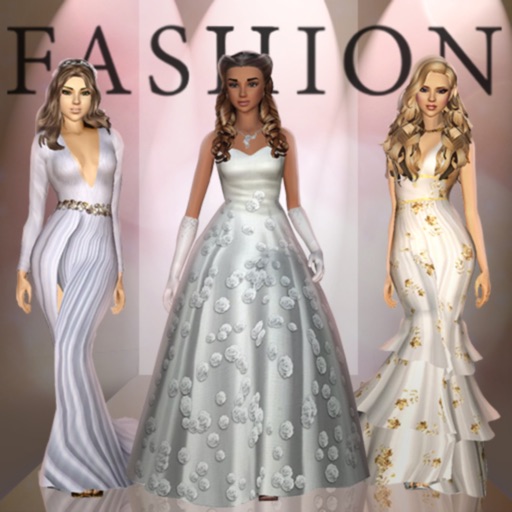
Fashion Empire - Dressup Sim iOS Hack
Compatibility:
iOS 12.0-26+
iPhone
iPad
No Jailbreak Required
Hack Features
- Free IAP
- Unlimited gems ( 999,999,999 earn some first )
- Unlimited Coins Use IAP
- Unlimited Tickets ( Buy with gems)
- Unlimited Keys ( Buy with gems)
App Information
- Hack Version: 3.104.0
- Developer: iOSAppHacks
- Bundle ID: com.megirl.ios.omg
- IPA Size: 204.28 MB
- iOS Required: 12.0+
- Updated:
Official App Store Description US App Store
Stunning fashions. Unlimited creativity.
Express yourself and become a style maven in the #1 dressup boutique simulation game!
Designed for style savvy women of all ages, it’s free to play and you can play Fashion Empire while offline. The game is constantly updated and full of fabulous gameplay-
- CHIC FASHIONS to sell, mix and match and grow your fortune
- DECORATE your boutiques with thousands of gorgeous decorations
- DESIGN thousands of unique items ranging from elegant to edgy
- DRESS UP yourself and your trendy staff any way you choose
- MAKEOVERS with all the latest makeup and cosmetics trends
- COLLECT and covet special designer, elite and signature items
- SHOP furniture - racks, tables, registers, displays and much more
- STORY mode with fashion shows, fascinating characters and freedom
- ADVENTURE to the top with hundreds of quests across many cities
- WIN big and show off in online challenges - it’s fashion week every day!
- JOIN a vibrant fashion loving community
The game is free to play and in-app purchases are available for additional content and premium currency.
Game background and how to play:
1/ You start in San Francisco, an aspiring designer just opened your first shop. You've always been creative, from playing dress up with barbie dolls as a kid, hours on the sims, learning to sketch and creating an amazing portfolio at a top design academy. Together with your investor Eva you'll begin by designing your very first item - a gorgeous pink dress which is sure to bring in initial shoppers
2/ After making your first sales you'll want to expand capacity for racks, registers, dressing rooms - and don't forget decorations to attract the style minded clients.
3/ As your boutique grows you'll learn more and unlock more outfit categories of items - shoes, heels, bags, purses, rompers, jumpsuits, makeup, cosmetics, accessories and more.
4/ After a while you'll probably find yourself busy as the sole worker in your boutique - it will be time to find the perfect staff to join you on your journey. But first you'll need to find a way to persuade them to join - and each have their own story to tell and personality to work with.
5/ San Francisco is just the beginning, soon you'll be expanding to Las Vegas, Miami, Los Angeles and even New York. There you'll get to know celebs and stars who will warm to your unique style and, in time, crave and covet your latest collections. And who knows what glamorous occasions you'll be designing for...
6/ Your reputation is starting to grow and it's time to prove yourself on the world stage amongst a global player base. This is your chance to show your interior designs and outfits in challenging online themed contests, whether it's celebrity style or coffee casual, from red carpet to haute couture runway...
The biggest dress-up and boutique game ever, it's time to write YOUR stylish story.
--Support, Questions or Requests--
Email-us from settings in-game or at fashionempire@frenzoo.com
--- FOLLOW US ---
Official Instagram - https://instagram.com/fashion.empire.official/
Official Facebook Page - https://www.facebook.com/FashionEmpireOfficial/
--JOIN OUR COMMUNITY--
https://m.facebook.com/groups/fashionempireplayercouncil/
Express yourself and become a style maven in the #1 dressup boutique simulation game!
Designed for style savvy women of all ages, it’s free to play and you can play Fashion Empire while offline. The game is constantly updated and full of fabulous gameplay-
- CHIC FASHIONS to sell, mix and match and grow your fortune
- DECORATE your boutiques with thousands of gorgeous decorations
- DESIGN thousands of unique items ranging from elegant to edgy
- DRESS UP yourself and your trendy staff any way you choose
- MAKEOVERS with all the latest makeup and cosmetics trends
- COLLECT and covet special designer, elite and signature items
- SHOP furniture - racks, tables, registers, displays and much more
- STORY mode with fashion shows, fascinating characters and freedom
- ADVENTURE to the top with hundreds of quests across many cities
- WIN big and show off in online challenges - it’s fashion week every day!
- JOIN a vibrant fashion loving community
The game is free to play and in-app purchases are available for additional content and premium currency.
Game background and how to play:
1/ You start in San Francisco, an aspiring designer just opened your first shop. You've always been creative, from playing dress up with barbie dolls as a kid, hours on the sims, learning to sketch and creating an amazing portfolio at a top design academy. Together with your investor Eva you'll begin by designing your very first item - a gorgeous pink dress which is sure to bring in initial shoppers
2/ After making your first sales you'll want to expand capacity for racks, registers, dressing rooms - and don't forget decorations to attract the style minded clients.
3/ As your boutique grows you'll learn more and unlock more outfit categories of items - shoes, heels, bags, purses, rompers, jumpsuits, makeup, cosmetics, accessories and more.
4/ After a while you'll probably find yourself busy as the sole worker in your boutique - it will be time to find the perfect staff to join you on your journey. But first you'll need to find a way to persuade them to join - and each have their own story to tell and personality to work with.
5/ San Francisco is just the beginning, soon you'll be expanding to Las Vegas, Miami, Los Angeles and even New York. There you'll get to know celebs and stars who will warm to your unique style and, in time, crave and covet your latest collections. And who knows what glamorous occasions you'll be designing for...
6/ Your reputation is starting to grow and it's time to prove yourself on the world stage amongst a global player base. This is your chance to show your interior designs and outfits in challenging online themed contests, whether it's celebrity style or coffee casual, from red carpet to haute couture runway...
The biggest dress-up and boutique game ever, it's time to write YOUR stylish story.
--Support, Questions or Requests--
Email-us from settings in-game or at fashionempire@frenzoo.com
--- FOLLOW US ---
Official Instagram - https://instagram.com/fashion.empire.official/
Official Facebook Page - https://www.facebook.com/FashionEmpireOfficial/
--JOIN OUR COMMUNITY--
https://m.facebook.com/groups/fashionempireplayercouncil/
- Rating: 4.6/5 (6,441 ratings)
- Price: Free
- App Store Category: Games
-
Languages:
EN
- Developer: Frenzoo Limited
- App Store Link:
Installation Guide
Follow these steps to install Fashion Empire - Dressup Sim on your iOS device using Sideloadly - the best iOS IPA sideloader for iPhone and iPad.
Prerequisites:
- A computer (Windows PC or Mac)
- Latest version of iTunes & iCloud installed
- An Apple ID (free or paid developer account)
- USB cable to connect your iOS device
- Internet connection
Step-by-Step Installation Guide:
-
Download Sideloadly:
Visit Sideloadly.io and download the application for your computer (Windows or Mac). -
Install Sideloadly:
Run the Sideloadly installer and follow the installation wizard. -
Download the IPA File:
Use the green download button above to get the Fashion Empire - Dressup Sim IPA file (204.28 MB). -
Connect Your Device:
Use a USB cable to connect your iPhone or iPad to your computer. Trust the computer if prompted on your iOS device. -
Sideload the App:
- Open Sideloadly
- Drag and drop the downloaded IPA file into Sideloadly
- Select your connected iOS device
- Enter your Apple ID email and password when prompted
- Click "Start" to begin sideloading
-
Trust the Developer Profile:
- On your iOS device, go to Settings > General > VPN & Device Management
- Find your Apple ID profile under "Developer App"
- Tap on it and select "Trust"
-
Enable Developer Mode (If Required):
- If you see a prompt about Developer Mode, or the app doesn't open:
- Go to Settings > Privacy & Security
- Scroll down and tap "Developer Mode"
- Toggle Developer Mode on and follow the prompts to restart your device
- After restart, confirm enabling Developer Mode when prompted
Important Notes:
- Free Apple IDs require re-sideloading every 7 days
- Paid Apple Developer accounts ($99/year) allow installations lasting 365 days
- Make sure your iOS version is 12.0+ for compatibility
- Keep Sideloadly updated for the best sideloading experience
Troubleshooting:
- If installation fails, try rebooting your device and computer
- Ensure you have the latest iTunes & iCloud version installed
- Check your internet connection
- Make sure your Apple ID is valid and 2FA is handled if enabled
- If Developer Mode is not visible, make sure you're on iOS 16 or later and reboot device


